
- Title: MIUI HAYAT V2 build
- Listed: November, 2013
- Last modified: 02/20/2014 2:30 pm
- Version: 4.2.2 MIUI V5 4.2.14
You must be logged for ROM download.
37969 total views, 5 today
CUSTOM




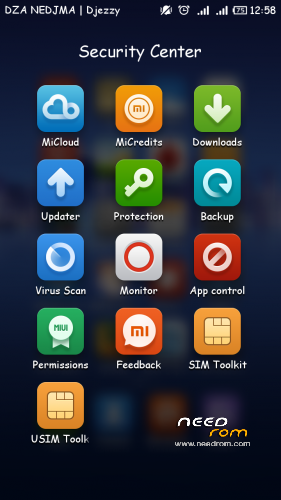
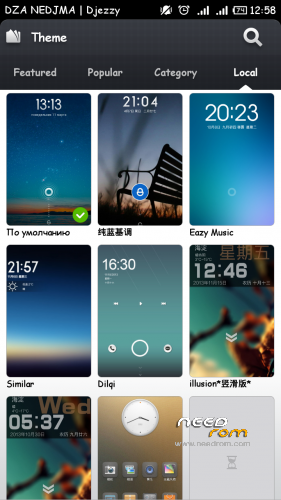

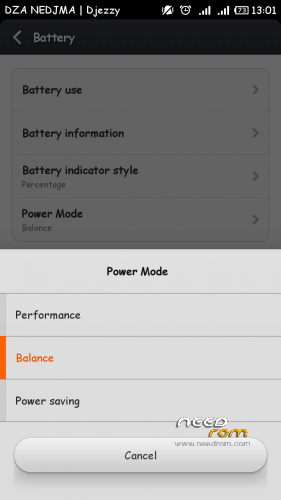

 Member Info
DESCRIPTION
※Please make a backup of your device before installing or updating ROM
well, at some point device stopped to work, and I took it to the service. Not sure what they did, bit at the end they returned bricked phone and said they tried to repare it using different firmware
Hardware : MT6589
Model : Star N9500
Build number : N9500
Build date UTC : 20130810-110639
Android v : 4.2.1
Baseband v: —–
Kernel v : 3.4.5 (root@android) (gcc version 4.6.x-google 20120106 (prerelease) (GCC) ) #1 SMP Wed Aug 7 19:46:33 CST 2013
Uboot build v : —–
LCD Driver IC : 1-RX_50SSD_566A
btw IMEI is still actual, I thought flashing will break it
tried also doing backup using your tool
— Папка сохранения на компьютере: C:\temp\mtk2\MtkDroidTools\backups\Star-N9500_130810_backup_131204-215323\
— В телефоне файлы будут сохраняться в папке: /clockworkmod/backup/131204-215323/
— scatter сохранен в файле:
C:\temp\mtk2\MtkDroidTools\backups\Star-N9500_130810_backup_131204-215323\MT6589_Android_scatter_emmc.txt
— Сохраняем блоки:
- preloader_and_dsp – ОШИБКА : Zero file, no space left on device!
— Cохраняем папки копированием содержимого на PC
- /data/nvram
- /system
— задание завершено c ОШИБКОЙ! —
ok try first flash this firmware via sp flash tool
https://www.needrom.com/wp-con.....21-160914_PC.7z
SP FLASH TOOL https://www.needrom.com/wp-con......1252.1.104.zip
USE FIRMWARE UPGRADE NOT DOWNLOAD
when finish,the device should turn on but no display.
then reflash HAYAT buil and choose the drivers.
with this flash tool throws error
BROM_ERROR S_UNSUPPRTED_VER_OF_DA (1022),
flashed successfully sp tool with version 1304.
Tried HAYAT with LT050ANKP019A, RX-499NT-689A, RX_50SSD_566A with results as before
MTK Tool shows the same results too, exept IMEI now gone.
Backup still has the same error - preloader_and_dsp – ОШИБКА : Zero file, no space left on device!
maybe by a chance you from Belarus?
for preloader_and_dsp – ОШИБКА : Zero file, no space left on device! dont worry about it,i have the same error come .
i think that is a hardware issue.
i'm from algeria.
wrong about IMEI, it stays unchanged
Z57006N50C20 actually behaves the same was as RX_50SSD_566A for me. Both could load and recognized by MTK Tools. It was probably the same before applying https://www.needrom.com/wp-con.....21-160914_PC.7z , I just didn't wait enough for phone to load
the solution above could solve any software issue,however you can try other stock rom's.
personaly i think that probably a hardware issue.
ok, thanks anyway for all advices
Hello nakbe, tried to flash the rom first with cwm but get the white screen, after that i flashed the original rom from the phone and after that, tried to flash through "Hayat build 3.11.8 (SP MDT)" . It finished but when i tried to turn on the phone nothing happens. Now when i tried to flash through flash tool the phone its recognized so the red bar appear but when i insert the battery so it can flash the phone, nothing happens. Its like the battery can't connect. After that the error 4032 appear. I have three batteries with full charge so i discard that the batterys are discharged ( I have another n9500 so i can test the batteries ). Can you please help me to unbrick (or flash )the phone?. Its an N9500 8gb Thanks
k try first flash this firmware via sp flash tool
https://www.needrom.com/wp-con.....t…..0914_PC.7z
please use the lastest SP tools
USE FIRMWARE UPGRADE NOT DOWNLOAD
when finish,the device should turn on but no display.
then reflash HAYAT build via SP MDT or your backup rom via SP tool.
Tried that already, the phone still remains in red bar but no detection after inserting the battery. I already tried with the battery insert the whole process and inserting it after the red bar ends ( this is how normally i did when flashing the phone) but no luck. Any other suggestion?
Thanks
Sorry my bad. Trying to flash with an old Flash Tool. After downloading the v3.1312 i could flash the backup firmware. I'm trying now to install again your rom. Thanks!
last chance I think trying another cable
witch cable you mean,USB data cable?
i dont think that is the cable,because if the cable is faulty,no communication betwen PC and DEVICE.
Dear nakbe an LazyG Thanks for your help. Like i sai in my last post the phone is working again. The problem was that i was using an ol version of smart Phone Flash Tool. After flashing the stock rom i w/sable to flash this rom and now i'm using it. If someone wants to have the internal storage with 6.75 Gb this were the steps i followe.
-Flash the stock rom of N9500 8gb.( SP_Flash_Tool_v3.1312.0.139 recomended). Flash the recovery so you can install the MIUI HAYAT rom
-Flash the Star N9500 Hayat via recovery
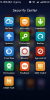
-In the second screen Enter security center / permissions / root / allow root permisions
-Install a program calls meteos mtk6589
-open the program and you can choose your new partition space.
-reestart the phone in recovery mode
-wipe data/factory reset an wipe cache partition
-install again the zip Star N9500 Hayat
-reboot and wait for the magic!!
Thats the way i use to get this amazing rom with internal storage, maybe there is another way or maybe there are some steps that are not neccesary.
Thanks the both of you for trying to help me and thanks nakbe for the amazing rom!!!
very glad to that we help getting a fully working HAYAT build on your device,also thanks for the helpfull informations.
Comming soon Geisha build,more RAM available,more options,more speed.
Beta testers needed,if interested,contact me.