
- Title: MIUI LEGEND_ROM_S4_LEGEND_PSENSOR FIX_camera_patch_SDCARD PATCH_vold.fstab change_all apps on sd card
- Listed: January, 2014
- Last modified: 01/16/2014 3:24 pm
- Version: MIUI V5
You must be logged for ROM download.
38531 total views, 4 today
1 Total favorites
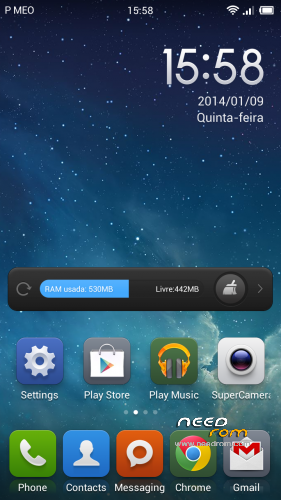
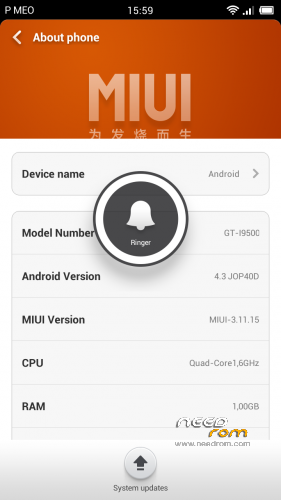
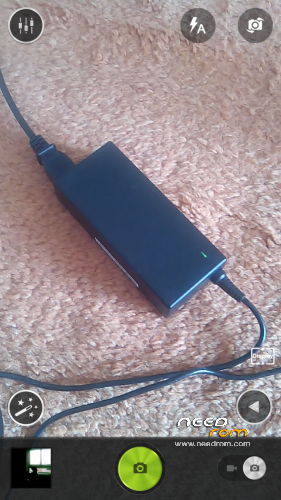
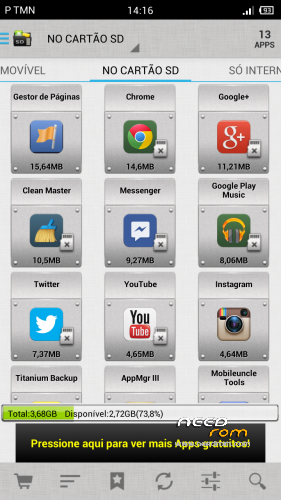

 Member Info
DESCRIPTION
For 3G network, i've found a temporary fix that really improves connection and internet speed. I've seen improvements on my internet with Internet Speed Test. Apparently it improves 3G internet data speed too.
Maybe you should try out and leave your feedback, please.
"I have just fixed why some apps work only with WiFi but not on 3G. ICS apparently automatically added Proxy-settings to your APN, in my case Vodafone (NL). This is not necesarry to even make use of mobile internet, and it also prevents some apps from accessing the internet. I removed the Proxy-settings et voila, it works perfectly again!
Fix: Settings -> Press 'Mobile Network' (not Off-On!) -> Names accespoints -> Click your provider -> Remove 'Proxy' and 'Port'" (Font: http://forum.xda-developers.com/showthread.php?t=1601681)
U CAN GO TO MOBILE UNCLE TOOLS, SELECT MOBILE DATA SERVICE PREFERRED AND THEN SELECT MOBILE DATA SERVICE PREFERED (ALLOW MOBILE DATA TRANSMISSION AT FULL SPEED) – THAT'S IT! 3G CONNECTION AT FULL SPEED!!!
________________________
NEW UPDATE#1 – VOLD.FSTAB change. ALL APPS ON SD CARD NOW!!!
Just install zip file on cwm or extract vold.fstab file that it is on system/etc…. just extract it and replace on your system. With ES explorer or other check for system/etc/vold.fstab file and replace it.
JUST RATE THIS ROM!
________________________
This is a sleepersdevil xiomi rom port update, with some new camera libs (real 13 megapixels) with rear and front camera working well and with new apk pre-installed to fix network name (SPN) (MiuiSpnConfig.apk) and with lenovo supercamera.apk installed too.
Rom Installation (Same procedure as sleepersdevil)
(From sleepersdevil great work) : "This is a CWM based ROM not a SP Flash ROM
WARNING!!! ALWAYS BACKUP YOUR CURRENT ROM FIRST BEFORE YOU FLASH THIS!
Step 1 : Unlock your SIM CARD first on your previous rom (that's really important)
Step 2: Download the custom ROM to your external SD Card
Step 3 : Shutdown your handheld.
Step 4 : Go to CWM Recovery mode ( Volume Up + Power )
Step 5 : Assuming that you already BACKED UP your ROM, then go Wipe Data/Factory Reset, Wipe Cache Partition, Wipe Dalvik Cache
Step 6 : Install Zip from SD Card > choose ZIP from SD Card > select the ROM"
STEP 7: Go to recovery again and wipe cache
STEP 8: assuming that you have port your own boot.img to this rom, you can now reboot and everything must work well with a nice camera though
Warning – You have to port your own boot.img from your rom and install on this one to fix sim card recognition.
This rom has already the modem.img update from sleeperdevil rom.
Thnx to sleepersdevil and his great rom. This is only a patch to fix some things like camera issues (Now Real 13 megapixels)
※Please make a backup of your device before installing or updating ROM
yeah, installed all the camera libs.
Wich phone do you have? MTK6589? Is it real Legend? Mine is HDC S4 i9500 mtk6589…
I have try anything about the Psensor i have re install the rom but i still have the issue i hope we will have some fix for that
Yes, i'm working on it. Meanwhile, you can disable it and save some battery life and avoid the problems you still have. Go to phone, click on settings, other settings and disable proximity sensor. For now, i think you should do that.
yes, real legend mtk6589 1gb ram single sim
OK great it works
FOR 3G CONNECTION SPEED PROBLEMS, JUST TRY THIS!
U CAN GO TO MOBILE UNCLE TOOLS, SELECT MOBILE DATA SERVICE PREFERRED AND THEN SELECT MOBILE DATA SERVICE PREFERED (ALLOW MOBILE DATA TRANSMISSION AT FULL SPEED) – THAT'S IT! 3G CONNECTION AT FULL SPEED!!!
The problem with sim card recognition is in Phone.apk but y don't know how fix it
Yes. I am analysing that right now. News to come soon!
I like this ROM, but the front camera is not good.please fix Or teach how to make it better.Thank
do you know to solve my problem of inverted accelerometer? thanks
Well, i don’t have that problem. To test it i need some phones.. It’s kind difficult to make a rom working well without problems on every phone, because they are to many. Is your phone the hdc s4 legend?