
- Title: MIUI v5
- Listed: April, 2014
- Last modified: 09/26/2014 1:50 pm
- Version: 4.8.29
You must be logged for ROM download.
42319 total views, 7 today
2 Total favorites

 Member Info

DESCRIPTION
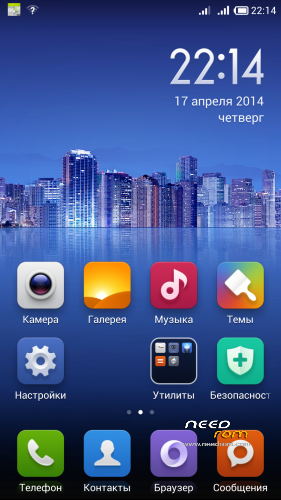
Enable Root: On Desktop open "Security" -> "Permission" -> "Root permission"
Best smart phones and other equipment at low prices on GearBest.com
Languages in last version: Russian, English, Chinese, Ukrainian, Spanish, Polski, German, French, Slovak, Italian, Czech, Bulgarian ( + Greek, Arabic, Dutch, Turkish in 4.8.15).
If you want me to add any language in firmware, write about it in the comments!
Features:
- 3G switch beetwen SIM-cards(work fine);
- All works fine;
IF YOU LIKE MY WORK PLEASE DONATE . EVEN 1 $ IS APRECIATED.
1. Download the. Zip file and dump the firmware to the memory card.
2. Loaded in Recovery
3. Making wipes:
1) Wipe Cache
2) Wipe Dalvik Cache
3) Wipe Factory Reset
4. Select Install / Instal zip from SD
5. Choose. Zip firmware file and wait for the end of the process.
6. Boot the system is ready.
OTA-updates install only on version 4.7.18(example from 4.7.18 to 4.7.25) without wipe through TWRP 2.7.1.0 (other recovery not tested). A different version of the firmware can not be installed. If the firmware was changed any system files, the update also will not install when you install get an error.
OTA update this file type ota_v4.2.2_S7_XXX_YYY.zip, where XXX - transition from this version to the new version YYY.
※Please make a backup of your device before installing or updating ROM
greeshan simply the best
Thanks!
Thanks greeshan
Thank you!
how enable root.
read in header
Please Bulgarian language.Very please.Thanks.
Ok, in next version i try to add this.
Hello,
I´m Chris from Germany and I have the follow problem.
When I want to buy anything in the Play store (it doesn´t madder if its cost or it´s free) I can only download in WiFi but not in 3G. The settings is without "Only Wifi download".
Can you help me and could you fix this problem. I thank you very much if it´s work…
See U bye bye…
…Chris from Germany
..
Open "Downloads", go settings and set value to 100mb or high. There is a limit to the size of downloads over the network.
Hello
Zopo ZP998 got the Kitkat upgrade and MIUI also. Will you try to combine between them to make a Kitkat MIUI version for ZP990+?
Thanks in advance!
To get a regular KitKat need kernel from 4.4 for our phone. Combine MIUI KitKat version not work, even with the kernel.
No KK kernel for our phone – no KK for our phone.
Hi Greeshan
ZP 998 and ZP 990+ have the same CPU. ZP 998 get the upgrade to 4.4 officialy. Is it possible to port the ROM of 998 to 990+?
Hello!
No, need kernel for zp990+.
great work greeshan !!!
we hope you will provide updates in the future !
Thanks! Yes of course
hi,works on a 980+?
After calibration battery, latest version of this rom is PeRfEcT!!!!! Thanks very much! Is fast and works great all!
If you replace boot.img from zp980+, it should work.
Thanks!
Thanks a lot
Greeshan,
Should I update the base official rom before change into MIUI?
My build number ZP990+20140301-155144, so can i install your MIUI or should i update to 20140328-154903 first?
Could you please provide a link where i can download the TWRP or CWM recovery that works with ZP990+?
Thank you so much
Use this Recovery: https://www.needrom.com/mobile.....for-zopo-zp990/
You can install my MIUI on any build or ROM, but you should do wipes before install MIUI(in header see instruction about install)
Thank you Greeshan, i really apreciate what you did and with prompt reply.
I have succesfully install the MIUI.
What i noticed is the Super SU is missing, and i download the latest framaroot, it said failed if i want to root.
Everytime i opened unclemobile, it said go to permission manager but i could not find it. Any solutions?
Thankyou
Never mind, i get it on the desktop-security setting