
- Title: MIUI v5
- Listed: April, 2014
- Last modified: 09/26/2014 1:50 pm
- Version: 4.8.29
You must be logged for ROM download.
42316 total views, 4 today
2 Total favorites
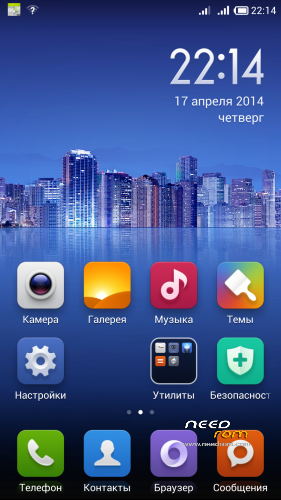
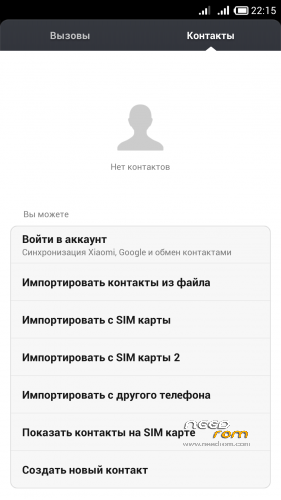
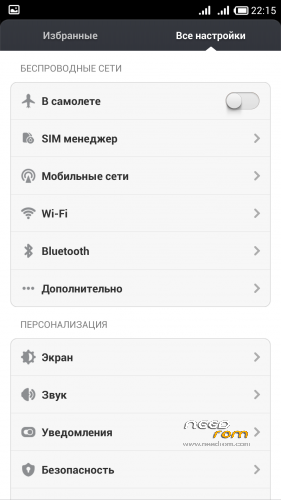
 Member Info

DESCRIPTION
Enable Root: On Desktop open "Security" -> "Permission" -> "Root permission"
Best smart phones and other equipment at low prices on GearBest.com
Languages in last version: Russian, English, Chinese, Ukrainian, Spanish, Polski, German, French, Slovak, Italian, Czech, Bulgarian ( + Greek, Arabic, Dutch, Turkish in 4.8.15).
If you want me to add any language in firmware, write about it in the comments!
Features:
- 3G switch beetwen SIM-cards(work fine);
- All works fine;
IF YOU LIKE MY WORK PLEASE DONATE . EVEN 1 $ IS APRECIATED.
1. Download the. Zip file and dump the firmware to the memory card.
2. Loaded in Recovery
3. Making wipes:
1) Wipe Cache
2) Wipe Dalvik Cache
3) Wipe Factory Reset
4. Select Install / Instal zip from SD
5. Choose. Zip firmware file and wait for the end of the process.
6. Boot the system is ready.
OTA-updates install only on version 4.7.18(example from 4.7.18 to 4.7.25) without wipe through TWRP 2.7.1.0 (other recovery not tested). A different version of the firmware can not be installed. If the firmware was changed any system files, the update also will not install when you install get an error.
OTA update this file type ota_v4.2.2_S7_XXX_YYY.zip, where XXX - transition from this version to the new version YYY.
※Please make a backup of your device before installing or updating ROM
Hallo greeshan, thank for this amazing rom. I have a ZP980+ and use the 4.8.15 SE. How can I use the OTA? And I have a problem with the keyboard, sometimes it not response in Whatsapp (i can not see the keyboard) sorry for my bad english.
Just flash the OTA, it does not contain boot.img
Try to replace keyboard. I dont have this problem with SwiftKey
Ok now i cant choose german
Help please, there is no german language in the update
i check this…. in next version add it
Thanks
Hi there,
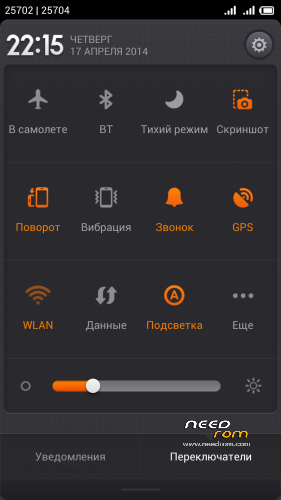
just wanted this ask, is this rom based on android 4.4? Also does it have the option to enable the onscreen navbar?
Thanks
Hi,
This based on 4.2.2, because 4.4 no for zp990+
Yes, in settings you can enable navbar
Hi there greeshan,
I installed your rom really smooth and nice. I cannot find the option to enable the navbar however. Can you direct me as to where in settings it's located?
Thanks
sorry, in this version no this option. In system/build.prop you can write
qemu.hw.mainkeys=0
this will ON navbar.
qemu.hw.mainkeys=1
this will OFF navbar.
I use this ROM some weeks ago, and now I can say this.
This ROM is the definitive ROM for our phone, the battery life can be very long if you do a moderate use (no playing games and videos), sometimes in the night I have more than 50%, I listen music two hours a day approximately, play maybe 15-30 minutos and many whatsapp.
Only has a few errors:
– The camera resolution,13 megapixels instead of 14 (I can live with this, but it´s a detail).
– The sensibility of MIUI launcher is horrible, I use Yandex Shell, the very best and most complete launcher+widgets+very low ram consuption (in my opinnion).
– Sometimes the touch screen fails (lock and unlock and solved).
– Sometimes, when you exit from airplane mode, the touch keyboard that you use to enter PIN, is slightly hidden in the bottom of the screen.
I only can say one thing, please Greeshan, don´t waste your time improving other ROMs for our phone and make this perfect, because this is the best ROM. I tested for weeks your LEWA and Greenoid, and only this makes me think "I don´t need change the ROM anymore".
Thank you Greeshan.
Thanks! You must understand that this is not an official firmware and will be bugs, how many do not fix it … Now I do not do a firmware for ZOPO. I bought a Xiaomi redmi note where miui is the official firmware, and say that even here there are bugs … I am very glad that you like my work!
in my site you can find instructions for porting MIUI ROM for ZOPO.
When I am in recovery mode and I choose to apply update from SD card and select the .zip file it says –Install /sdcard2 … it progresses for a while then says Installation aborted an ideas what I am doing wrong?
Did you make it from russian TWRP? Wipe data first.
install TWRP recovery for zp990+. On needrom you can download it.
Hi, Please kindly add Thai language. Thanks in advance.
Hi friends, This rom works for zopo zp999 3gb. Mirko
No, this only for MTK6592.