
- Title: MiUi V5 3.11.29 (Stable,Actual)
- Listed: December, 2013
- Last modified: 12/20/2013 12:41 am
- Version: 4.2.2
You must be logged for ROM download.
37284 total views, 1 today
123 Total favorites

 Member Info
DESCRIPTION
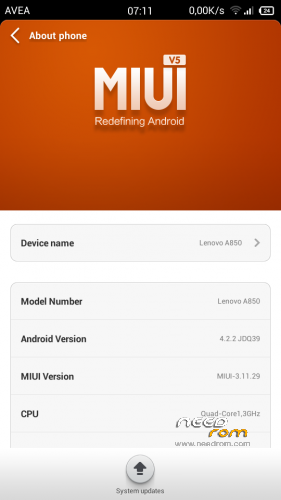
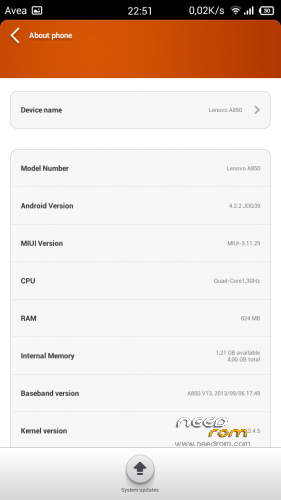
MiUi V5 3.11.29
Ported Lenovo A850 MIUI v5 – 3.11.29
Gapps içerir – Rooted
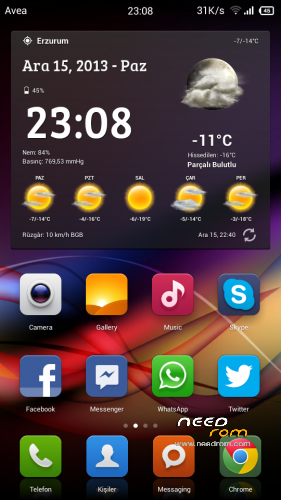
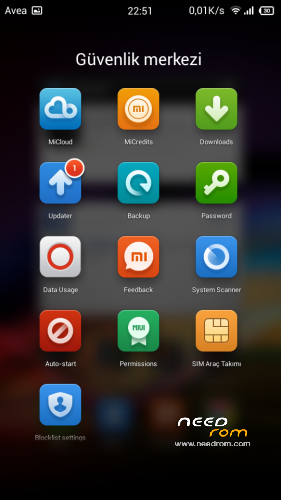
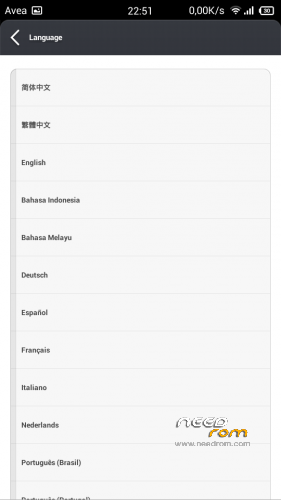
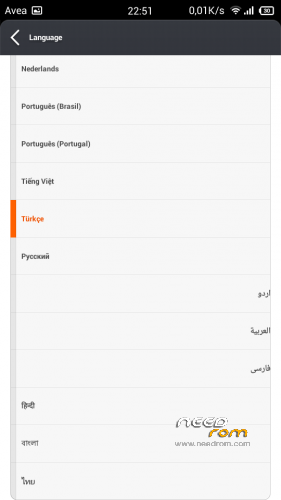
Language support: Multi Language
Install ROM:
CWM ile
Step 1: Download the custom ROM copied to an external SD card root directory
Step 2: the shutdown state. While holding down:
– Power button + volume button up, to enter the recovery mode.
– Wipe Data / Factory Reset -> delete all user data
– Wipe Cache Partition -> Wipe cache
– Advanced -> Wipe Dalvik Cache
Step 3: Return to recovery main interface Install zip from sdcard -> choose zip from sdcard -> Select your ROM
Step 4: Brush complete, restart the phone Patience required – first boot takes a while
china is not suitable for software.
※Please make a backup of your device before installing or updating ROM
who tested, give me some review, please. thanks.
what about battery-consumption, camara, message, wifi hotspot, 3G? Is it smoothly used? … any errors while using? Thank you very much indeed.
what about the ROM's features? Is it remained some useful features as Stock? Such as: pocket mode, decrease tone volume when phone has been picked up, LED notification settings, flip to mute…
THANKS!
There are two errors not working.
1 – sensor does not turn on after the search.
2 – LED notification does not exist.
2 days battery is being used (open WiFi data)
camera preview is not clear. After taking a sharper
HotSpot is running.
very fluent.
Waiting for a better update.
It have Czech language?
languages shown in the picture.
all good! thanks admin
Thanks for your reply. Ok. I’ll wait for a perfect MIUI Rom.
I think so..
bro,aku dah try rom nih,puah hati la,tpi aq tngok ada bnyk lgi rom kat sini http://bbs.ydss.cn/forum-lenov.....850-1.html,tapi takda yg Multi Language,ko pndai mod dia punya bahasa tak?
In English, please.
bro dia pakai..cmana dia pnya sd card,language or perfomance speed
I have tried to install CWM on my A850 withous success.
Can somebody tell me where i csn find the right file and instructions?
U download Recovery tool from google play and flash cwr for lenovo a850
You mean Mobile Uncle Tools?
I have tried to flash CWM for A850 and all i get is stock android recovery.
I have this ROM:
https://www.needrom.com/mobile.....guagegappsroot/
It just changed chinese recovery to english stock recovery.
I used the recovery from here:
https://www.needrom.com/mobile.....ot-google-play/
Hi using mobile uncle tools did not work for me.
I had to use instructions from here: http://www.movilesdualsim.com/.....enovo-a850.252/
(Go to first thread in the sticky threads and use google translate – INSTALACIÓN RECOVERY CWM EN INGLÉS)
I'm not so good with hacking but this is what I did:
1. Download the two files in the second post of that thread (CWM a850 andthe link below it)
2.Unzip CWMA850 and copy folder to C:\ (So that it is C:\CWMA850\6080.exe)
3. Connect phone to computer as media storage (not usb) and enable debugging mode
4. Run 1.Salva.bat (to backup current recovery) (Also run these stuff as administrator by right clicking). Might ask to press any key to continue. Once done it will create recovery_original.img which shouldn't be bigger than 6144kb
5. Run 2-Compila.bat
-it will ask 2 questions
-for the first one select for manual port, (option 2)
- for the second one select emmc, through (option 2)
6. Copy second download (from the second link in the post) ie recovery_new.img to the folder (C:\CWMA850\recovery_new.img)
7.Run 3-Installa.bat
-this should install new recovery
-For some people, the bat file may give error message, if this is the case then right click Installa.bat and click edit
-Then go to line: adb push recovery_new.img /mnt/sdcard
And change to adb push recovery_new.img /mnt/sdcard/
(Adding / symbol at the end)
-Then it should work and install new recovery
-Once done turn off phone and press all three physical buttons and hold (power button and both volume keys)
You should now be able to load CWM
I've tried this rom, rom is great… in this forum http://bbs.ydss.cn/forum-lenov.....o_a850-1.html so many rom,but not all rom have multilanguage,I want to know how to make it multilinguage?
china is the software at this link. provides bilingual chinese / İngilizce. china software built on top of this ROM can not. Before the necessity of establishing multi-language ROM