
- Title: MIUI V5 A859 ROW
- Listed: September, 2014
- Last modified: 09/29/2014 6:37 pm
- Version: 4.8.22
You must be logged for ROM download.
30551 total views, 1 today
8 Total favorites




 Member Info
DESCRIPTION
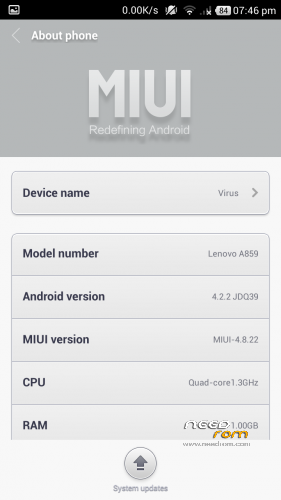
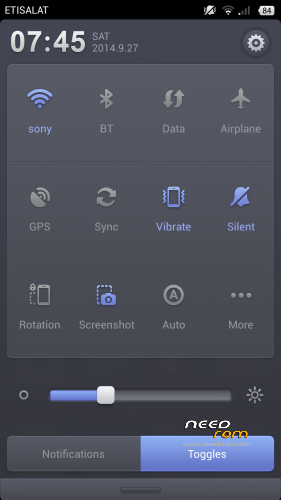
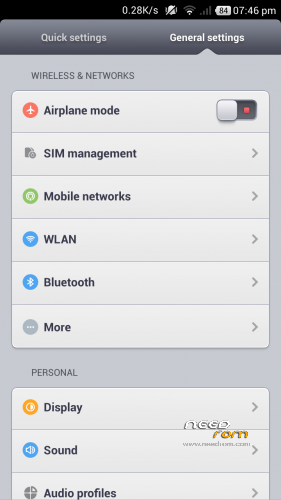
MIUI V5 4.8.22 For Lenovo A859 ROW (Gapps Included)
Features:
1. Stable and smooth
2. Excellent Battery Timing
3. 400mb+ free ram by killing apps with MIUI’s powerful task killer
4. Includes WSM Tool (xposed framework of MIUI) with some useful tweaks
5. Many init.d tweaks for better performance, ram management and internet speed.
7. No Bugs so far, checked each and every thing..
Suggestions: Turn on tools in wsm modules. Tools include volume key skip track when screen off and Mithemes to download paid themes in theme store for free without creating xiaomi account.
Disclaimer:I am not responsible if you somehow mess up with your phone. I don’t provide any kind of guarantee if you don’t follow proper step by step installation procedure. So follow all steps carefully and never skip any step.
Instructions:
1. Copy Rom on your SD-CARD.
2. Power off your phone.
3. Turn your phone on in recovery mode (by pressing VOLUME UP + POWER buttons).
4. Make a backup. Select “backup and restore”. And then select “backup”. When it is done select “Go Back”.
5. Select Wipe/Data Factory Cache.
6. Select Wipe Cache Partition.
7. Go to advanced and select wipe dalvik cache.
8. Go back to the main menu.
9. Select “Install zip from sdcard” –> “Choose zip from sdcard” –> Now select Rom zip –> Select ”Yes”
10. DONE. ENJOY!!
※Please make a backup of your device before installing or updating ROM
Does this rom has gapps?
Yes GAPPS included
is it support OTA?
No it doesn't support OTA as I have collected files from different versions to make it stable and bug free so ota won't work
can u explain it more? like what recovery mode should be used, and do we need to root our phone first.
thanks!
It can only be installed throgh custom recovery like CWM or TWRP etc. No need to be rooted before installing it
i found Bugs
1. camera sound cannot Off
2. back bottom cannt vibrate when it touch
Goto settings -> Stock settings -> you can turn off the camera sound
in Settings-> sound setiings there is option to turn touch vibration off and on
Memory bugs
It seems everything is okay with this … MicroSD reflected in the lower section (set with wipe’s)
Sorry, google translate
https://yadi.sk/i/xl1kXko1bzkX.....L
data conection is not stable
How about data connection?
and how I see superuser app? thanks
Bugs :
1. Cannot vibrating, although I already activate vibrate option.
2. Experia keyboard stop working when I try to change vibrate setting
3. cannot change ring tone, you must download ringtone first with chinesee language
4. please fix all
freeze (or uninstall the keyboard).
install the google keyboard (or anything else)
the ring tone issue is more about luck.
not stable, sometimes error.
sorry but i dont have the solution.
Y I cant install on my A859. ERROR. install Aborted.
no advanced mode found. {Go to advanced and select wipe dalvik cache}
what recovery mode are you using rmnuman???
i reckon you to use TWRP if the CWM
doesnt work.