
- Title: MIUI v5 for CANVAS JUICE
- Listed: February, 2015
- Last modified: 02/02/2015 8:05 pm
- Version: 4.2.2
You must be logged for ROM download.
17562 total views, 2 today
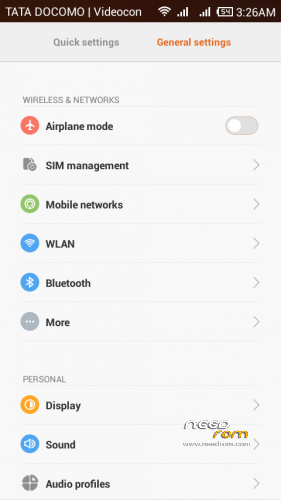
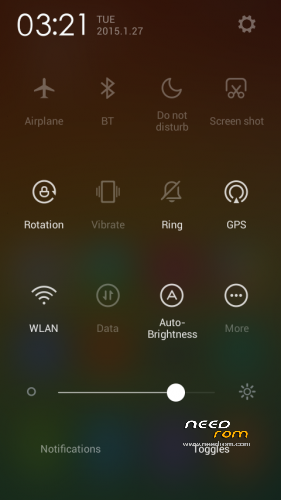

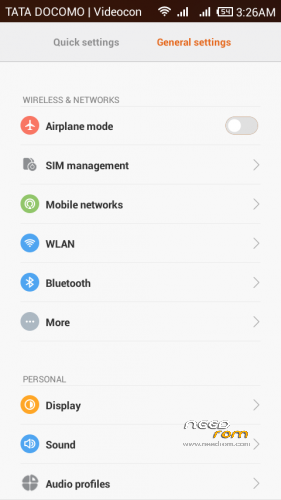
 Member Info
DESCRIPTION
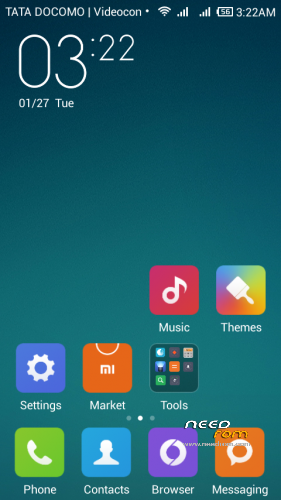
MIUI v5 ORIGINAL VERSION
FOR MICROMAX CANVAS JUICE A177
1.Download the Rom file from the link provided A177
2. Place it in the root of your SD card
3. Go to CWM or any other custom recovery (not stock one)
4. Wipe Data/Factory Reset
5. Wipe Dalvilk cache
6. Select "Install .zip from SD card" and select the file
7. Select "YES"
8. It will automatically REBOOT (It will take 5-6 minutes to boot so don't worry)
For MICROMAX A77
1.Download the Rom file from the link provided A77
a.(Extract the rom and replace boot img link given as boot img for a77)
b.Repack the miui zip using winzip or any other ziping software
( Boot img for A77 is by MURTAZA PIPLOd special thanx to him)
2. Place it in the root of your SD card
3. Go to CWM or any other custom recovery (not stock one)
4. Wipe Data/Factory Reset
5. Wipe Dalvilk cache
6. Select "Install .zip from SD card" and select the file
7. Select "YES"
8. It will automatically REBOOT (It will take 5-6 minutes to boot so don't worry)
3. Go to CWM or any other custom recovery (not stock one)
4. Wipe Data/Factory Reset
5. Wipe Dalvilk cache
6. Select "Install .zip from SD card" and select the file
7. Select "YES"
8. It will automatically REBOOT (It will take 5-6 minutes to boot so don't worry)
ROM FEATURES
1.BETTER TOUCH RESPONSE
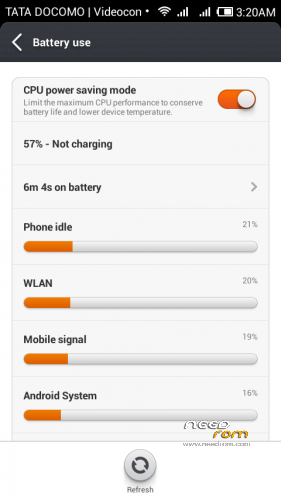
2.BETTER BATTERY BACKUP
3.SMOOTH OPERATION
4.PERMISSION MANGER
5.GUEST ACCOUNT
6.THEMES PACK
7.DEOXED
8.ROOTED
9.USB Debugging enabled
10.camera ADVANCE MODE (Professional MODE)
11.XPOSED INSTALLED
12.ULTIMATE MUSIC PLAYER SHAKE TO SKIP
13.AND many more download and explore .
14.dont forget to link my page FACEBOOK
15.MIUI v5 orignal Version FAST and smooth
16.GAPPS INCLUDE UPDATE
https://www.facebook.com/customroid?ref=aymt_homepage_panel
DONT SHARE THE MEDIFIRE LINK ANY WHERE ELSE YOU CAN SHARE THE NEED ROM Any where..
DONT FORGET TO TAKE THE BACKUP OF THE EXISTING ROM
FOR APPLING Themes …
1.INSTALL THE XPOSED FRAMEWORK
2.open WSM tools
3.INSTALL framework
4.Next select THEMES FRAMEWORK ON
5.Now paste themes in folder in sd card miui/theme/
6.REBOOT
7.OPEN THEMES there you will find upgrade theme
OR
8.CLICK FOR options There you will find IMPORT FROM SDCARD.
9.CLICK and IMPORT
And APPLY ENJOY
BUGS
NO bugs NOW
WORKING ON BUGS
1. remove bug .zip added for the bug some people are facing that after restart vibration on lock screen setting resets
Good NEWS GUYS
SENSOR BUG REMOVED APPLY THE PATCH SENSOR BUGs
※Please make a backup of your device before installing or updating ROM
Hi bro , is this a theme? or a full rom? i would like to know
and please could tell me the exact version of miui rom (4.***)?
4.1.3 is the exact version 4.7.23 will be soon uploaded
what is the name of this theme ?
FULL ROM LINK UPDATED
LINK FOR ROM UPDATED
Boot.IMG for a77 plz provide link
i was looking for 4.7.23 but the one i found had a problem in the “com.android.phone” also the ear speaker and engineer mode , there was some other bugs but those are the one i could not fix , so i hope your 4.7.23 rom had these fixed , thank u
Ya telephone bug removed … and will soon uplaod the 4.12.17version right now that has bugs loke wife and sensors
Flashed on A77 but it stuck on boot image. Tried replacing boot image also but still no luck.
can we install apps and games on external sd ?
Bro…. I flashed it in a177 but stuck on boot