
- Title: MIUI v6
- Listed: July, 2015
- Last modified: 07/22/2015 2:06 pm
- Version: 4.1.2
You must be logged for ROM download.
18202 total views, 1 today
6 Total favorites
 Member Info
DESCRIPTION
The ROM-based big last autumn produced a 4.1MIUI
Compact memory on a large number of station software and other files to 190MB
Add V6 optimization script
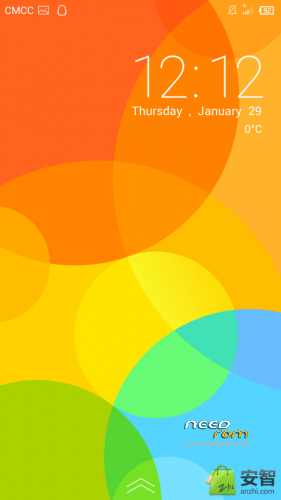
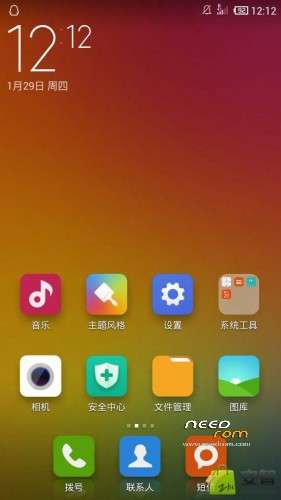
Global MIUI6 style
500 pro-test memory on boot, extremely smooth power
In short this ROM is fifth in the history of the most fluent MIUI
More modifications I forgot, Brush experience it
Brush Method:
1. Download the .zip good suffix after the ROM package, put the SD card root
2, in the case of re-boot, restart the phone, the phone is black and so hold the volume plus key not loosen, until well into recovery mode to
Case and then shut down, hold down the volume increase button and the power button is turned on, until the recovery mode, then release
3, select the "Clear all data"
4, select "Empty Cache"
5. Choose "Select the Brush Pack Brush"
6, select "Choose ZIP from SD card Brush Pack", you just find the SD card into the Brush Pack
7. After loading is complete, return to the beginning of the interface, select "reboot system now"
8, the first opportunity to open a little slower, more later, you can
※Please make a backup of your device before installing or updating ROM
how this save file?
как эту прошивку скачать??????????????
as this firmware download??????????????
i cant download
Can not download. I hate your "BAIDU"
i'll upload on Needrom wait a little
SoCr@Te, okay, thank you. I'll be waiting.
good now
SoCe@Te, thanks you a lot.
Smooth and good perfomance rom. … (i love miui browser)
+Long use per one charge (a better battery consumption)
+Smooth interface, animation
+Enough game perfomance
+Low RAM system use
-No browser,
-Only CN and English (i don’t care, seriously)
This is the best way to use custom on g525.
Wifi works
dual sim works
on first boot it will reboot once more.
no input methods on 2nd boot. its grayed out.
later I was able to install other keyboard APK. that's strange
no way yet to install google play services. so no google apps…
I tried to install google play via an APK on my sd card but the service crashes constantly.
tried to install gapps.zip for kitkat via recovery menu but it has no effect. can't add a google account to this rom.
managed to install gapps-jb-4.1.2-20131214-signed.zip which was downloaded from xda-developer.
now google store is active.
another issue: upon evert report you get an anoying SMS to register your SIM with Mi Cloud. didn't find a way to disable it.
in the android–>about menu:
MIUI-4.10.30 (I thought this is MIUI 6. only splash screen is a MIUI6 copy)
CPU quad 1Ghz (actuall CPU is 4×1.2Ghz)
Android: 4.1.2
internal mem: 180MB available out of 4G . (wtf?!)
kernel version: 3.4.0-cyanogenmod
how can i move the apps to the sd card?