
- Title: MIUI V7 & TWRP MULTI
- Listed: August, 2015
- Last modified: 02/19/2016 11:40 pm
- Version: 6.2.18
You must be logged for ROM download.
64954 total views, 8 today
33 Total favorites
 Member Info
DESCRIPTION
Change the recovery to TWRP unless you already have it installed
1.Copy ROM zip to external SD card
2. Turn off the phone, press and hold "vol+" and "power" buttons simultaneously to enter Recovery Menu
3. Wipe –> Advanced Wipe
4. Wipe Dalvik cache
5. Wipe System
6. Wipe Cache partition
7. Wipe Data
8. Reboot to Recovery Menu
9. Repeat steps 3 to 8 at least 4-5 times
10. Install ROM
11. Reboot to system
12. Enjoy !!!
If you update from a previous MIUI version
1. Download rom to external SD card
2. Tools –> Updater –> Press the 3 dots icon –> Select Update Package
Then the Phone will enter automatically to Recovery Menu and Update
Again TWRP is required , CWM will not work
This rom is based on the ROM from xiaomi note 3g device taken from xiaomi.gr developers
Everything seems to be working / No bugs so far
a. 2 sims
b. miui camera
c. play store
d. gps
e. notifications led etc…
v 5.8.27 include sound and sms patch
Please report any bugs you will come up against
Any feedback is welcome
※Please make a backup of your device before installing or updating ROM
Viber still dont work on new versions.. I am on 5.10.8 , this is the last version where Viber working..
Viber finally work.. Thanks mate..
Hello my friend,
Thank you for this ROM. Unfortunately I have the following problem: after finishing all the wipes and rebooting, the phone shows only the Coolpad logo and then nothing happens. Does't go to Recovery menu, just shows the logo forever! Any ideas?
BR
Well, my bad. Evetything runs great
not have signal, for calls, have any problem? how to resolve? have any solution?
please make clean install. everything work gread for all of us
or flash again
can help mate, i flash rom stock again, and have sinal, but i want install this room, can explain better mate? sorry
Change the recovery to TWRP unless you already have it installed
1.Copy ROM zip to external SD card
2. Turn off the phone, press and hold "vol+" and "power" buttons simultaneously to enter Recovery Menu
3. Wipe –> Advanced Wipe
4. Wipe Dalvik cache
5. Wipe System
6. Wipe Cache partition
7. Wipe Data
8. Reboot to Recovery Menu
9. Repeat steps 3 to 8 at least 4-5 times
10. Install ROM
11. Reboot to system
12. Enjoy !!!
flash xiaomi-miui-hellas-4.4.2_coolpad-f1_GTV-5.8.27 is the first rom
check your signal if everything is ok find update app and do that
If you update from a previous MIUI version
1. Download rom to external SD card
2. Tools –> Updater –> Press the 3 dots icon –> Select Update Package
Then the Phone will enter automatically to Recovery Menu and Update
thks mate i will do, for install twrp need root first this room stock, can use app kingo root ? sorry im noob
if you flash stock rom with flash tool remove from folder recovery.img and put twrp 2.8.1.0
don't forget change name to recovery
flash again official rom then boot at recovery and flash my rom…..
not root not anythink and very simple
Hello!
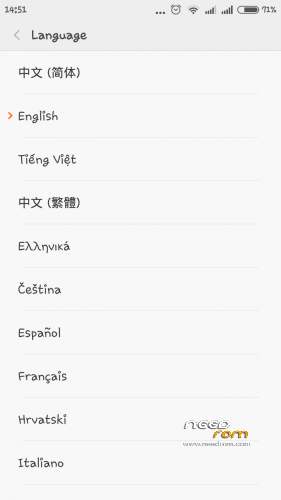
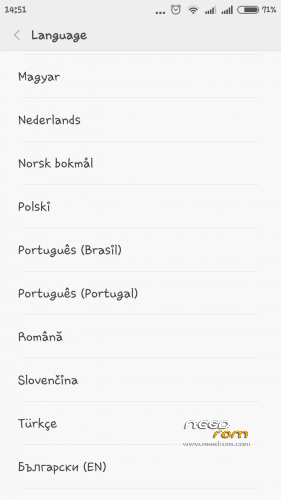
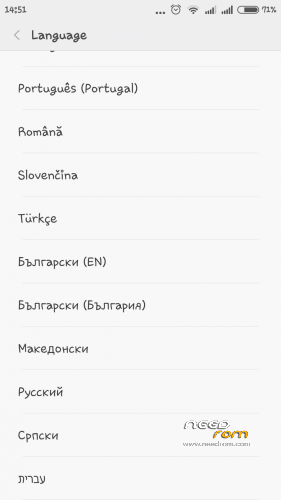
The ROM does not include Hungarian language. As used herein, MULTI LANG.
What is the solution?
Thank you!
Whats this support 3G on SIM 2?
yet install first version, its ok, have signal, and install your last version and not signal
and have any patch for better sound?