
- Title: MIUI V7 & TWRP MULTI
- Listed: August, 2015
- Last modified: 02/19/2016 11:40 pm
- Version: 6.2.18
You must be logged for ROM download.
64950 total views, 4 today
33 Total favorites
 Member Info
DESCRIPTION
Change the recovery to TWRP unless you already have it installed
1.Copy ROM zip to external SD card
2. Turn off the phone, press and hold "vol+" and "power" buttons simultaneously to enter Recovery Menu
3. Wipe –> Advanced Wipe
4. Wipe Dalvik cache
5. Wipe System
6. Wipe Cache partition
7. Wipe Data
8. Reboot to Recovery Menu
9. Repeat steps 3 to 8 at least 4-5 times
10. Install ROM
11. Reboot to system
12. Enjoy !!!
If you update from a previous MIUI version
1. Download rom to external SD card
2. Tools –> Updater –> Press the 3 dots icon –> Select Update Package
Then the Phone will enter automatically to Recovery Menu and Update
Again TWRP is required , CWM will not work
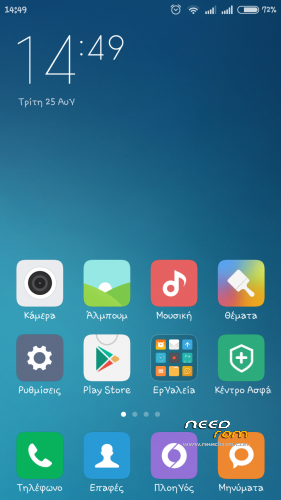
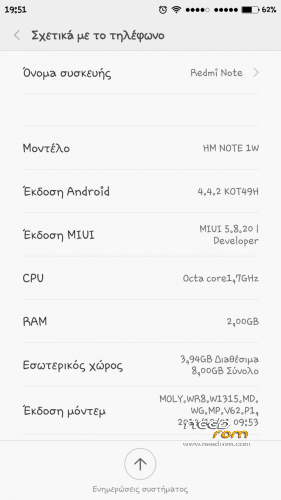
This rom is based on the ROM from xiaomi note 3g device taken from xiaomi.gr developers
Everything seems to be working / No bugs so far
a. 2 sims
b. miui camera
c. play store
d. gps
e. notifications led etc…
v 5.8.27 include sound and sms patch
Please report any bugs you will come up against
Any feedback is welcome
※Please make a backup of your device before installing or updating ROM
This ROM work on Coolpad F1-8297W?
yes my friend
I have a problem, sometimes, I cant get calls, just I get the notification "lost call". I tried calling from another phone and sometimes I get the calls and sometimes nothing. what happen?
Solved
this rom is not rooted…
This rom is root.
Go to security center—->right down app and then root access
Music apk is keep crashing on new version..
Have you install by update app???
Go setting—->apps—-> music app and clear cache and data
Any tip for improve speaker volume?
Download from links best sound and 160sms
Flash with update app
Bugged…all time I get the message "text message app has stopped"
Clear cache and data at messages app
If problem not stop flash again via update up.
Not problem for me and more other people
Have you install best sound and 160 SMS???
Hi friend this ROM is great, I have only one question. Is it possible to run xposed installer??? I can install it, but I have problem with the framework. I see message like this:
"xposed is not (yet) compatible with android sdk version 17…"
Cheers
I have some time to look. find xposed for kk then installing from there you have to know how to work miui very few modules
Yes, I have installed best sound and 160 SMS, after get rom "xiaomi-miui-hellas-4.4.2_coolpad-f1_GTV-5.10.8".
I cleared cache and data at messages app and I flashed again via update up, still I have the error. I can do a screenshot.
I had same thing and I had to reinstall firmware. Second time I tried https://www.needrom.com/wp-con.....android-4.4.zip , and now sound in my phone is much louder.
"I have some time to look. find xposed for kk then installing from there you have to know how to work miui very few modules"
I now that . On previous MIUI i had xposed and it worked fine. Now I've tried many different versions of xposed and I still have same error
  . Mayby U have link to working Xposed??
Solved. I flashed via update up using rom "xiaomi-miui-hellas-4.4.2_coolpad-f1_GTV-5.10.8". Now, the error dissapeared and my speaker sound more louder.