
- Title: MIUIv5_stas2z
- Listed: February, 2014
- Last modified: 06/30/2014 12:01 am
- Version: 14.4.20 - 14.1.27
You must be logged for ROM download.
41325 total views, 2 today
142 Total favorites
 Member Info
DESCRIPTION
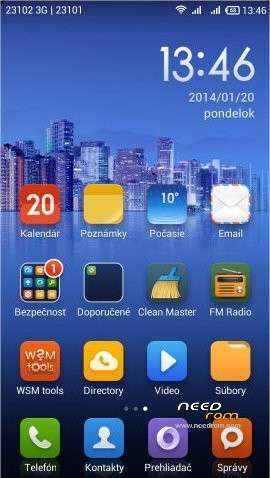
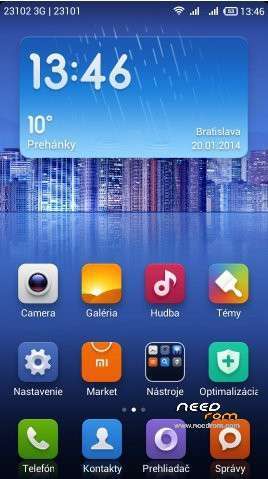
Looks like next good build (published on russian forum by"stas2z"), use Android 4.2.1, ported from FLY IQ446 - http://4pda.ru/forum/index.php?showtopic=510433&st=0#entry24150161
Build on kernel Android 4.2.1. This is second updated MIUI version (first is MIUI_SUDA).
Multilangage: Russian, Ukrainian, English, Chinese, German, Spanish, Italian, Polish, Portuguese, Czech, Slovak, Hungarian, French, Greek, Romanian, Turkish, Vietnamese, Arrabic, Bahasa, Holland, etc.
New versions are already built only for kernel S113. But who wants, can install 422 boot separatelly.
Versions:
MIUI V5 4.6.2 from 02.06.2014 Antutu:
MIUI V5 4.4.20 from 20.4.2014 Antutu:
MIUI V5 4.4.11 from 11.4.2014 Antutu:
MIUI V5 4.3.28 from 28.3.2014 Antutu: 8726
MIUI V5 4.3.24 from 24.3.2014 Antutu:
MIUI V5 4.3.15 from 15.3.2014 Antutu: 8516
MIUI V5 4.3.08 from 08.3.2014 Antutu:
MIUI V5 4.2.23 from 23.2.2014,Antutu: 9078
MIUI V5 4.2.18 from 18.2.2014 Antutu:
MIUI V5 4.1.27 from 27.1.2014,Antutu: 8968
Changes are described here (russian): http://4pda.ru/forum/index.php?showtopic=413327&st=3940#entry28894451
The installation procedure is the same as in my previous ROM - MIUIv5_SUDA
TWRP 2500EN: http://yadi.sk/d/5e4SK60p5nrGU (install from CWM)
If you will have problem with installation, maybe you use some an incompatible ROM, like assian ROMs (S121 or more). First you have to install basic european ROM S110, then installation this ROM is easy. Right order is: ROM S110 > CWM > TWRP > MIUI ROM
ROM properties:
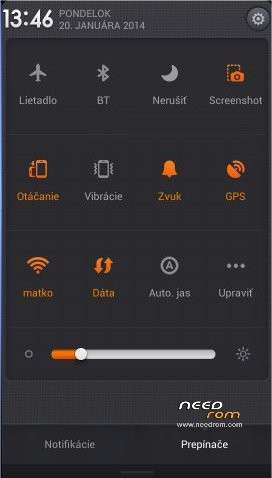
* Full support for dualSIM.
* Advanced PowerMenu to reboot into recovery.
* Switch 3G SIM (it is possible to use two 3G SIM cards)
* Support for third-party themes (file editing build.prop – ro.freetheme = true)
* Built Viper4Android
* Erased Chinese apps (except Mi-Market)
* Contains GAPPS, Xperia keyboard, RootExplorer, WSM Tools
* Support etc / init.d folder is already a script to adjust the CPU frequency, only needs to set permissions rwxrwxrwx
* build.prop file contains the line rо.frееthеmе = truе (it is possible to use local theme file on SD card)
* Does not include black screen
* In the Power menu is option "Reboot into recovery"
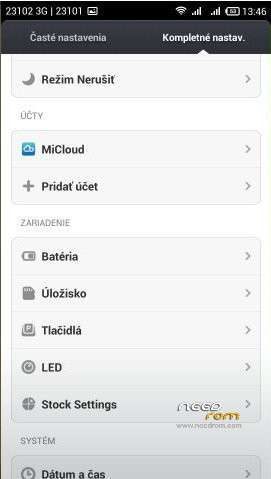
* Various non-standard settings in Settings icon
* Enable virtual buttons - http://4pda.ru/forum/index.php?showtopic=413327&st=3960#entry28909500
GPS fix is quick. In the Advanced setting options is settings from ROM 4.2.2 – Enhanced SIM management (possibility to set default SIM), Advanced search location (AGPS, EPO). LED notification works (Sets ine the Settings / Options for developers).
※Please make a backup of your device before installing or updating ROM
Thanks….
can you help me?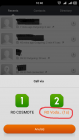
How do I remove this countdown?
Hi Please help me to port active 3G switch from this rom to Jiayu G3…I tried replace phone.apk and setting.apk from this to my Jiayu G3.. but didnt work any other files to replace.. Please help me. Thanks in advance…
Sorry, this ROM is product of russian man "stas2z", I don"t know how to help you.
Here is russian forum, ask there http://4pda.ru/forum/index.php.....0#entry28894451
antutu benchmark 9078 with 4.2.23!
verg long Battery life about 4 days!
very good…thanks !
Who can help me …
When I select a number from the countdown begins to call … how get rid of this car call them or at least increase the time that is 5 sec
These do not works for me…Tryed to install but got an error just then the installation start…
There are two new versions above…
antutu verstond 4.3.15 is 8516, power than 4.2.23 was 9015.
thank you so much!!!
the number one
thank you, but the proximity sensor does not work very good, making long calls
Try use this in build.prop file:
# User blackscreen Call issue
ro.lge.proximity.delay=25
mot.proximity.delay=25
or
# User blackscreen Call issue
ro.lge.proximity.delay=500
mot.proximity.delay=500