
- Title: MIUIv5_stas2z
- Listed: February, 2014
- Last modified: 06/30/2014 12:01 am
- Version: 14.4.20 - 14.1.27
You must be logged for ROM download.
41326 total views, 3 today
142 Total favorites
 Member Info
DESCRIPTION
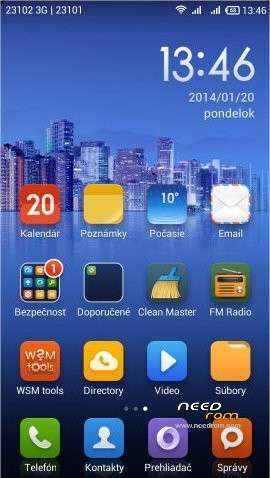
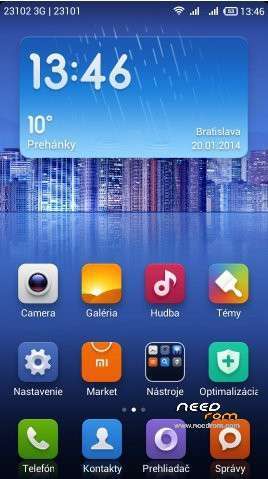
Looks like next good build (published on russian forum by"stas2z"), use Android 4.2.1, ported from FLY IQ446 - http://4pda.ru/forum/index.php?showtopic=510433&st=0#entry24150161
Build on kernel Android 4.2.1. This is second updated MIUI version (first is MIUI_SUDA).
Multilangage: Russian, Ukrainian, English, Chinese, German, Spanish, Italian, Polish, Portuguese, Czech, Slovak, Hungarian, French, Greek, Romanian, Turkish, Vietnamese, Arrabic, Bahasa, Holland, etc.
New versions are already built only for kernel S113. But who wants, can install 422 boot separatelly.
Versions:
MIUI V5 4.6.2 from 02.06.2014 Antutu:
MIUI V5 4.4.20 from 20.4.2014 Antutu:
MIUI V5 4.4.11 from 11.4.2014 Antutu:
MIUI V5 4.3.28 from 28.3.2014 Antutu: 8726
MIUI V5 4.3.24 from 24.3.2014 Antutu:
MIUI V5 4.3.15 from 15.3.2014 Antutu: 8516
MIUI V5 4.3.08 from 08.3.2014 Antutu:
MIUI V5 4.2.23 from 23.2.2014,Antutu: 9078
MIUI V5 4.2.18 from 18.2.2014 Antutu:
MIUI V5 4.1.27 from 27.1.2014,Antutu: 8968
Changes are described here (russian): http://4pda.ru/forum/index.php?showtopic=413327&st=3940#entry28894451
The installation procedure is the same as in my previous ROM - MIUIv5_SUDA
TWRP 2500EN: http://yadi.sk/d/5e4SK60p5nrGU (install from CWM)
If you will have problem with installation, maybe you use some an incompatible ROM, like assian ROMs (S121 or more). First you have to install basic european ROM S110, then installation this ROM is easy. Right order is: ROM S110 > CWM > TWRP > MIUI ROM
ROM properties:
* Full support for dualSIM.
* Advanced PowerMenu to reboot into recovery.
* Switch 3G SIM (it is possible to use two 3G SIM cards)
* Support for third-party themes (file editing build.prop – ro.freetheme = true)
* Built Viper4Android
* Erased Chinese apps (except Mi-Market)
* Contains GAPPS, Xperia keyboard, RootExplorer, WSM Tools
* Support etc / init.d folder is already a script to adjust the CPU frequency, only needs to set permissions rwxrwxrwx
* build.prop file contains the line rо.frееthеmе = truе (it is possible to use local theme file on SD card)
* Does not include black screen
* In the Power menu is option "Reboot into recovery"
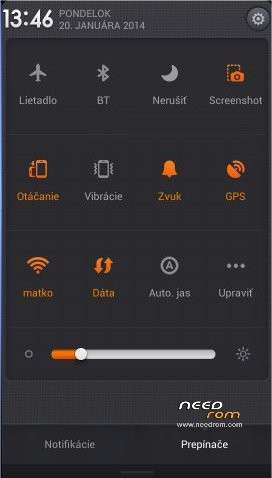
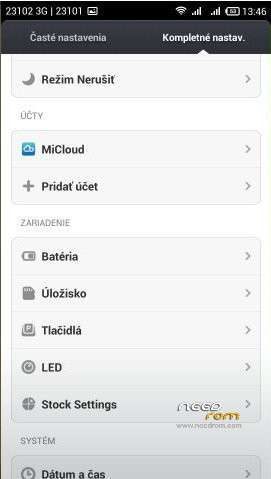
* Various non-standard settings in Settings icon
* Enable virtual buttons - http://4pda.ru/forum/index.php?showtopic=413327&st=3960#entry28909500
GPS fix is quick. In the Advanced setting options is settings from ROM 4.2.2 – Enhanced SIM management (possibility to set default SIM), Advanced search location (AGPS, EPO). LED notification works (Sets ine the Settings / Options for developers).
※Please make a backup of your device before installing or updating ROM
what the new from new version 4.3.28 ?
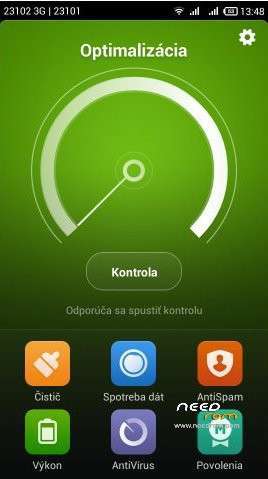
when i click on "cleaner" widgets, my launcher are reset. Why?
switch "keep in memory" is on.
Can you make 4.4.11 version?
Video calling can't and no option fot that…can you make it?
Soory I am not programmer.
what about the battery consumption ?
I am using asia version build s128 custom by tianruo v3.3
Is the MOST battery saving rom!
And i know MIUI were consume a little bit more voltage than other rom.
How about this?
hello rbarat…
I did every steps given here and ii was succesfuly done in my handset. But in the settings i have done something and now the set is not starting. Its been stuck into xiaomi.com logo in start up. Please do help me to overcome it.
flash again…
Can you make 4.4.x version?
Second request..
NEED HELP…
I succesfully flash this rom with cwm and enter the system..
BUT
Now always appears warning that says "Unfortunately, the process android.process.media has "stopped…Report MIUI/OK"
what happen ? anyone can help?
regards
i am getting same issue as sedot.
Hello rbarat, can you please temme difference between SUDA and stas2z?
And point me out the best kernel for the same.
Thanks buddy.
Hello rbarat.
Thumbs up for your contribution. Hopefullly, you can help me too. Trying to get dual 3G solved. MIUI gets stuck at boot. Halentechs port from note 3 works, but the bluetooth just doesnt find many devices (would it be better with MIUI?). Please see brief history of my phone:
Was running the etotalk mod s121 4.1.1 (asian version if i got it right). Used Pudils walkthrough to flash it, dont remember whether changed to rest of world or kept asia. Halentechs port form note 3 works, not sure whether it is asia or row. Your mod S113 v20, worked. however, mods in this post dont work for me (hangs at initial lenovo logo, no boot animation). For yours and halentech i used CWM from Pudils walkthrough. For this miui, i used TWRP.
Before i run pudils instructions again, what is the boot_422 link here? what does it do, can it help me?
Could CWM make a difference? I dont manage to install CWM back from TWRP. It says installation successfull, but twrp comes after reboot. Help?
Thank you very much for advice in forward.
Vlad