
- Title: MIUIv5_SUDA
- Listed: March, 2014
- Last modified: 05/02/2014 3:27 pm
- Version: 14.4.18 - 14.1.25 (18.4.2014-25.1.2014)
You must be logged for ROM download.
45879 total views, 9 today
3 Total favorites
 Member Info
DESCRIPTION
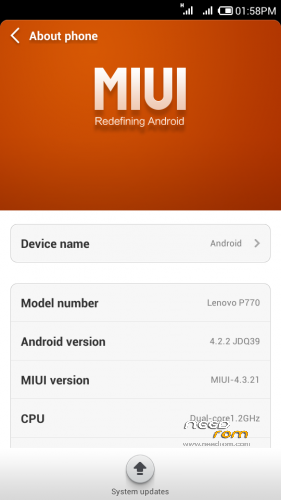
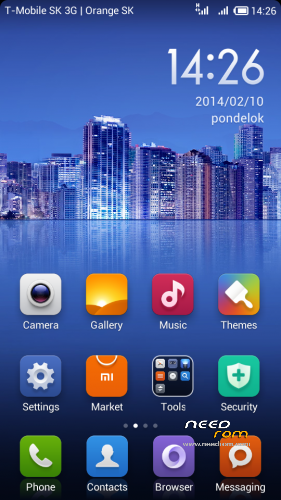
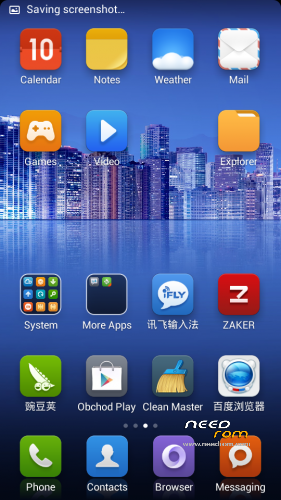
SUDA MIUI ports are the fastest MIUI ports for Lenovo P770. Are updated regularly every week, use Android 4.2.2 core, ported from ZTE V970. I merged several versions in this one thread, whether it be in one place. Here I will also record updates.
Languages: Multilanguage - English, German, Czech, Slovak, Polish, Hungarian, French, Spanish, Italian, Dutch, Russian, Ukrainian, Vietnamese, Romanian, Chinese, Turkish, Greek, Arrabic, Bahasa, etc.
GAPPS are not included, please use this special version GAPPS for MIUI ROMS only.
http://celogeek.miuiandroid.com/gapps/miuiandroid_gapps-4.2.2-small_signed-8012.zip
My modifications:
- new instalation ZIP package (for higher phone performance than the original SUDA packing)
- add multilanguage support
- remove Chinese applications
- add useful applications
- add performance modifications
Versions:
29.04.2014 MIUI_V5_18.04.14_Multilang_rbarat_v1.91, max. Antutu: 9469
24.03.2014 MIUI_V5_21.03.14_Multilang_rbarat_v1.81, max. Antutu: 9513
20.03.2014 MIUI_V5_14.03.14_Multilang_rbarat_v1.70, max. Antutu: 9322
05.03.2014 MIUI_V5_28.02.14_Multilang_rbarat_v1.62, max. Antutu: 9347
05.03.2014 MIUI_V5_21.02.14_Multilang_rbarat_v1.52, max. Antutu: 9462
26.02.2014 MIUI_V5_14.02.14_Multilang_rbarat_v1.45, max. Antutu: 9408
27.02.2014 MIUI_V5_08.02.14_Multilang_rbarat_v1.32, max. Antutu: 9365
27.02.2014 MIUI_V5_25.01.14_Multilang_rbarat_v1.25, max. Antutu: 9721
25.01.2014 MIUI_V5_17.01.14_Multilang_rbarat_v1.12, max. Antutu: 9451
24.01.2014 MIUI_V5_10.01.14_Multilang_rbarat_v1.04, max. Antutu: 9498
Changelog:
- lastest version here http://www.miui.cz/viewtopic.php?f=183&t=3097
- older versions here (choose version number, then click on changelog): http://www.miui.cz/viewforum.php?f=165
TWRP 2500 is required for an installation. Download here: http://yadi.sk/d/5e4SK60p5nrGU (this is install file from CWM)
If you haven't good CWM (there is no Install choice) and your ROM is ROOTed use this instalation procedure:
1. Download file "recovery.img" (it's TWRP 2.5.0.0| http://d-h.st/UTJ,save it to the root directory on SD card
2. Install Mobile Uncle apk from Google Play and run it (ROOT required)
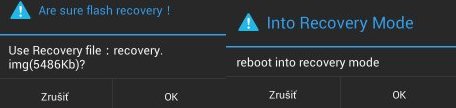
3. Choose "Recovery update", you will see file list on SD card, first is "recovery.img"
4. Pop up two choices, click 2x to OK:
5. Now you are in TWRP 2500
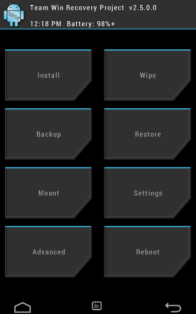
Installation:
0. Format SD card and place ZIPs MIUI and GAPPS on SD card
1. If you haven't it, install TWRP recovery (see above), go to TWRP
2. First Wipe (select all options except SD card), then install ZIP MIUI ROM+GAPPS in one step:
-in TWRP click on Install button and choose ZIP file MIUI ROM
-then click on button "Add More Zips" and choose ZIP file GAPPS
-drag button "Swipe to Confirm Flash" to install it
-click on button "Clear cache/dalvik"
-clicik on button "Reboot System"
-click on button "Do not fix"
3. System will restart – patience required – first boot takes a while
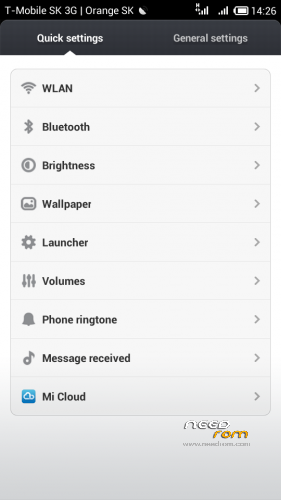
4. The phone is in silent mode by default. Set sounds in Settings / General settings / Sound / Call ringtone & vibrate, set Phone ringtone, Default notification and messages
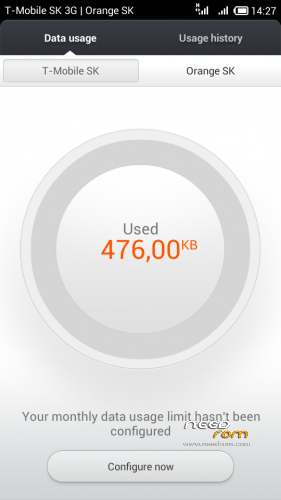
5. Set a limit for 3G data transfer, otherwise internet connection will be off (find icon Downloads, when executed, click the gear icon in the right up corner and setup Data usage limit according to your fee. A good option is "Unlimited" also.)
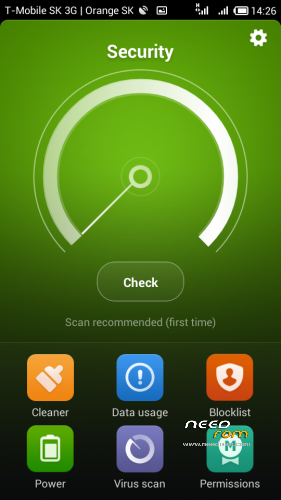
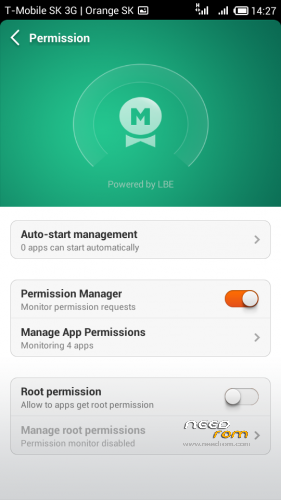
7. Set ROOT - icon Security > Permissions > Root permissions > enable button
8. Initialize WSM module - run icon, first click Install button, then Reboot button and restart phone
9. Run icon "WSM", choose "Online" folder, download and install "Mi-Tools", then go back to "Modules" folder and enable it, restart phone
10. Turn off the display operators name - Settings/Notifications/Additional settings/Show service profider (turn off)
11. Turn on operators logo in status bar / Change the color signal:
– Mi-Tools> Status bar > Carrier > Carrier logo (turn on)
- Mi-Tools> Status bar > Carrier > Signal bars color – set color of signal strengts SIM indicator
12. Add choice "Restart to Recovery" to Power button: run MI-TOOLS icon > Framwork > Power > Advanced reboot menu" > enable button and restart phone
13. Switch off notifies about updates Mi-Market: Mi-Tools > Applications > SUPERMARKET > Disable updates check (enable button) > Reverse tabs order (enable button)
14. Setting the rotation SMS app in phone position width: In WSM install module "Auto Orientation" (WSM > Online > find module > download > enable module) and restart phone. Module icon is not added to the phone desktop, so start WSM icon, click to "Modules" folder, then click just to text "Mi-Tools" and menu appears, choose Module settings > Select applications > Меssaging > then click on Apply. Restart phone. Try SMS app it can rotate.
15. Large font in Status bar (change only the font size, bar height remains the same): Mi-Tools > Status bar > Common > Font size > Large (and restart phone)
16. Swap the cards order : (Local card will be first):
- Mi-Tools > Applications > THEMES > Reverse tabs order (turn on button)
– Mi-Tools > Applications > SUPERMARKET > Reverse tabs order (turn on button)
17. If you don't like MIUI launcher, try Nova launcher, a Dolphin browser, both works really very quickly
18. If you have problem with wifi internet connection, turn off Wifi optimization
– Settings/General Settings/Wlan/Advanced settings/WLAN optimization (turn off)
If you have any problem with installation (or something in phone don't work normally), first install standard european ROM S110/113, then install MIUI ROM. Right order is: ROM S110 > CWM > TWRP > MIUI ROM.
Here are instructions to install ROM S110/113 - http://forum.xda-developers.com/showthread.php?t=2220275
If you use an older version of this ROM, only simply install ZIP new ROM + ZIP GAPPS (in TWRP), then click on button "Clear Cache/Dalvik", then clik on button "Restart". There is no need to do a wipe. All settings in your phone you will remain.
If after recording a new version the battery is charging only 96-98%, go into TWRP recovery, enter "Wipe cache" + "Wipe Dalvik" and restart phone. Battery will shows 100%. This is a problem of new MIUI kernel, not the port.
If you find some chinese texts in phone (in Theme or in Sounds) run Settings/Apps/All, find Themes app and click to "Clear data". Chinese will lost.
This ROM use in buld.prop file settings "dalvik.vm.execution-mode=int:jit" In this setting, the phone has a higher application performance, but not good GPS accuracy for applications such as sporttracker (sports running) that use GPS location. For car navigation GPS accuracy with this setting is good. If you want use GPS navigation for running (e.g. sporttracker.apk) use setting "dalvik.vm.execution-mode=int:fast". You have to edit bulid.prop file.
My home page: http://androidforum.cz/topic46589.html
I will develop this version in future. Check my home page in future.
※Please make a backup of your device before installing or updating ROM
http://bbs.ydss.cn/thread-4206.....57-1-1.html
If I will have time, maybe I try it. Thanks.
I'm facing issues with notification sound.
Can't seem to mute notification, ring tone will mute as well.
Hope there is a fix to this fast..
Hi, can you please add google play store, services, framework and other google service. MIUI is great but without google play services it doesn't look good.
Hi I saw the miui gaps file, i'll try installing it and get back
There is install file for GAPPS, don't you read first post?
GAPPS are not included, please use this special version GAPPS for MIUI ROMS only.
http://celogeek.miuiandroid.co.....signed-8012.zip
Rom is good, but few problems I’m facing:
1. Cracking sound while recording audio.
2. Hindi font doesn’t work properly.
3. I don’t like stock miui camera, little slow. Can’t take multiple shot at once. Video doesn’t work in professional move(known problem)
Can you please teach me how to install 4.2.2′s rom camera to MIUI rom.
Apart from it, really nice Rom. Appreciate it.
my 3G is not working in p770
3G normally works….
is anybody getting updates?
MIUI team stopped to release updates for MTK chips, therefore the development of custom MIUI ROM has been stopped. I fear that the new version will not be so soon.
so no new updates then??
Thank You for the update… So there is no updates for us
how to long time after instal rom miui ..because my p770 after instal rom miui just screen lenovo for 2 hours…
This means something went wrong. Try to wipe cache/dalvik, if still no luck you'll have to repeat flashing procedure
Installed this recently and 2 problems came up. One is built-in email client, it crashes when I try to setup Exchange email account, I had to use 3rd party client which worked. Another is camera which crashes too when I try to switch to video recording mode (photo mode works fine). And could anybody tell me what is WSM? I use russian locale and I cannot spot any icon with such title, maybe it could solve the above problems. In general MIUI is great