
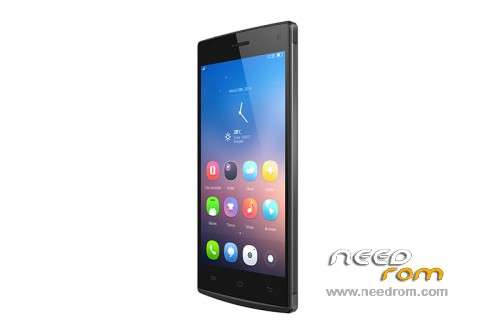
- Title: Mlais M9
- Listed: March, 2015
- Last modified: 03/23/2015 4:12 pm
- Version: 4.4.2 20141219
You must be logged for ROM download.
23587 total views, 4 today
8 Total favorites
 Member Info
DESCRIPTION
ROM Mobile MLAIS M9 – ROM Android 4.4.2
ONLY MT6592M
Official ROM MLAIS M9 Version: 20141219-031433
Gapps include – Rooted
Language support: Multilang
Install ROM:
- Unpack FlashTools, and Click on Flash_tool.exe
- Select a the MT6592_Android_scatter.txt in ROM
- Wait file to be added into Flash Tool
- choose Option->USB Model,click USB Model
–> Choose Option->DA DownLoad All->Speed->High Speed, click High Speed
- Turn off your phone, remove the battery and replace it after some seconds (and don't turn on the phone).
- "Press F9 (hit Download button)" OR " if upgrade ROM Firmware->Upgrade "
- and connect your phone into the computer via USB data cable.
- The process will start and a red progress bar will appear after color purple, yellow.
- And green circles display
- Finish !
- You can now safely disconnect your phone and turn it on.
※Please make a backup of your device before installing or updating ROM
Please Rate me and give me feedback
well.. thats not good.. now rebooting til mlais logo..
(and again and again..)
is it called "bootloop" ?
oh my god.. i gave it a new life ;D
i entered recovery mode.. cleared cache and and wiped everything possibel..
now .. it botted as usual.. YEE
After every flash, wipe system, cache and data.
If ok, please rate me.
well you say: "no rooted" >> actually "superSU" is preinstalled and y rootcheck says "rooted"
(and now it shows "invalid IME"
everything works properly
Probably i leaved boot with root unlock, so you find that is already rooted. It doesn't matter.. Cheers
Please help me!!!! I follow the instructions but in "Download only" appears a message : " PMT changed for the ROM; it must be downloaded" and in "Firmware Upgrade" appears : "brom error: s_fthnd_file_is_not_loaded_yet (5007) there is file not loaded yet! (hint): 1. please check if the da path is correct. 2. please check if all the rom files exist. 3. please check if the scatter file description is sync with the exist rom files".The phone is now brick but the PC recognize it.What can i do?????
Rom is correct, please check pc and vcom/preloader drivers. Try to flash with firmware upgrade removing battery.
" PMT changed for the ROM; it must be downloaded" – was exactly the same mistake. Decided to use a different version Flash_Tool v5.1352.01.
When i connect it with pc in SP Flash Tool appears "MTK usb port (COM 2)" and after "MediaTek DA USB VCOM Port (COM 6)" but the same messages with and without battery.I have tried windows 32 bit and 64 bit.Any other idea?
well it worked with me, except of beeing rooted and killing my IME.
but actually i would love a NEW firmware. with better memory management
So this method kills the IMEI and makes the phone rooted? So it actually doesnt work or what is the problem? nobody has explained yet