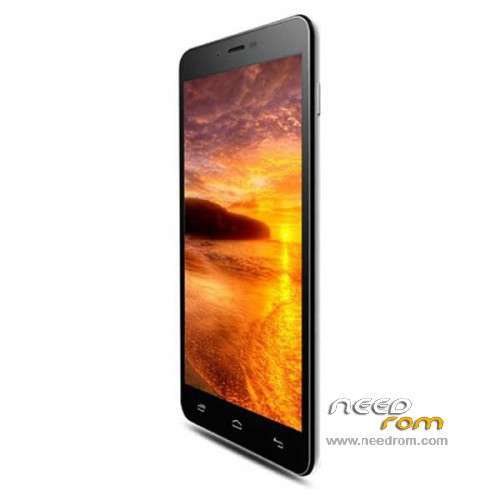
DESCRIPTION
ROM mobile MOBIA X8 - ROM Android 4.2.2
ONLY MT6582
ATTENTION Two versions: 4P32 or 8P32 look your "build number"
Update Official ROM MOBIA X8 version: 13MW45_S60C.MOBIA.A3.150814.JB5.V1.QHD.CN.8P32.COM.B1B5 - V1_WCDMA
———————————————————————————————————————————————————————
Update Official ROM MOBIA X8 version: 13MW45_S60C.MOBIA.A3.140820.JB5.V1.QHD.CN.8P32.COM.B1B5 – V1_WCDMA
Official ROM MOBIA X8 version: 13MW45_S60C.MOBIA.A3.140820.JB5.V1.QHD.CN.4P32.COM.B1B5 – V1_WCDMA
———————————————————————————————————————————————————————
Update Official ROM MOBIA X8 version: 13MW45_S60C.MOBIA.A3.140709.JB5.V1.QHD.CN.8P32.COM.B1B5 – V1_WCDMA
| Changelog |
SelectShow> |
2014.07.17
The version number: 13MW45_S60C.MOBIA.A3.140717.JB5.V1.QHD.CN.8P32.COM.B1B5
Modify points:
Google Maps update error fix problems
2014.07.18
The version number: 13MW45_S60C.MOBIA.A3.140718.JB5.V1.QHD.CN.8P32.COM.B1B5
Modify points:
Claim close driving proximity short repair problems
|
———————————————————————————————————————————————————————
Update Official ROM MOBIA X8 version: 13MW45_S60C.MOBIA.A3.140709.JB5.V1.QHD.CN.8P32.COM.B1B5 – V1_WCDMA
| Changelog |
SelectShow> |
2014.07.05
The version number: 13MW45_S60C.MOBIA.A3.140704.JB5.V1.QHD.CN.8P32.COM.B1B5
Modify points:
1 fit into optimized proactive GC2235 and after photo 5E2 code prefix code 2355
2 TP fit into the latest optimization parameters (from the S60C-1 sync up)
3 headset button press can not answer the phone -
4 When removing the holster window displays the status bar displays
5 close parameter optimization requirements before calibration and after calibration are in this range 3cm ~ 4cm now too after calibration
6 preset attachment "13MW45-S60C preset APK.rar" in the apk, Wu Jie forwarded attachments please.
7 HOME replace analog clock digital clock
8 Home top search bar remove
9 Remove by browser, search, two APK program
10 Confirm whether the wireless upgrade can be performed properly in Taiwan, if it can not provide the service, you need to remove the wireless upgrade
11. Login Google Store> prompt updates and updated APK> Open Map> prompt Google Play service error. (Please
Update to the latest version of Google Play Service)
12 default theme to "Google theme", the default wallpaper using the "Google theme" wallpaper
2014.07.09
The version number: 13MW45_S60C.MOBIA.A3.140709.JB5.V1.QHD.CN.8P32.COM.B1B5
Modify points:
1. Google Maps, Google Search and Google to restore service to the beginning of the version (GMS422)
(2) After the camera requires interpolation to 8,000,000.
3 plus whatsapp.
4 When the window display requires no holster horizontal screen.
|
———————————————————————————————————————————————————————
Official ROM MOBIA X8 version: 13MW45_S60C.MOBIA.A3.140618.JB5.V1.QHD.CN.8P32.TEST.B1B5 – V1_WCDMA
| Changelog |
SelectShow> |
13MW45_D8222.DTC
Basic configuration:
MT6582 EMMC 8 +32
LCD:
TP: ft5206 gt968
Front camera Rear s5k4h5yx_mipi_raw s5k4e1ga_mipi_raw
Gsensor:
ALSPS: ltr559_liteon
2014.06.11
Modify Point
The version number: 13MW45_S60C.MOBIA.A3.140611.JB5.V1.QHD.CN.8P32.TEST.B1B5
2014.06.11
The version number: 13MW45_S60C.MOBIA.A3.140618.JB5.V1.QHD.CN.8P32.TEST.B1B5
Modify points:
1, the default language is Traditional Chinese.
2, Google Pinyin input method Google Pinyin input switch and default.
3, open the Hall switch and adapter holster window displays
|
Gapps include- No Rooted
Language support: Multilang
Install ROM:
- Unpack FlashTools, and Click on Flash_tool.exe
- Select a the MT6582_Android_scatter_emmc.txt in ROM
- Wait file to be added into Flash Tool
- choose Option->USB Model,click USB Model
–> Choose Option->DA DownLoad All->Speed->High Speed, click High Speed
- Turn off your phone, remove the battery.
- "Press F9 (hit Download button)" OR " if upgrade ROM Firmware->Upgrade "
- and connect your phone into the computer via USB data cable.
- The process will start and a red progress bar will appear after color purple, yellow.
- And green circles display
- Finish !
- You can now safely disconnect your phone and turn it on.
※Please make a backup of your device before installing or updating ROM
thanks you a lot.
i got i want .