
- Title: MPAI 809T
- Listed: January, 2015
- Last modified: 01/07/2015 1:33 pm
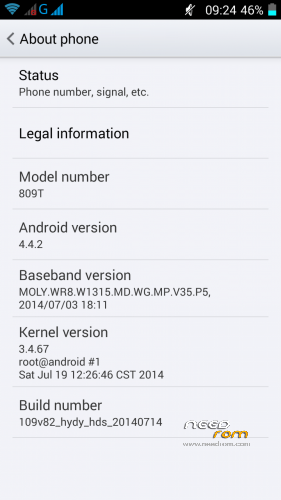
- Version: Android 4.4.2
You must be logged for ROM download.
24180 total views, N/A today
 Member Info
DESCRIPTION
For MTK6582 1/4GB version only!
LCD driver 0-TDO_HD0499K70137
KitKat stock ROM 20140719_e2109v82_hydy_hds with slight modifications:
- root access
- data partition resized to 2.0GB
- fixed external SD card limitations
- fake hardware specs removed
- chinese crap removed
- TWRP 2.7.1.0 included
Instructions:
- Backup your NVRAM first! You possibly will lose your IMEI!
Run MTKDroidTools.exe.
Click button "IMEI/NVRAM".
Click button "Backup".
- Make sure you have ADB drivers installed and working.
- Run SP Flash Tool.
Open Scatter-loading File "MT6582_Android_scatter.txt".
Click "Firmware->Upgrade".
Connect phone without battery to USB port.
Wait for green circle.
Disconnect phone, insert battery and power on. Have fun!
If your IMEI is gone, restore NVRAM using MTK Droid Tools.
※Please make a backup of your device before installing or updating ROM
i have try it – i have tryed your 4.4 and is going very vell but only 1 hour max – and after that is restarst and dont want to stared just restart
Hi all, I am a newbie in all this and I have bricked my MP 809T (mine had MT6582, Build number : 2109_v82_hydy_hd_20131119).
I followed this guide and made a backup first with MK Droid Tools 2.5.3. Then I tried to follow your guide but obviously I made sth bad.
I made a backup of NVRAM without any problem. ADB drivers worked when making adb devices it found my 809T.
Then I tried to follow the SP Flash Tools v5.13 instructions. I downloaded and unzipped your ROM, I also downloaded the TWRPrecovery_KK.img (no idea of its use).
Then I opened the SP Flash Tools, find the scatter file in the directory of the unzipped ROM. I put the battery off and I connected the phone. Then I chose Firmware Upgrade (all options are checked including preloader and uboot, I kept them checked).
Then I click on download and some error appeared (I can't remember the error name). I never saw a green circle or anything like that, only the error.
And now I cannot boot the phone even with the battery, all I get is a black screen.
When trying to use again the SP Flash Tool with this ROM I get this error:
When trying to use the SP Flash Tool with the original ROM I backup, I get this error:
I am completely desperate, I don't know if it can be solved or I'll have to buy another phone.
Please help me!!!! Any idea will be good!!! Many thanks in advance
Use a different version of SP flash tool: https://www.needrom.com/wp-con.....1332.0.1872.rar
Thank you very much for your help N850_User. With that SP Flash tool I can flash the ROM without problem and I get the green circle. However, when booting the phone I only see the welcome screen again and again. I get also the same error after following these instructions:
Open MT6582_Android_scatter.txt.
Find "partition_name: CACHE file_name: cache.img is_download: true".
Change to "is_download: false".
Find "partition_name: USRDATA file_name: data.img is_download: true".
Change to "is_download: false". Save MT6582_Android_scatter.txt.
Any idea of what I could do??? Many thanks.
All fine, many thanks N850: I read another of your posts about wipe cache and dalvik cache after flashing. All went well
Very very good work!!!
its working ??? because i always have reebooting after 1 hour of use.
1 hours its working great – and after that its alway rebooting and i cant go also to do wipe cache – nothing
just restarting
When click firmware->upgrade result
please make sure all necessary images are checked to be downloaded for "Firmware Upgrade"
What I have to do? Please help