
- Title: MyPhone Rio 2 Fun Stock Firmware V1.09
- Listed: August, 2015
- Last modified: 09/15/2015 2:54 pm
- Version: 5.0 Lollipop
You must be logged for ROM download.
24405 total views, 4 today
4 Total favorites
 Member Info
DESCRIPTION
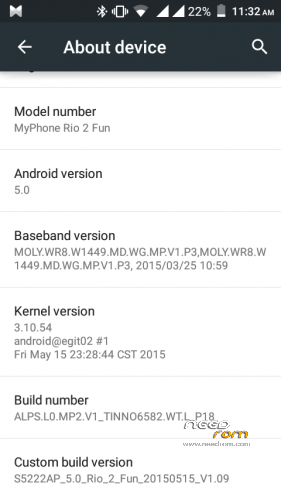
STOCK MYPHONE RIO 2 FUN FIRMWARE
SPECS:
-1.3 GHZ MT6582M Quad Core Processor
-Mali 400MP2 GPU
-8GB ROM
-1GB RAM
-Dual SIM
-5MP AF Back Camera
-5MP FF Front Camera
-Android 5.0 Lollipop
-Upto 3g/HSPA+ Data Connectivity
-Light, Proximity, Orientation, Gravity and Light Sensors
-2,000 MAH Battery
PART 1: (INSTALLING DRIVERS)
•Tinno Drivers:
-Download Tinno Drivers
-Install on your Computer (Follow on Screen Instructions)
-Attach your MP R2F to your Computer using your USB Chord without Battery first.
-The Computer should detect it(Installing New Hardware)
-If not detected, put the Battery back on you MP R2F or change USB Chord
PART 2: (APPLYING FIRMWARE)
Using Smart Phone Flash Tool(Did not test this on my MPR2F but have use this on my other MTK Devices)
-Download SP_Flash_Tool_v5.1352.01.zip and MPR2F-Firmware.rar
-Copy the downloaded files on you Computers Desktop and Extract the 2 files.
-On the extracted SP_Flash_Tool_v5.1352.01.zip, right click on flash_tool.exe and Run as Administrator
-Click Scatter-loading button on the upper right side
-Find and select the MT6582_Android_scatter.txt inside the extracted MPR2C-Firmware.rar
-Select Firmware Upgrade on the selection below the Scatter-loading field
-Click Download Button on the top
-Connect your MPR2F on your Computer without battery, SPFT will detect your device if you installed the drivers correctly
-SPFT will start loading, wait until finish, you will know if it finish loading when you see a Green Check Pop-up.
-Done
NOTE: This method most likely will corrupt the IMEI of your phone, you can search for restoring IMEI on YouTube or Google.
CREDITS:
-XDA
※Please make a backup of your device before installing or updating ROM
na download pero corrupt yung files sir..///////…what is the right way to dl sir>>>??????
sir hang lang yung unit,pwd ba upgrade nalang..???????????
Hello! Accidentally firmware on myPhone Infinity IIS you do not have?
my phone is dead after flasing this rom.. myphone agua rio v2 (MT6582)
thanks for this rom
thanks for this rom..
kindly upload again the firmware file(.rar). it is corrupted. thanks in advance
my friend after i install this rom when i reboot my phone it stuck on the logo( bootloop). is there other way to fix it rather than reflashing it over and over again?
ayaw na dead lang lalo ung rio 2 fun ko (
(
pano po madonwload to san yung link ?