
- Title: N003 Premium
- Listed: October, 2013
- Last modified: 10/21/2013 6:02 pm
- Version: ROM Android 4.2.1
You must be logged for ROM download.
18817 total views, 1 today

 Member Info
DESCRIPTION
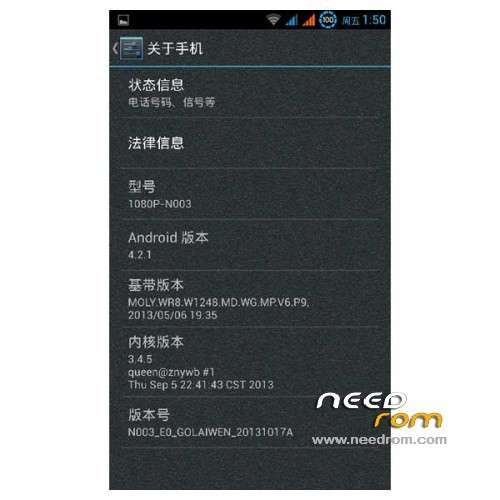
ROM Mobile N003 Premium – ROM Android 4.2.1
For mobile N003 1080P N003 Premium - MTK6589T – 2GB Ram – 32GB Rom – 1920*1080
Features ROM:
1 the latest official stable version of the native modify all programs zipalign optimization ;
2 the next part of the program to keep the system stable and streamlined to reduce resource consumption ;
3 the global background transparent , you can customize the background image displacement globally , the default is frosted background ;
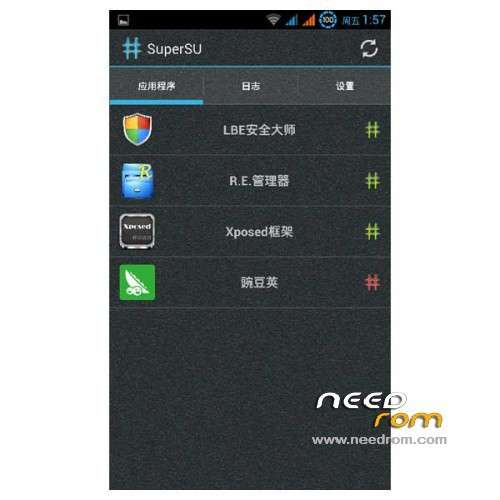
4 the system is ROOT, comes with super authorization management and RE File Manager ;
5 pre-installed input method and mobile telecommunications fly uncle toolbox, such as do not like brush after unloading ;
6 removed all Google applications, there is a need to please another brush Google application package ;
7 add the BusyBox support ;
8 the replacement battery icon is a self- made blue -ring Battery icon shows clear and beautiful ;
9 built Xposed framework and senior home design , you can round on the system interface, status bar , notification bar , etc. enhancement setting ;
10 ringtones were optimized and streamlined replacement , remove some nasty tones, adding some sweet tones ;
11 and replace it with a powerful Hololauncher starter , to strengthen the management of the desktop and menu settings ;
12 the replacement digital display fonts , standby , lock screen time display font is more beautiful ;
13 optimizing the GPS configuration files , speed up search positioning time ;
14 increasing the boot music ;
15 to increase the system comes with a browser ;
16 some other small changes .
Gapps Not include – Rooted
Language support: Multilang
Install ROM :
CWM
Step 1: Download the custom ROM copied to an external SD card root directory
Step 2: the shutdown state. While holding down:
– Power button + volume button up, to enter the recovery mode.
– Wipe Data / Factory Reset -> delete all user data
– Wipe Cache Partition -> Wipe cache
Step 3: Return to recovery main interface Install zip from sdcard -> choose zip from sdcard -> Select your ROM
Step 4: Brush complete, restart the phone Patience required – first boot takes a while
※Please make a backup of your device before installing or updating ROM
is for E02 motherboard.
yep is for the E02
im waiting for the v1w1 motherboard
unfortunately have no gapps
i want the pure english with gapps, without chinese apps…
it would be great
Just have one question:
Can anyone explain me the development of NEO VERSIONS?
i have N002, is this the latest or not? still confusesd with v1 and v1.0
Hi spitfire_PT,
you can also ask @xda thread
Think you got N003 not N002
There are 3 Versions now as far as I see it:
- Youth – is the 1/4GB version (ROM name T13)
- Premium E02 – is the 2/32GB version WITHOUT NFC (ROM name E02)
- Premium V1.x-W1.x - is the 2/32GB version WITH NFC (ROM name V1.x and/or W1.x; aktual stock release is V1.1-W1.1)
Difference between E02 and V1-W1 are not just the NFC – also a different front cam has been implemented. So the versions of the motherboards are different.
It's a little bit missleading and stupid from Neomobile but we have to deal with it. The E02 was fabricated until the 21st of September. Just check if you got 4 or 32GB eMMC rom and check if you have NFC… then you should now know witch rom you need.
regards,
NetMare
thnx
also, this question:
those with w1.0 smartphone, can flash w1.1 rom or not?