
- Title: NOTE 4 LOLLPOP UI for Canvas Juice A177/A77
- Listed: March, 2015
- Last modified: 03/04/2015 2:11 pm
- Version: 5.0
You must be logged for ROM download.
26866 total views, 4 today
13 Total favorites
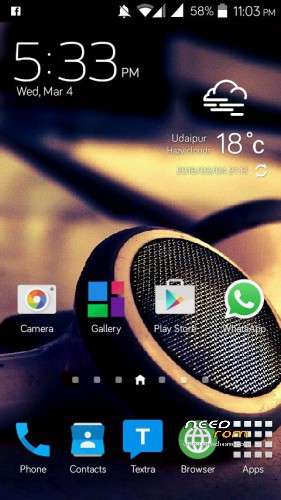
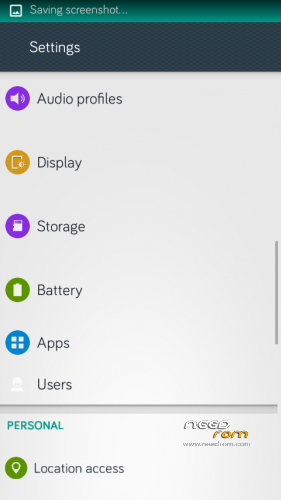
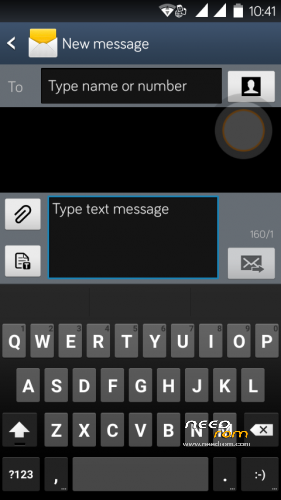
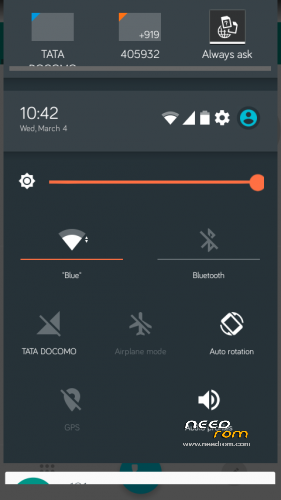


 Member Info
DESCRIPTION
Lollipop NOTE 4 for A177/A77
Rom Features
-
Smooth and fast lollipop ui By BSP
-
NOTE +LOLLIPOP 3.0
-
Material Design music app
-
material design file manger
-
material desgin messaging app
-
smoth and fast operation
-
battery Saver
-
Better Ram optimation
-
App to SD inbuit
For Micromax A177 /A77
- Download the Rom file from the link provided (Same for both A77 and A177)
- Place it in the root of your SD card
-
Go to CWM or any other custom recovery (not stock one)
-
Select "Install .zip from SD card" and select the file
-
Select "YES"
-
Aroma Installer will apper
-
To select press power botton
-
select next
- now device will reboot atomatically no need to wipe data and Cache
-
Procedure for A177 end here
-
for a77 devices
-
as the device restart press volume + to boot into recovery Agiain
-
THIS Time you need to browse
-
FLASHABLE BOOT IMG.ZIP (link given ) dowload and place in root of sdcard
-
Click install the zip
- Wait for the Device Welcome screen to appear
- Wait for some time if you see boot animation will take some time to boot up
THanx for apperiacting my work
visit my Fb page for more Roms
https://www.facebook.com/customroid?ref=bookmarks
Like and share my page..
More Roms By me
ROM's PORTED BY ME …
Color os v1 :- https://www.needrom.com/download/color-os-oppo-joy-rom-4-canvas-juice-a177-by-balu/
COLOR OS V2 &V3 :- https://www.needrom.com/download/color-os-v2-updated-and-errorless/
Color os Rom Sample video:–
https://www.youtube.com/watch?v=f0hRQmHjO5s
MIUI v5 :- https://www.needrom.com/download/miui-v5-for-canvas-juice/
LEWA OS V5 :- https://www.needrom.com/download/lewa-osv5-1/
YUN OS v2.7.1 :- https://www.needrom.com/download/yun-os-for-canvas-juice-a177a77/
Emotion Ui V2.0 :-http://www.mediafire.com/download/11srqdw5xv8f1vg/EMUI_2.0_V2_.zip
working link [pupdated for canvas juice A177 ….
replace boot img for A77
Dark Lollipop:- https://www.needrom.com/download/lollipop-for-canvas-juice-dark-lollipop/
Galaxy NOTE :- https://www.needrom.com/download/galaxy-note-4-canvas-juice-canvas-note/
Google Nexus (has some bugs) :- https://www.needrom.com/download/nexus-4-4-canvas-juice/
DRIVERs For Canvas JUICE A177/A77
— https://www.needrom.com/download/drivers-for-canvas-juice-a177/
CUSTOM Recoveries::—
https://www.needrom.com/download/cwm-recovery-for-a177-and-a77/
PORTING ROM mTK:–
https://www.needrom.com/download/porting-mtk-rom/
Video's & Tutorials
ROM INSTALLATION BY SP TOOL
https://www.youtube.com/watch?v=TMNY4gONujo
CUSTOM RECOVERY INSTALLATION
By CWM RECOVERY
https://www.youtube.com/watch?v=uM3NwVu6sI0
By Mobile uncle app
https://www.youtube.com/watch?v=Spvi3Z40LTk
How to Boost Sound in MTK devices
https://www.youtube.com/watch?v=w3vJnl1zUmg
Bug..
message appers
device management stoped
com.android.phone stoped
Install the patch link given
CREDITS :
Base ROM By ARI ARYAN
Lollipop UI By BSP(Byron Saquic Perez)
Ported to canvas juice By Ravinder Singh
THanx to mtk
CHANGE Log
I tested last flashable img for a77 was not working there uploaded the one
※Please make a backup of your device before installing or updating ROM
The patch is installing and also showing upgrading one apps but the mentioned errors still keep showing up.
love this rom
The patch file doesn’t fix the error message appearing.
New Bug: Clicking “Home” in the Settings Stops the Settings.
The mobile is not receiving and sending message. The message are only received if any ANTIVIRUS is installed but it doesn’t fix the problem of sending message sending message always fails. Fix this bugs otherwise ROM is pretty cool and faster. Thanks and Regards
wifi always shows wifi network available but their is nul
plz fix
Setting not working properly. . .
When I open the setting – apps it shows “Unfortunately, Settings has stopped”.
Plzzz give a solution . . .
Expect this the rom is too good. . .
Can’t use contacts and phone…plzz help…showing contacts has stopped n same with settings…. also used ur update file
installation failed .still aroma apperaring problem
Is It Really Android Version 5.0?
in mmx a177
I cant root the device after installing the Rom…
Plz Help me…Plz…
Hi Ravinder, ROM is pretty good , but few errors keep popping up fter reboot (in a177) :-
->Unfortunately System UI has stopped
->Device Manager has stopped functioning
->Unfortunately com.android.phone has stopped.
Please help………..