
- Title: Nubia Z5S Mini FlyUI
- Listed: March, 2014
- Last modified: 07/03/2014 6:25 pm
- Version: ROM Android 4.4.4
You must be logged for ROM download.
24990 total views, 2 today
 Member Info
DESCRIPTION
ROM Mobile ZTE Nubia Z5S Mini – ROM Android 4.4.4
ROM Features:
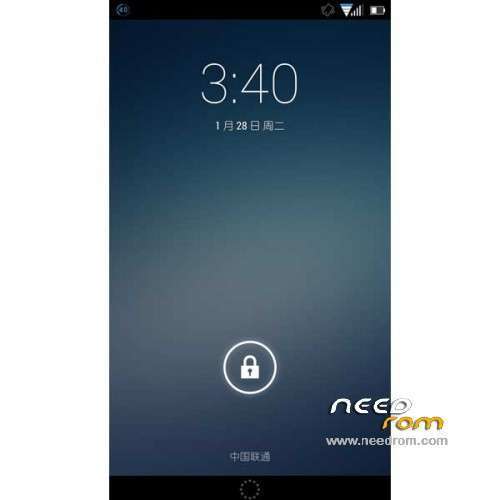
Update FlyUI v2.4.5d – Android 4.4.4
1 repair automatic brightness
2 repair charge
3 Android 4.4.4 source synchronous update
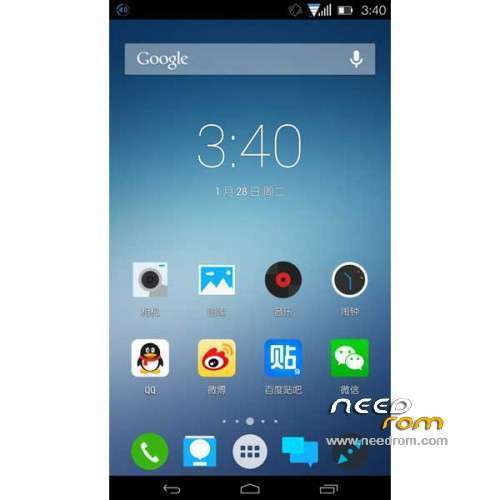
4 fit more icons
5 ART availability and compatibility fixes
6 cumulative fix 20 + bug, almost perfect
——————————————————————————————————————————————–
FlyUI v2.4.5b – Android 4.4.2
UI:
- Fixed contacts, dial the wrong part of the problem icon color
- Replace the status bar icon WIFI signal semicircular
- Replace the boot animation, increased Cup LOGO
- Replace the default wallpaper is: frosted glass – Galaxy
- Update System application icon
- Increase the cheetah browser, face Meng and other third-party HD icon Adapter
Features:
- Update Music Applications
- New World HD Wallpapers choice
Performance:
- Optimized Desktop smooth feeling slightly
Gapps not include – Rooted
Language support: Multilang
Install ROM :
TWRP ( If you use "this recovery" Run "recovery.bat" (CN ) and just tap 1 and Enter your phone reboot in recovery )
Step 1: Download the custom ROM copied to an external SD card root directory
Step 2: the shutdown state. While holding down:
– Power button + volume button up + volume button down, to enter the recovery mode.
– Wipe -> Advanced Wipe -> Tick: Davik Cache, Cache, Data -> Swipe to Wipe
Step 3: Return to home recovery -> Install -> Select your ROM -> Swipe to Confirm Flash
Step 4: Brush complete, restart the phone Patience required
• TWRP on some models are not lit screen off automatically after BUG, BUG encountered local friends here, please press the power button for 10 seconds to force the machine to restart.
• Solution: After entering Recovery, followed by clicking "Settings", "Screen", the "Enable screen timeount." Before removing the hook.
※Please make a backup of your device before installing or updating ROM
do it works on zte nx406e nubia z5s mini?