
- Title: Nubia Z5S MIUI v5
- Listed: April, 2014
- Last modified: 02/20/2015 4:04 pm
- Version: ROM Android 4.4.2
You must be logged for ROM download.
30123 total views, 3 today
4 Total favorites


 Member Info
DESCRIPTION
ROM Mobile ZTE Nubia Z5S – ROM Android 4.4.2 MIUI
ROM Features:
Update MIUI V5 – 5.1.28 – Android 4.4.2
——————————————————————————————————————————————–
MIUI V5 – 4.8.1
Gapps not include – Rooted
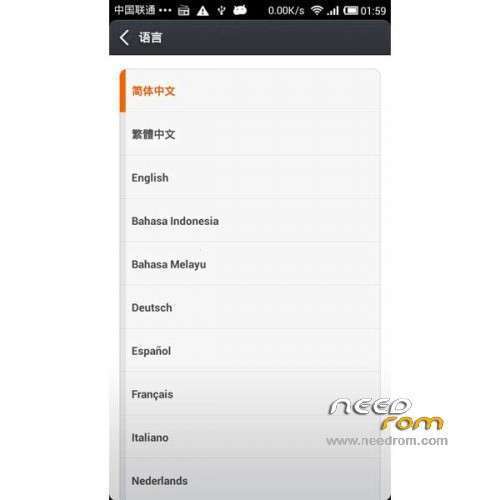
Language support: Multilang
Install ROM :
CWM
Step 1: Download the custom ROM copied to an external SD card root directory
Step 2: the shutdown state. While holding down:
– Power button + volume button up, to enter the recovery mode.
– Wipe Data / Factory Reset -> delete all user data
– Wipe Cache Partition -> Wipe cache
Step 3: Return to recovery main interface Install zip from sdcard -> choose zip from sdcard -> Select your ROM
Step 4: Brush complete, restart the phone Patience required – first boot takes a while
※Please make a backup of your device before installing or updating ROM
Hi Guys,
I have a Z5s, but something went something wrong during the installation for the cwm recovery. Now the phone is stuck on the logo and I have only access to the Android system recovery 3e. I tried factory wipe, but that didnt change anything.
Is there a way to get into fastboot?
Tried some button combinations, but didnt make it.
As it is now, I can’t get access from my computer USB not picked up and therefore can’t add files on the sd-card to move on.
Any help will be much appreciated.
Thank you
I have a problem with the latest update. Currently I have a Z5S with MIUI 4.5.9. It shows there is an update available (4.5.16), OK, download, install as usual. When the progress bar on the install screen (green robot screen) moves to about 33%, it shows some chinese text (error message?) and the phone reboots. The version still 4.5.9 and shows update available.
I tried to remove the downloaded_rom folder from the SDCARD, reboot the phone, download again, same result everytime.
Any suggestion?
hi guys, everything's OK , but i have only one problem with this rom – Play Store update the app. only with wifi connection.If I use 3G connection Play Store not update/no download the app.s .How can I do to resolve this problem?
can you write a guide to install the gapps on zte after the installation of this rom please? is it a multilanguage version? or i have to installa morelocal 2?
I have a problem while flashing the rom .
I shows an error message and it aborts instalation.
I have used 6047 6048 cwm and twrp recovery modes but I get the same error.
amazing. recommand.
if this rom is for z5s mini?
nope
Gayet stabil.
Tavsiye ederim.
This rom's very stabil. i recommend
why i cant root? and it's not multilang…