
- Title: Official 1613 3.1 VIBEUI
- Listed: March, 2016
- Last modified: 03/26/2016 2:15 pm
- Version: 6.0 Official
You must be logged for ROM download.
18911 total views, 3 today
9 Total favorites




 Member Info

DESCRIPTION
VIBEUI_V3.1_1613_5.252.1_ST_K50-T5
Install instructions
- Install custom recovery TWRP ( All Version Working )
- Boot into recovery mode.
- Now select wipe ( factory rest ).
- Advance wipe ( button blue ) & select partitions , dalvik cache, system , cache , user data ( just first user data )
- Select install & select downloaded zip file.
- select install Patched Boot 1608+
- Install success.
- Root ur phone from TWRP
- Flash directly Gapps with TWRP
- Open ur app manager from setting and go to " service google play store and play store " click on permission management and allow all apps
※Please make a backup of your device before installing or updating ROM
Hi
Few questions :-
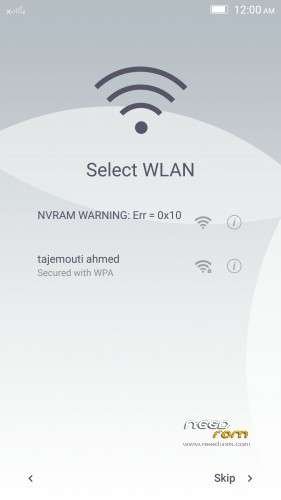
a) Why in select WLAN page got error msg "NVRAM WARNING" ?
b) Why need to install "Patcher boot" ?
c) LED notification works in whatsapp or I need to modify build.prop file ?
d) SuperSU 2.46 works with this ROM ?
Thx in advance…
how to install root? kingroot is not working!
You know up ROM and you don’t know root???
https://drive.google.com/open?.....VmE4RTBqN1dHeU0 SU-v2.49.zip works for me very fine! Got no problems and easy install via TWRP. They took this one for MM Nexus 6.
vr?
Working fine.
Still wifi connects and disconnects every now and then.
Both I know, is not the problem. I tried with several root apps and none was successful, I have to try to root the PC ?. Try installing the APPS, but he came out of recovery mode without installing and then reinitiated '—'
Forgive English, only I know how to use google translator
Same wifi problem here! Wifi keep repeating connect and disconnect forever.
i have this official rom on my phone…but after when iam install any gapps…that always stopped…
anybody have a idea why?