
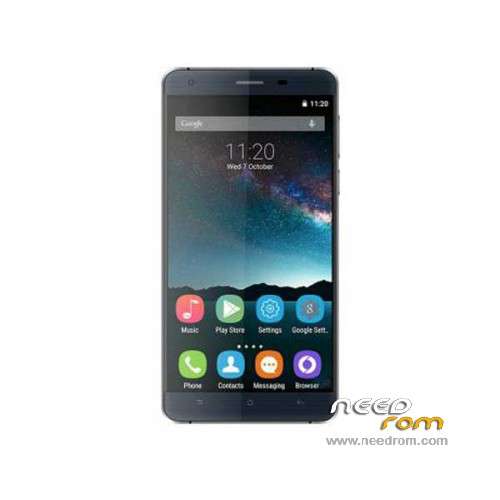
- Title: Oukitel K6000
- Listed: January, 2016
- Last modified: 04/17/2016 12:40 am
- Version: ROM Android 5.1
You must be logged for ROM download.
23712 total views, 3 today
15 Total favorites
 Member Info
DESCRIPTION
ROM Mobile Oukitel K6000 – ROM Android 5.1
ONLY MT6735M
Update Official ROM Oukitel K6000 version: OUKITEL_K6000_V8.0_20160411 – full_hct6735m_35gu_l1-user 5.1 LMY47D – t875a-oq-t92-33fpgu-hd-128g16g-fdd-3m-5p
—————————————————————————————————————————————————————————
Official ROM Oukitel K6000 version: OUKITEL_K6000_V7.0_20160407 – full_hct6735m_35gu_l1-user 5.1 LMY47D – t875a-oq-t92-33fpgu-hd-128g16g-fdd-3m-5p
Gapps include – No Rooted
Language support: Multilang
Install ROM:
Install with SP MDT:
1). Turn off the smartphone. Cable is not connected to the computer.
2). Remove the battery and insert it again
3). Connect your phone to a computer cable. The operating system detects a new device
4). Disconnect the cable from the computer.
5). Run SPMultiPortFlashDownloadProject.exe
6). Choose File> Open File Agent download and specify the file MTK_AllInOneDA.bin (it is in the folder SP_MDT).
7). Click Scatter File and select the MT6735M_Android_scatter.txt file (it's in the folder with the rom).
8). Click "Start all".
9). Connect your phone to a computer cable. The program should see and blink. If the phone is not detected, then unplug it from the computer,
remove and insert the battery (if the battery is removable) and reconnect it to the computer.
10). After (OK) click Stop and disable any phone.
11). Completed.
※Please make a backup of your device before installing or updating ROM
V7 4G call problem in 3G is ok.
STILL NO WIFI UPDATES…
No wireless updates yet, I have v6, But i when i check for updates, It tells that "Your system is currently up to date"
Thank you dear xi7 its worked.
poweroff phone and plug cable notebook, download ROM + spmdt flash , run SPMultiPortFlashDownloadProject.exe , select MTK_AllInOneDA.bin + file scatter.txt , press SCAN and go to phone press VOL UP and insert cable. After show 100% scan stop it. remove the cable again and START ALL…. insert cable again. wait firmware finish update.
(error Checksum.. copy the CheckSum_Gen to checksum.ini folder run it)
I see this error when i click start all, I am not sure that whether i did something wrong but i see this error everytime.
They should upload a beta version of the Android 6 ROM. I whould like to test it.
Não se consegue abrir para tirar a bateria?
http://droidvip.com/1161/oukit.....embly-teardown/
SO SO SO dissapointed about Oukitel!!!
…..I will try this version