
- Title: P70-A USR S134 150729 16G ROW
- Listed: August, 2015
- Last modified: 08/23/2015 12:11 am
- Version: S134 150729
You must be logged for ROM download.
29135 total views, 3 today
12 Total favorites
OFFICIAL
 Member Info
DESCRIPTION
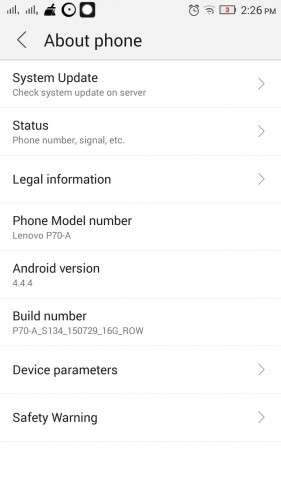
This is the latest official rom for Lenovo P70-A international version with 2GB ram
Use TWRP recovery to flash this rom
1- Copy the rom to your internal phone storage
2- Turn off your phone
3- Press on VOL+ & Power till you get a screen with 3 Options
4- Choose recovery using the VOL+ key and VOL- to confirm
5- Press install and choose the rom zip file to flash from your internal phone storage
6- Wipe Data + Cache
7- Enjoy 
Please visit this link for TWRP Recovery & Root
https://www.needrom.com/download/lenovo-p70-a-p70-t-twrp-update/
※Please make a backup of your device before installing or updating ROM
I tried flashing it from twrp recovery but after flashing it's stuck at the logo.
then i tried the flashtool, there is something wrong with the scatter file.
now what do i do ?
I had the same problem but I figured out that the ROM file was corrupted to check if is corrupted or not copy tfile to your computer and try to extract everything in it using winrar if at the end of extraction it tells the file is corrupted try to redownload it again. Then try to re flash it with the new downloaded file.
HOW to downgrade from lolipop to this rom becasue the lolipop version sucks
Use SPflashtools and download kitkat rom to downgrade!
the compress file is broken