
- Title: P780 Android 4.4.2
- Listed: August, 2014
- Last modified: 01/27/2015 7:04 pm
- Version: Android 4.4.2 KitKat
You must be logged for ROM download.
92594 total views, 5 today
10 Total favorites

 Member Info
DESCRIPTION
Lenovo P780 ROW ROM Android 4.4.2, pre-rooted, with TWRP recovery
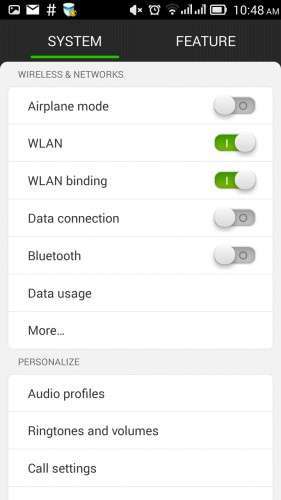
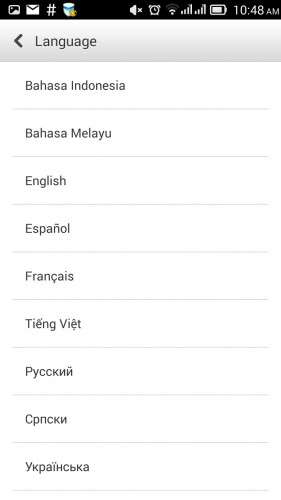
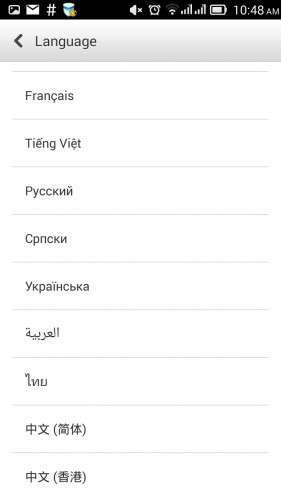
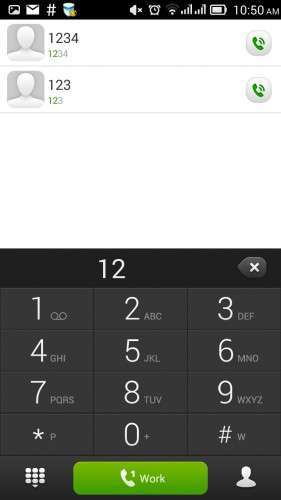
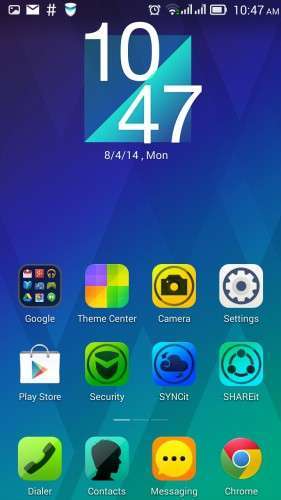
This is a signifiant upgrade to Lenovo P780 ROW, Android version 4.4.2 KitKat. The interface (launcher, lock screen) are similar to those found on VibeUI ROM, but with more available languages and without the China-specific apps installed.
This is a pre-rooted SPFlash format package, allowing you to install hassle-free the factory ROM. All user data stored within internal storage will be lost, make sure to backup your data before installing it. I only tested on P780 with 4GB, but it should work fine on 8GB ROW version too.
There are some zip files attached here, they also may contain standard android zip updates or updates from the factory, untouched.
The only differences between this ROM and the untouched 'ROW' (Rest of the World) official ROM are:
- recovery TWRP version 2.7 (the official recovery is also provided) is included
- this one is pre-rooted with clockworkmod superuser
The ROM will be updatable over-the-air, but TWRP recovery and/or root may be lost on future official OTA updates.
After the first boot, Security and Power Manager apps will ask for root privilege. They do work very well without having superuser privilege, it's safe to deny forever root acces for both of them.
How to install
Common prerequisites:
- Use lenovo backup and restore (or TWRP recovery) to do a backup of your data to SD Card (apps, contacts, messages, call logs), you will be able to restore them later with settings/backup and restore feature.
- connect the phone to PC, enable USB debugging, install Lenovo drivers if you didn't already, do a backup of your IMEIs with MTK Root & Tools app
- optional step – Install ADB drivers for the phone, use MTK Root & Tools to backup IMEI
- install SPFlash tools (version 3.x works fine) and the drivers for Mediatek VCom port
- Download the package, unzip it to a folder, open SPFlash tools, make sure you have the 'DA DL All with checksum' activated, click on 'Scatter file', select the file "MT6589_Android_scatter_emmc.txt", make sure all the records from the spflash window are ticked and have a file associated to them on 'location' column.
- power off the phone, make sure you have unchecked the 'Fast boot-up' (or similar) option on the phone
- connect the usb cable to the phone, click on 'Firmware upgrade', connect the other usb cable end to PC, wait for the green circle to appear.
- disconnect the phone, power it on, wait for a longer-than-usual startup
- deny root access requests for 'security' and 'power' apps
- optional – restore IMEI with MTK Root & Tools
Update
I added the P780-ROW-S221 package for spflash tools, having TWRP 2.7, root and busybox preinstalled. This can be used either as a full install package, no matter what ROM version you run now, or can be used to update existing phone without affecting user data, if your device currently is running P780-ROW-S220.
If you currently have ANY ROM and you want a 'clean' install, use the procedure above.
If you currently have P780-ROW-S220 and want to preserve existing data and downloaded apps, after loading the scatter file untick 'cache' and 'usrdata' partitions and then click on 'download' button on SPFlash tools instead of 'Firmware upgrade'.
Update 2014-12-07: P780_ROW_S226_140919_TO_P780_ROW_S227_141121_WCF9.zip
This is an incremental update from version S226, it can't be installed without having P780_ROW_S226 on device. Installing the factory update alone will not affect the existing modem firmware, but it will disable root. This incremental update can be installed as a zip update, no need for SPFlash.
To install it, download the zip to SD card (and ClockworkMod Superuser if you want root, you can take it from here), reboot to TWRP recovery (with Mobile Uncle Tools or 'adb reboot recovery' command), install BOTH zip files, then reboot. If you do not need root, then you can ignore references to superuser.
Update 2015-01-27: P780_ROW_S228
While this is an incremental update from version S227, I packed it in SPFlash format. This allows installation regardless of existing ROM. It has TWRP and root.
Users of P780_S22x can upgrade to S228 prserving existing data/settings by ticking only "ANDROID", "PRELOAD" and "UBOOT" within SPFLash screen and unselecting the other memory partitions.
What's new: updates to modem image (now at version P780.V24), slight changes to SystemUI and other telephony related updates.
Common post-update actions:
- use settings/backup and restore to bring back contacts/messages/call logs
- think twice before applying the OTA updates, you will likely lose root and/or custom recovery when using the official updates.
- hit the 5 stars button under 'Author rating' on this page and take into consideration to use the paypal button above to make a donation to me! This allows me to test more, to get more devices/roms and to post updates faster.
The baseband contained within this ROM is for ROW (rest of the world) hardware version of Lenovo P780, 2nd SIM will not work if you use it on non-ROW (for China) devices. If you're unsure if your device is ROW or China, look at the text on the battery. If the text it's mostly chinese, then you have the non-ROW hardware version of P780.
Known issues
- After loading the scatter file, SPFlash tools version 5 does not automatically populate the 'preload' segment, you will have to tick it and browse for the actual location of 'preload.img'. SPFlash version 3.x does not exhibit this behaviour
- If you forget to tick 'DA DL All with checksum', the phone will fail to boot, with a 'DL fail' message. Fortunately, the flash operation can be done once again. Just power the device off (pressing 'power' for about 10 seconds), disconnect the usb cable, start over the installation.
- the P780_ROW_S221 official update will restore factory recovery and may prevent superuser from working properly. To use root with S221, you have to download the S220 to S221 zip update above and the superuser zip to SDCard, reboot to recovery (with mobile uncle tools or ADB reboot recovery), go to 'update', apply the the update zip, do not reboot, apply as update the superuser zip, select reboot on recovery, answer 'do not fix root' if questioned. It's important to apply both zips at once. Power on the phone, with a root file manager rename /system/recover-from-boot.p to something different, such as 'recover-from-boot.bak', power off the phone, reflash the recovery from the first archive with spflash tools, make sure to uncheck all the partitions except 'recovery' and to have 'DA DL All with checksum' ticked.
Disclaimer
Manipulating ROM without proper knowledge may lead to undesired results, such as an unusable device. You agree that the resoponsibility if you lose data, or time repairing the device, belongs entirely to you.
※Please make a backup of your device before installing or updating ROM
ROW-s221 is very good .Xposed and gravity box works like a charm in it,
bump
Waiting eagerly for the 222 update zip Enterco.
Bro,,,, i failed update from 221 to 222 via Twrp..
What should i do? Change twrp to stock recovery or what? And how to back stock recovery??
Thanks in advance
I just uploaded s222 in spflash format. grab it and download to phone the following partitions: recovery, system (android)
pls make it for lenovo a390
Lenovo A390 has only 512M RAM. I have a feeling it will never make it above Android 4.0 with the official ROM.
Enterco, a strange thing happened. My battery was almost 64%, i just made a reboot after uninstalling Dialer+ app and now the battery is left with 11% and draining. Can you please ;( post an upgrade to 222 because in the change logs they have improved the battery issues and contact touch.
Look above, you should see the S222 archive. But not-too-long after upgrade you should do a battery calibration.
Thanks for posting the update Enterco, but isn't there any update.zip for S222 because I don't want to risk any data using spflash ;(. Can you post the steps to only upgrade.
may be this is the one you are looking for the s222 update zip 19mb . You can download it after creating an account in that website
http://lenovo-forums.ru/topic/.....%D0%B8-kit-kat/
You won't lose data/apps/settings if you do not update 'usrdata' partition. When flashing, tick only ANDROID and BOOT, then ckick on 'download' instead of 'firmware upgrade'. Or you could use the S221 to S222 update zip, I'll post it here, but you will lose root.
To make sure you don't lose data/settings/apps, just do a full TWRP backup to SD card, with 'cache' and 'data' included. A restore from this package will bring the device to the state it was before the backup, call logs, messages, settings included. My last backup has about 1.7GB in size.
I shifted from Powar19 AOSP to this ROM. This ROM is with out a doubt a real deal, i updated my s221 to s222 today OTA but lost root and custom recovery and was struggling to find a way to root the s222 and add a custom recovery in it. Then again with in hours after that incident you came with the s222 rooted ROW. Thanks mate. Much appreciated if you can post a method to do OTA updates with out losing custom recovery and root, if possible or atleast a way to re-root it after the update.
Unfortunately I can't do much about it. One thing is certain with the original OTA updates: they kill root, by removing a special permission on files in /system/xbin, su binary included. Also, they usually overwrite recovery. Maybe a patched 'OTA' zip will allow to keep root. That would be one method. The other is to use spflash and download only 'ANDROID' and 'BOOT' partitions, data will be preserved.
tHANKS Mirkcore for your link but just like you I also don't want to lose root. Waiting for Enterco to post the steps to update.
Hi, I updated to the latest s222, and found that the Lenovo Supercamera app is gone!!!??? How can I get the app back? Thank you very much in advance!
That should've not happen. You can re-flash 'system' only and see if it comes back, after doing a backup with TWRP.