
- Title: P780 Android 4.4.2
- Listed: August, 2014
- Last modified: 01/27/2015 7:04 pm
- Version: Android 4.4.2 KitKat
You must be logged for ROM download.
92594 total views, 5 today
10 Total favorites

 Member Info
DESCRIPTION
Lenovo P780 ROW ROM Android 4.4.2, pre-rooted, with TWRP recovery
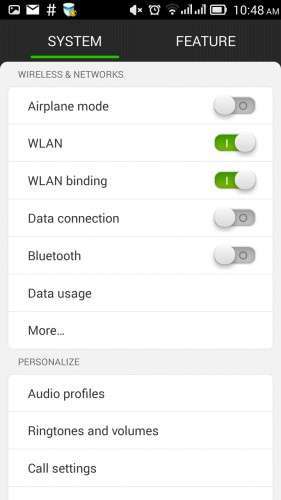
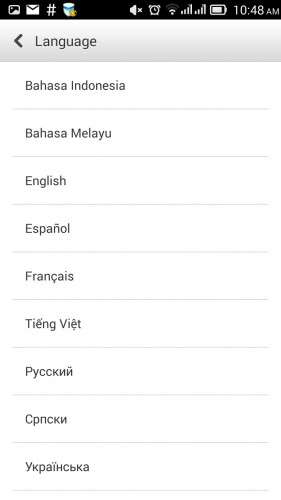
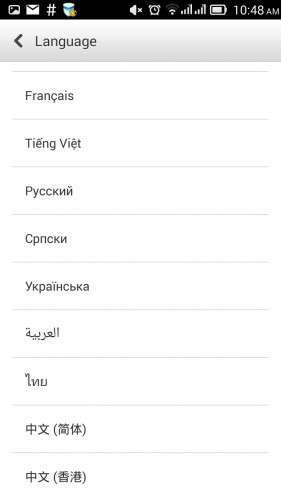
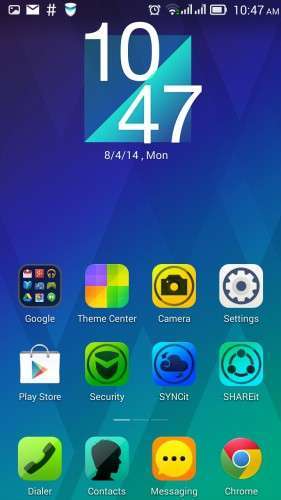
This is a signifiant upgrade to Lenovo P780 ROW, Android version 4.4.2 KitKat. The interface (launcher, lock screen) are similar to those found on VibeUI ROM, but with more available languages and without the China-specific apps installed.
This is a pre-rooted SPFlash format package, allowing you to install hassle-free the factory ROM. All user data stored within internal storage will be lost, make sure to backup your data before installing it. I only tested on P780 with 4GB, but it should work fine on 8GB ROW version too.
There are some zip files attached here, they also may contain standard android zip updates or updates from the factory, untouched.
The only differences between this ROM and the untouched 'ROW' (Rest of the World) official ROM are:
- recovery TWRP version 2.7 (the official recovery is also provided) is included
- this one is pre-rooted with clockworkmod superuser
The ROM will be updatable over-the-air, but TWRP recovery and/or root may be lost on future official OTA updates.
After the first boot, Security and Power Manager apps will ask for root privilege. They do work very well without having superuser privilege, it's safe to deny forever root acces for both of them.
How to install
Common prerequisites:
- Use lenovo backup and restore (or TWRP recovery) to do a backup of your data to SD Card (apps, contacts, messages, call logs), you will be able to restore them later with settings/backup and restore feature.
- connect the phone to PC, enable USB debugging, install Lenovo drivers if you didn't already, do a backup of your IMEIs with MTK Root & Tools app
- optional step – Install ADB drivers for the phone, use MTK Root & Tools to backup IMEI
- install SPFlash tools (version 3.x works fine) and the drivers for Mediatek VCom port
- Download the package, unzip it to a folder, open SPFlash tools, make sure you have the 'DA DL All with checksum' activated, click on 'Scatter file', select the file "MT6589_Android_scatter_emmc.txt", make sure all the records from the spflash window are ticked and have a file associated to them on 'location' column.
- power off the phone, make sure you have unchecked the 'Fast boot-up' (or similar) option on the phone
- connect the usb cable to the phone, click on 'Firmware upgrade', connect the other usb cable end to PC, wait for the green circle to appear.
- disconnect the phone, power it on, wait for a longer-than-usual startup
- deny root access requests for 'security' and 'power' apps
- optional – restore IMEI with MTK Root & Tools
Update
I added the P780-ROW-S221 package for spflash tools, having TWRP 2.7, root and busybox preinstalled. This can be used either as a full install package, no matter what ROM version you run now, or can be used to update existing phone without affecting user data, if your device currently is running P780-ROW-S220.
If you currently have ANY ROM and you want a 'clean' install, use the procedure above.
If you currently have P780-ROW-S220 and want to preserve existing data and downloaded apps, after loading the scatter file untick 'cache' and 'usrdata' partitions and then click on 'download' button on SPFlash tools instead of 'Firmware upgrade'.
Update 2014-12-07: P780_ROW_S226_140919_TO_P780_ROW_S227_141121_WCF9.zip
This is an incremental update from version S226, it can't be installed without having P780_ROW_S226 on device. Installing the factory update alone will not affect the existing modem firmware, but it will disable root. This incremental update can be installed as a zip update, no need for SPFlash.
To install it, download the zip to SD card (and ClockworkMod Superuser if you want root, you can take it from here), reboot to TWRP recovery (with Mobile Uncle Tools or 'adb reboot recovery' command), install BOTH zip files, then reboot. If you do not need root, then you can ignore references to superuser.
Update 2015-01-27: P780_ROW_S228
While this is an incremental update from version S227, I packed it in SPFlash format. This allows installation regardless of existing ROM. It has TWRP and root.
Users of P780_S22x can upgrade to S228 prserving existing data/settings by ticking only "ANDROID", "PRELOAD" and "UBOOT" within SPFLash screen and unselecting the other memory partitions.
What's new: updates to modem image (now at version P780.V24), slight changes to SystemUI and other telephony related updates.
Common post-update actions:
- use settings/backup and restore to bring back contacts/messages/call logs
- think twice before applying the OTA updates, you will likely lose root and/or custom recovery when using the official updates.
- hit the 5 stars button under 'Author rating' on this page and take into consideration to use the paypal button above to make a donation to me! This allows me to test more, to get more devices/roms and to post updates faster.
The baseband contained within this ROM is for ROW (rest of the world) hardware version of Lenovo P780, 2nd SIM will not work if you use it on non-ROW (for China) devices. If you're unsure if your device is ROW or China, look at the text on the battery. If the text it's mostly chinese, then you have the non-ROW hardware version of P780.
Known issues
- After loading the scatter file, SPFlash tools version 5 does not automatically populate the 'preload' segment, you will have to tick it and browse for the actual location of 'preload.img'. SPFlash version 3.x does not exhibit this behaviour
- If you forget to tick 'DA DL All with checksum', the phone will fail to boot, with a 'DL fail' message. Fortunately, the flash operation can be done once again. Just power the device off (pressing 'power' for about 10 seconds), disconnect the usb cable, start over the installation.
- the P780_ROW_S221 official update will restore factory recovery and may prevent superuser from working properly. To use root with S221, you have to download the S220 to S221 zip update above and the superuser zip to SDCard, reboot to recovery (with mobile uncle tools or ADB reboot recovery), go to 'update', apply the the update zip, do not reboot, apply as update the superuser zip, select reboot on recovery, answer 'do not fix root' if questioned. It's important to apply both zips at once. Power on the phone, with a root file manager rename /system/recover-from-boot.p to something different, such as 'recover-from-boot.bak', power off the phone, reflash the recovery from the first archive with spflash tools, make sure to uncheck all the partitions except 'recovery' and to have 'DA DL All with checksum' ticked.
Disclaimer
Manipulating ROM without proper knowledge may lead to undesired results, such as an unusable device. You agree that the resoponsibility if you lose data, or time repairing the device, belongs entirely to you.
※Please make a backup of your device before installing or updating ROM
Thank you very much!!! Super! ! !
Welcome!
hi enterco.. my phone was bootloop and i want to update to 222 but i forgot enable usb debugging..
so i cant flashing with flashtool..
my question is :"how to enable usb debugging when bootloop"
thanks
sorry poor english
thanks… my problem solved
I’ll answer for others with the same problem. You don’t need USB debugging, but the mediatek USB vom drivers installed on the pc. Start spflash, load the ROM onto it, press ‘download’ or ‘firmware upgrade’ as needed, long press power on phone (about 10 sec) or press reset near sd card slot, then connect the use cable to phone and pc, see spflash transferring the ROM.
Battery drain in one day with normal use, before it was last for 72 hrs with same use.
Pl suggest solution
1 – use the ‘power’ app to find what is draining your battery
2 – let the device discharge completely, plug the charger, open ‘Lenovo power’, tap on ‘calibrate battery’ (this option ain’t visible unless the device is connected to charger), keep power supply until 100% charged.
My device has the same power consumption now as with previous ROMs/apps, about 60h/charge with moderate usage.
Hey enterco. S223 is out now, please get us the rooted firmware soon. I need to see those quick widgets under the contacts please ;(
what's new in the new current update S223?
I tried restoring my recovery to default recovery of s222 and then when i tried to do the OTA , i am facing SET_PERM: SOME CHANGES FAILED, INSTALLATION ABORTED. Can you help ?
Why didn't you use the 'stacked zip' updated technique? The original update zip (S222 to S223) is here, you could use TWRP, then add this zip to update list, and stack it with superuser.zip. Recovery can be updated later.
Finally I had to take backup through TWRP and installed a fresh copy of S223 , spent few hours working on root and found that GENO works out of the box to root and after that installation of recovery is possible through mobileuncle.
Hi, P780 S223 has been released. Am from India. Can you make an file for updating from S222 to S223 rooted?
The update is on the way, will complete upload shortly.
There you go guys, S223 is uploaded.
If your phone is running any S22x version, downloading with spflash the 'ANDROID' partition should be enough, optionally followed by a 'wipe cache' and 'wipe dalvik cache'.
If your phone ain't running P780-ROW-S220 (up to S222), then you will have to proceed with the full rom upgrade. For devices built AFTER 2014-03 the second PRELOADER should be used.
Thanks to enterco for the S223 upload. I am on S222 currently meaning I just need to select 'ANDROID' during SPFLASH? Will it be unroot after the update?
Yes, download only ANDROID. it is rooted.