
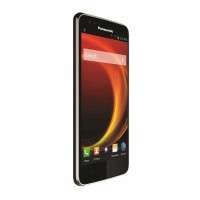
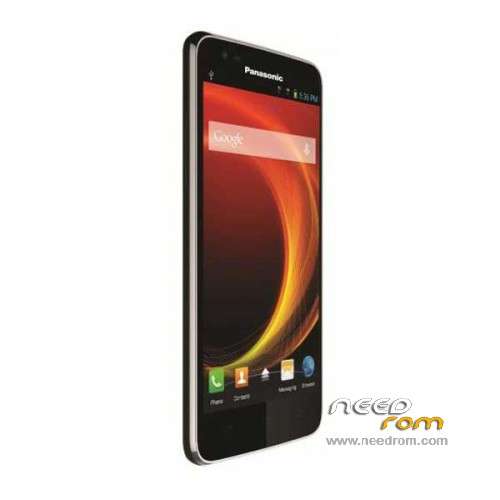
- Title: Panasonic ELUGA A
- Listed: June, 2015
- Last modified: 08/29/2023 8:07 am
- Version: ROM Android 4.4.2
You must be logged for ROM download.
32961 total views, N/A today
13 Total favorites
OFFICIAL
 Member Info
DESCRIPTION
ROM Phone Panasonic ELUGA A - ROM Android 4.4.2
ONLY MSM8610
Update Official ROM Panasonic ELUGA A version: EB-90S050EA0v1036 – ELUGA_A-user 4.4.2 KOT49H
Official ROM Panasonic ELUGA A version: EB-90S050EA0v1034 – ELUGA_A-user 4.4.2 KOT49H
Gapps include – No Rooted
Language support : Multilang
Install ROM:
QCom
Install with QPST.2.7.410.msi ( Tuto : Tuto.docx )
※Please make a backup of your device before installing or updating ROM
how to flash help me
cmd mode ,all file is past in one folder then vol – fastboot mode
download file then flash
..all done
[8x10_fastboot_all_images]
how to flesh
how to flash sir guide please
how to flash
how to flash
PANASONIC ELUGA A S/W; EB-90S050EA0V1034 FLASH FILE PLEASE
flsh on fastboot mode with command 9782411377
HOW TO FLASH
< Method for QPST Emmc Software download tool >
Revision History
Version Date Author Brief Description
V1.0 2014/9/28 钱丹 Draft
Contents
1 Summary 2– 2 -
1.1 Objective 2– 2 -
1.2 Scope 2– 2 -
1.3 Abbreviation&Nominal definition 2– 2 -
1.4 Reference documentation 2– 2 -
2. Download preparation 2– 2 -
3 Download Procedure 2– 2 -
3.1 First step 2– 2 -
3.2 Second step 2– 5 -
4 Appendix 2– 7 -
Summary
Objective
The purpose of the paper is stated on how to use QPST eMMC Software Download tool to update software;
Scope
The scope of the paper is limited to use QPST eMMC Software Download tool to update Android 4.4 software from Android 4.3 software.
Abbreviation&Nominal definition
None
Reference documentation
Download preparation
Ready to get software that need to update,include all files ,such as image files.
Phone switch to Qualcomm HS-USB QDLoader 9008 mode,like:
Download Procedure
Open QPST eMMC Software Download tool
Select modem\sahara.xml as Sahara XML file:
First step
Use eMMC Software Download tool to download Boot Loaders.
Select Program Boot Loaders checkbox
Select Qualcomm HS-USB QDLoader 9008 port for download port
Change Flash Programmer file name to MPRG8x10.mbn
Change Boot Image to 8x10_msimage.mbn
Do not select Program MMC device.
Click Load Build Contents and choose modem\contents.xml. Then select asic for Select Build Flavor, like
Click Download button. Then it will start programming boot loaders.
When it finishes successfully, the COM port will automatic changed to 9006 Diagnostics
Second step
Use eMMC Software Download tool to download image files
Please select COM as Qualcomm HS-USB Diagnostics 9006 port,as follows:
Do not select Program Boot Loaders
Select Program MMC devices.
Select Qualcomm MMC Storage USB Device for Program MMC devices(It is very important)
Click Load Build Contents and choose modem\contents.xml. Then select asic
Click Download button. Then it will start downloading image files.
When download is finished successfully, it will show “Write Complete”.
i flashed this device and its dead now .. any one has any idea how to unbrick this device? cause i am getting 8x10_msimage.mbn error . any one who has unbrick file plz let me know.. thanks in advance.. i have tried all the possible things but nothing worked.
Thanksssssssssssss my phone OK 1000% < Method for QPST Emmc Software download tool >
Revision History
Version Date Author Brief Description
V1.0 2014/9/28 钱丹 Draft
Contents
1 Summary 2– 2 -
1.1 Objective 2– 2 -
1.2 Scope 2– 2 -
1.3 Abbreviation&Nominal definition 2– 2 -
1.4 Reference documentation 2– 2 -
2. Download preparation 2– 2 -
3 Download Procedure 2– 2 -
3.1 First step 2– 2 -
3.2 Second step 2– 5 -
4 Appendix 2– 7 -
Summary
Objective
The purpose of the paper is stated on how to use QPST eMMC Software Download tool to update software;
Scope
The scope of the paper is limited to use QPST eMMC Software Download tool to update Android 4.4 software from Android 4.3 software.
Abbreviation&Nominal definition
None
Reference documentation
Download preparation
Ready to get software that need to update,include all files ,such as image files.
Phone switch to Qualcomm HS-USB QDLoader 9008 mode,like:
Download Procedure
Open QPST eMMC Software Download tool
Select modem\sahara.xml as Sahara XML file:
First step
Use eMMC Software Download tool to download Boot Loaders.
Select Program Boot Loaders checkbox
Select Qualcomm HS-USB QDLoader 9008 port for download port
Change Flash Programmer file name to MPRG8x10.mbn
Change Boot Image to 8x10_msimage.mbn
Do not select Program MMC device.
Click Load Build Contents and choose modem\contents.xml. Then select asic for Select Build Flavor, like
Click Download button. Then it will start programming boot loaders.
When it finishes successfully, the COM port will automatic changed to 9006 Diagnostics
Second step
Use eMMC Software Download tool to download image files
Please select COM as Qualcomm HS-USB Diagnostics 9006 port,as follows:
Do not select Program Boot Loaders
Select Program MMC devices.
Select Qualcomm MMC Storage USB Device for Program MMC devices(It is very important)
Click Load Build Contents and choose modem\contents.xml. Then select asic
Click Download button. Then it will start downloading image files.
When download is finished successfully, it will show “Write Complete”.
method to imei ok Use eMMC Software Download tool