
- Title: Phicomm C230w
- Listed: January, 2015
- Last modified: 01/30/2015 4:00 am
- Version: Android 4.3
You must be logged for ROM download.
21970 total views, 4 today
3 Total favorites
 Member Info
DESCRIPTION
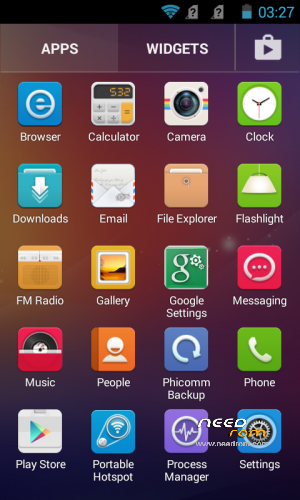
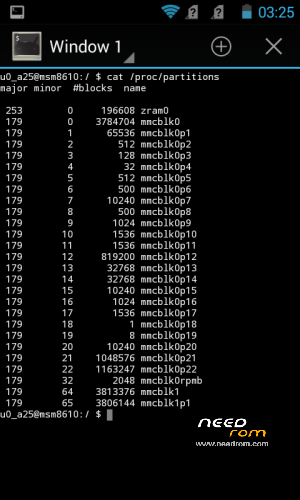
Phicomm C230w Clean Official ROM with ZRAM Swap
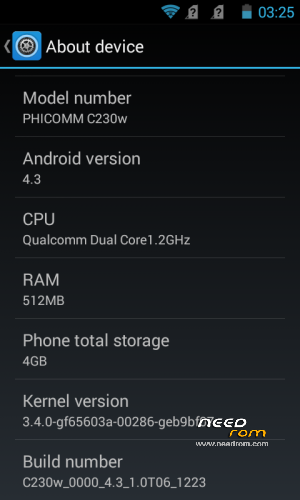
Phicomm ROM version: C230w_0001_4.3_1.4T27_0317_SH
Removed Chinese apps and services from system and boot
Removed all Chinese Vendors
No bloats
No Gapps (only Play Store, TTS and Keyboard included)
Rooted
Multilanguage (Full Greek Language)
Installation:
1. Copy zip file to your SD Card.
2. Boot the phone in recovery mode. (Power off the phone. Press Vol- and Power buttons until you see the recovery menu.)
3. Select 'apply update from external sdcard1'.
4. Choose the zip file you copied to your SD Card.
When the update finish, the phone will auto reboot. First load will take some time, so just wait.
※Please make a backup of your device before installing or updating ROM
Breccio, rowess, thank for the advice.
Have tried all the methods above you people mention. I even uninstall anti-virus, using IE, Firefox, UC brower, Opera and changing Laptop still cannot download. I really don’t know what to do.
What I getting is this again:
You must see this page !!!
This is problem of you internet provider…Go to a neighbor which has another operator and Download it there ….
If you don't succeed to download the file…I will put this file in an external site
After that , you help me and tell me as to do to flash this ROM
Rowess,
It doesn’t matter I engage another internet service provider or go to my neighbour and use their internet, that is because it is all the same. Our internet service providers are all come from our govt link companies which so to say change or not make no different. Whether the problem lay on the internet service providers or they blocking the link I have no right to say anything. All I have to say every country govt have their own policies and rules to manage their own country.
I only make a request asking to upload to another site which I can download the file. Is simple as that. If it too difficult for you people to do so, that is fine for me.
Breccio,
I can only help if I download the files and install it myself. Bear in mind by flashing these files wrongly it also can brick your phone. The steps for flashing must be précised. If you interested to share let's do it private, msg me privately……
Give me a address where I can upload the Karbonn file
Tries here !! : https://www.dropbox.com/s/2pnv.....covery.img?dl=0
I will not answer to a stupid question. I will not be the subject of more express, I consider it to be resolved and closed. Everything I clearly wrote. All original links are functional. Last time I give you a link for people which have problems downloading. People who do not have basic knowledge, let's leave it better. I accept now only thanks !!!!!!!!
Karbon Titanium S1 Plus ROM 4.4
To Breccio: Yes, I did everything under W7 x64, you do not rename it, but then you will enter into the console original long name.
Thank you rowess !!! In this way has been very simple to install this ROM …The first guide for me has been very difficult to understand it
But now is all ok This is a fantastic ROM for Phicomm C230W Quad Core . Now remain to make the Root only !!!
Thank you rowess very good job !!!
Let me thanks to those who re-upload the file for me to download. I am also novice same as many people here if I can do it, so can you. In order to repay the kindness of those people who re-upload the file for me to download again let me provide the simple and easy way to install the file.
Step:
1. Unzip the custom S1+ file. Click c230wJA_fastboot_flash_all.bat file.
2. After installation, use Rashr to flash the image recovery file.
3. Download superuser provide by nikan06 and install superuser.
4. Lastly when the phone boot up to S1+, root the phone. Any root software can do the job.
Now you got yourself a S1+ rooted phone, it as simple as ABC. Enjoy…….
P/S
Not all C230w phone are suitable for this rom. Before you install this rom , you can test S1+ rom by install from recovery. Once boot up, test the Camera, 3G, Signal and WCDMA see whether it work or not. If doesn’t work which mean this rom not for your C230w. Then you may go to recovery to restore/install back your previous rom.
If happen you brick your phone and your screen all black and you can’t boot up, used eMMC DL Tool to recover back your phone.
If above mention installation still don’t understand please look for Thread Starter for help………….
I have only install the custom S1+ file. Click c230wJA_fastboot_flash_all.bat file
I have not installed RASH and flash the image recovery file !! ( Is it essential to install RASH and flash the image recovery file ?? )
I have Root phone with this rowess file http://uloz.to/xjM4sJVd/root-u.....h-superuser-zip placed at SD Card, install it over System Update
The Rom Karbonn Titanium S1 KitKat 4.4.2 is correctly installed !!!…But Ihave a problem !! When I make a call , the phone screen becomes black without the possibility to close the call !! Has happened to someone of you ?
RASHR installation is optional, it is an free excellent program for Flashing, for instance recovery, but does not use it unless you just factory recovery. But you not do a backup of your phone. Once you have a phone ROOTed, recovery get there just over Rashr. When you do not have ROOTed phone, you have to get there recovery through ADB, the second step which I have described.
Do you have a black screen when calling because you have turned on proximity sensor. Go into settings and turn off. It serves as a protection to the ear is pressed a button on a telephone when you make call.
I know proximity sensor in the screen !! but I think that it can't be disarmed in settings device there isn't turn off flag !!
Now want to try with some apps….otherwise I will try to again install all !!
Thank for all !!
Just recalibrate it !!!
Steps:
1) Download this app: HERE
2) Click on the last option. ( TestingBroadcastReceiver…and click on yes )
3) Click on Proximity sensor adjust
4) Read instructions and your are done…
Thank you!Worked the sensor!!!
I have firmware C230w_0002_4.3_1.0T04_0506_SH. It is newer or older than offered here C230w_0001_4.3_1.4T27_0317_SH ?
Great!!! Thanks