
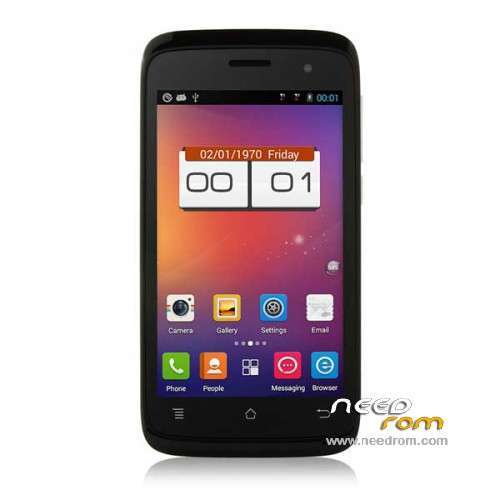
- Title: PHICOMM C230w
- Listed: June, 2014
- Last modified: 06/30/2014 3:44 pm
- Version: ROM Android 4.3.1
You must be logged for ROM download.
32310 total views, 1 today
6 Total favorites
OFFICIAL
 Member Info
DESCRIPTION
ROM Mobile PHICOMM C230w - ROM Android 4.3.1
Official ROM PHICOMM C230w Version : C230w_0000_4.3_1.0T06_1223
Gapps include – No Rooted
Language support : Multilang
Install ROM :
used 斐讯C230W_T27_国际版.cmd
※Please make a backup of your device before installing or updating ROM
What difference from stock firmware?
This is stock firmware…
it is stock firmware http://www.phicomm.com/cn/uplo.....7.zip
How to instal this rom, I can't found it on my sd card when the phone is in recovery mode.
as above mentioned:
"
Install ROM :
used 斐讯C230W_T27_国际版.cmd"
// this install (flash) ROM via fastboot !
& this is NOT stock ROM; it's custom
maybe from here http://pan.baidu.com/s/1o6z9Av.....b7e80a40613cfe1
"
After a lot of search the original T30 version http://www.phicomm.com/cn/uplo.....5/C230w_T30.zip (only en cn)
After setup the rom has a lot of chinese apps and no play store
I find error with rom name C230W_T27_inter _Fix_P_No_calculator
file /system/phicomm.swap has only 5MB but in script in room has 300MB, this is wery important file.
system partition is too small.
I read this gudie http://forum.xda-developers.co.....d.php?t=1588461 and repack C230W T27 rom
One diffrent command is "1. sudo ./make_ext4fs -s -l 800M -a system new.img sys"
800M is size of system partition
I created my rom for phicomm but it no have root it is clean rom without unnesesery app
It is have CM launcher.
https://app.box.com/s/ypdswnv4.....on0f17fk457i
After reboot wipe data and cache!
If phone not responding use power and volume up
If you need superuser you need root something like RootGenius or elese. After root reinstall super su from google play https://play.google.com/store/.....ainfire.supersu
Sorry for my english!
Best regards
Andrze
How can I change the mobile bands . I can not make or receive calls and I think the problem is that the bands are not correct. I have installed mobileuncle tools app but mtk engineer does not show. I only want to use this phone to make and receive calls. Thanks
I installed tools mobileuncle but the option does not appear mtk engineer
Added DSP Manager, Apollo and RootGenius_en.exe
After reboot wipe data and cache!
Afrer root RootGenius included, install supersu and remove kinguser form /system/app
https://app.box.com/s/9hg3g9vh.....ry91drwb6hds
Thanks for your firmware, it solved a lot of bugs and serious performace problems. The original stock ROM is just crap, it's almost unusable, kept crashing and managed RAM very bad.
This ROM you provided would be perfect except for one thing: the WiFi connection drops every minute. It's very annoying, I did everything to try solving this issue but nothing worked. Just one thing worked: I edited build.prop to change Wifi scan to 10 seconds and installed the app "WiFi Keep Alive" (choosing its 4 available workarounds) from the Play Store; the problem was solved. But then I tried to find out which of these was the solution for this issue so I undone them… so gues what? Now I've repeated both procedures and it doesn't work again: WiFi drops every minute again.
Also the proximity sensor doesn't work properly, but this was a problem with the stock ROM too so I think it might be a HW problem.
Update: It seems that the "Wifi Keep Alive" app is solving the problem, it's just that it took a lot of time to be active in memory (it's supposed to autostart with the system) which is the only way to be effective. The only bug left to solve would be the faulty proximity sensor. Unfortunately I don't have a clue about Linux so I can't help much to that technic level.
I don't have this problem with wifi and proximity sensor.
In this firmware https://app.box.com/s/x8qip1ae.....x4fxh2a0nm7o remove infinite loop with set up swap and is possible change sdcard0 with sdcard1
Please help me! How the hell could I download from box.com? There is two button but both of them just reload the same page. I created an account but I still can't download the file. I tried it under linux and windows, with 4 kind of browsers.
https://www.dropbox.com/s/3tvb.....i/boot.img?dl=0 boot.img for quadcore version is there