
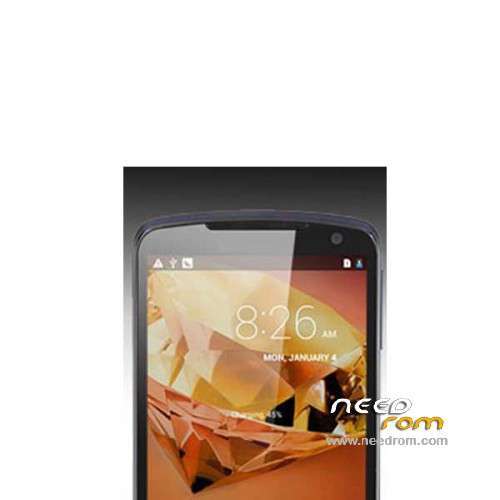
- Title: PicoPhone M1
- Listed: May, 2014
- Last modified: 05/02/2014 5:13 pm
- Version: ROM Android 4.2.2
You must be logged for ROM download.
20292 total views, 1 today
2 Total favorites
 Member Info
DESCRIPTION
ROM Phone Axioo PicoPhone M1 – ROM Android 4.2.2
Official ROM Axioo PicoPhone M1 version: PICOphoneM1_GEE_SW20140327
Gapps include – No Rooted
Language support : Multilang
Install ROM:
- Unpack FlashTools, and Click on Flash_tool.exe
- Select a the MT6572_Android_scatter_emmc.txt in ROM
- Wait file to be added into Flash Tool
- choose Option->USB Model,click USB Model
–> Choose Option->DA DownLoad All->Speed->High Speed, click High Speed
- Turn off your phone, remove the battery.
- "Press F9 (hit Download button)" OR " if upgrade ROM Firmware->Upgrade "
- and connect your phone into the computer via USB data cable.
- The process will start and a red progress bar will appear after color purple, yellow.
- And green circles display
- Finish !
- You can now safely disconnect your phone and turn it on.
※Please make a backup of your device before installing or updating ROM
ko g bsa ya gan, incorect scatter format gtu trs
gak bisa bang admin.ffilenya..mohon dikoreksi
scatter cant load to sp flashtool, please check again, CMIIW
scatter incorrect…please check again….
thanks
edit scatter, baris pertama tulisan : BIRDTOOLMINVER[3.0] .Hapus baris pertama
baris pertma yang mana mastah. ini baris nya panjang juga ini.
tested…hapus BIRDTOOLMINVER[3.0] langsung joss….thnx
TETEP GAGAL GAN
ga jalan waktu f9 .. help pls
JOSS BOSS,..LANCIIR JAYAA…THX
BIRDTOOLMINVER[3.0] tu yang mana….
mantef, makasi infonya .