
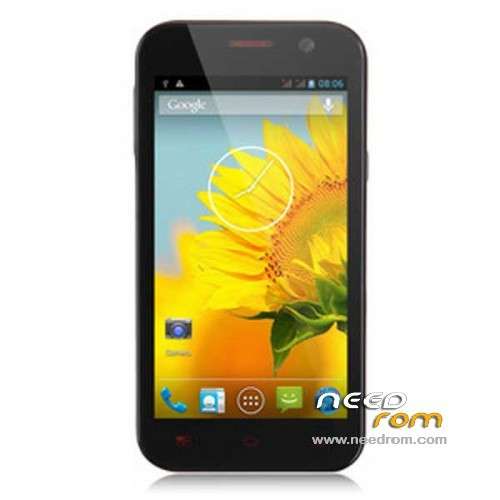
- Title: POMP W89
- Listed: October, 2013
- Last modified: 10/25/2013 4:56 pm
- Version: ROM Android 4.2.1
You must be logged for ROM download.
23510 total views, 1 today
2 Total favorites
 Member Info
DESCRIPTION
ROM Mobile POMP W89 – ROM Android 4.2.1
ROM Official POMP W89 Version : XG-POMP-es-QB15D-T600-6589V1.0.0
Gapps include – No Rooted
Language support: Multi lang
Install ROM :
- Unpack FlashTools, and Click on Flash_tool.exe
- Select a the MT6589_Android_scatter_emmc.txt in ROM
- Wait file to be added into Flash Tool
- choose Option->USB Model,click USB Model
–> Choose Option->DA DownLoad All->Speed->High Speed, click High Speed
- Turn off your phone, remove the battery.
- "Press F9 (hit Download button)" OR " if upgrade ROM Firmware->Upgrade "
- and connect your phone into the computer via USB data cable.
- The process will start and a red progress bar will appear after color purple, yellow.
- And green circles display
- Finish !
- You can now safely disconnect your phone and turn it on.
※Please make a backup of your device before installing or updating ROM
Hi. Can you find the official rom POMP W88 KING? or some update or custom rom for this model?
when I upgrade ROM, after start say it "Unfortunately, the process com.google.process.gapps has stopped" ?
I have this from 8 months now. The device have different names depending on who branded it. Mine is HDC Storm MX (nice ) The ROM it have when I received it from Fastcardtech was a crap. Since I flashed it with the ROM for Flying F600 it works flawlessly. I'll probably try the POMP 4.2 ROM not sure yet. I can recommend the device anyway. It stands nearly 2.5 days with moderate usage and basically all works on it
I have this ROM and say it "unfortunately the process com.android.phone has stopped" "Unfortunately app has stopped" and next errors. I use Flying F600 thx
thx
when i upload ROM F600 the display does not light.
it those nofing
i see the baterry lhite
You must press "download" in SP tools and after out baterry and insert the baterry back. If it doesn't u have wrong installed drivers
why can`t connect camera?
U can't connect camera when u uprgade ROM?
I did everything according the tutorial, and the phone worked fine except the sim. "invalid imei"
Please help…
May be this can be useful…
https://www.youtube.com/watch?.....v=w9POQK3kf6U