
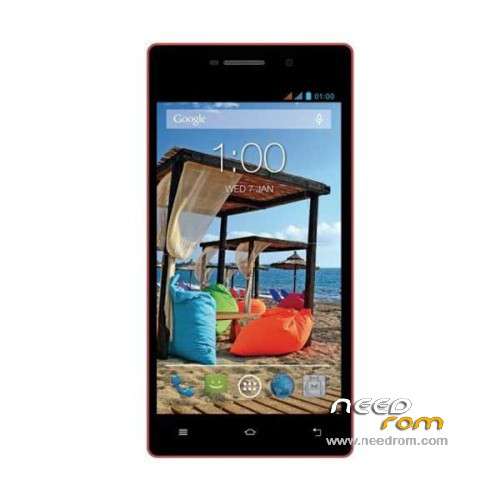
- Title: POSH X511A MT6580
- Listed: October, 2015
- Last modified: 10/26/2015 12:54 am
- Version: ROM Android 5.1
You must be logged for ROM download.
14286 total views, 2 today
1 Total favorites
 Member Info
DESCRIPTION
ROM Phone POSH X511A – ROM Android 5.1
ONLY MT6580
Official ROM POSH X511A Version: POSH_X511A_V01 – full_w805_648_ax_xc_t17-user 5.1 LMY47I
Gapps include – No Rooted
Language support: zh_CN en_US zh_TW es_ES pt_BR ru_RU fr_FR de_DE tr_TR vi_VN ms_MY in_ID
th_TH it_IT ar_EG hi_IN bn_IN ur_PK fa_IR pt_PT nl_NL el_GR hu_HU tl_PH ro_RO cs_CZ ko_KR
km_KH iw_IL my_MM pl_PL es_US bg_BG hr_HR lv_LV lt_LT sk_SK uk_UA de_AT da_DK fi_FI
nb_NO sv_SE en_GB hy_AM zh_HK et_EE ja_JP kk_KZ sr_RS sl_SI ca_ES
Install ROM:
- Unpack FlashTools, and Click on Flash_tool.exe
- Select "scatter-Loading" and search MT6580_Android_scatter.txt in ROM
- Wait file to be added into Flash Tool
- Select "Download Only" or if upgrade "Firmware upgrade"
- Turn off your phone, remove the battery (if the battery is removable) and replace it after some seconds (and don't turn on the phone).
- Press “Download” button to start
- and connect your phone into the computer via USB data cable.
- The process will start and a red progress bar will appear after color purple, yellow.
- And green circles display
- Finish !
- You can now safely disconnect your phone and turn it on.
※Please make a backup of your device before installing or updating ROM
When i connect the X511a to mi pc…doesnt connect. What can i do?
muchas gracias me sirvio mucho