
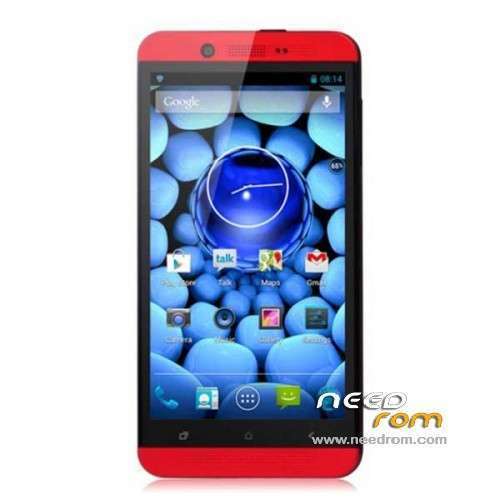
- Title: PULID/HDC S6 one Max
- Listed: January, 2014
- Last modified: 01/05/2014 4:22 am
- Version: ROM Android 4.2.1
You must be logged for ROM download.
21694 total views, 2 today
4 Total favorites
 Member Info
DESCRIPTION
ROM Mobiles PULID S6 / HDC One S6 Max - ROM Android 4.2.1
Official ROM PULID S6 / HDC One S6 Max Version: S6 20130925-224245
Gapps include – No Rooted
Language support: Multi Lang
Install ROM :
- Unpack FlashTools, and Click on Flash_tool.exe
- Select a the MT6589_Android_scatter_emmc.txt in ROM
- Wait file to be added into Flash Tool
- choose Option->USB Model,click USB Model
–> Choose Option->DA DownLoad All->Speed->High Speed, click High Speed
- Turn off your phone, remove the battery.
- "Press F9 (hit Download button)" OR " if upgrade ROM Firmware->Upgrade "
- and connect your phone into the computer via USB data cable.
- The process will start and a red progress bar will appear after color purple, yellow.
- And green circles display
- Finish !
- You can now safely disconnect your phone and turn it on.
※Please make a backup of your device before installing or updating ROM
Thank you. You´re a lifesaver
Thanks bro. This ROM is better than the version that shipped with my phone. I hope now mtk binaries are public we can see cyanogen kit kat ROMs for this awesome phone.
be more specificate my friend, i cant do this,
Tnx
Only 4 gig instead of 16 gig memory
It happened the same to me. Where can I get other ROM?
After I flash this ROM my internal memory is only 4Gb instead of the 16GB it used to had!! Can anybody help me?
This rom is valid for star s6?
Thanks
Pleaseeeee, This rom is valid for Star s6
Themaskaras
Eso creo que te ha pasado por flashear los ebr, intenta flashear una copia de la rom original. Yo siempre hago una copia del la rom original con el mtk droid tools después de hacerle root, luego le pongo el custom recovery. Prueba a flashear sólo los ebr1 y eb2.
De no tener copia puedes probar a bajar los ebr de aquí, serian estos:
B) Section smartphone models with 16GB total memory
1) New Primary Partition up to 2,49gb.(Mtk 6577 4gb e 6589 – 16gb)
CNew Primary Partitions for Mtk 6577/ 6582/ 6589 /6592 /8382 – xda-developers http://forum.xda-developers.co.....d.php?t=2455850
Con el mtk droid tools haces backup de la rom, y luego le das a prepare blocks to flastools, eliges el archivo md5 del backup creado. Luego sustituye los ebr1 y ebr2 por los que descargarte en una carpeta dentro del backup hecho que pone flashtools. Luego con el flashtools eliges el scatter de esa misma carpeta y marcas solo los ebr1 y ebr2. A ver si así se soluciona.
Gracias voy a intentar eso.
Hola makina, espero leas esto porque estoy un poco desesperado, jejejje
A ver, esta rom es tambien para el Star S6??? eso lo primero jeje
resulta de que me paso lo mismo que al compi este que comento que se quedo con 4 gb de rom .tras instalar esta rom
ademas de que ahora me consume mas bateria que antes.
Bueno el caso, que para recuperar esa particion de 12 gb, que hay que flashear los archivos ebr1 y 2 cierto??
pero si yo ya tengo esta rom instalada, entonces no hace falta que haga copia de esta rom no??? cogo la que ya tengo que es esta de needroom y le cambio los archivo ebr1 y 2 y flasheo desde sp flashtool solo esos archivos, no???
O otra solucion es que si tu tienes copia de Star S6 echa , hacer el favor de pasarmela, y asi se que la que tengo seria de Star S6 y se solucionaria el problemilla de la bateria ademas de la particion que me desaparecio de 12 gb.
un saludo y gracias de antemano
This is the only rom that flash in my Star One M7, but i obtain a white screen.
I cannot change the display driver with SP_MDT because drivers list are empty…
What can i do? Please help
Valid for Star S6 One M8. You can resize the internal sd in Windows with Mini Partition Tool.