
- Title: Resurrection Remix 5.7.4 r74 For dg310
- Listed: May, 2016
- Last modified: 11/24/2016 8:25 pm
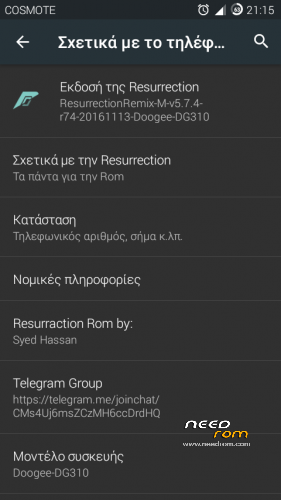
- Version: 6.0.1-RR 5.7.4 r74
You must be logged for ROM download.
28213 total views, 3 today
12 Total favorites
 Member Info
DESCRIPTION
Credis:
Resurrection Remix Team
hassanjavaid8181, GMCadiom, Hamada jimmy , Aman Kumar, Ahmed Hady
Ali Mahmoud, Ferhung ,Fire855, Xen0n
http://forum.xda-developers.com/honor-3c/development/ressurractionremix-5-7-4-honor3c-syed-t3470561
UPDATE:
NEW update Resurrection Remix v5.7.4 r74 Finalized
what new?
build date 13-11-2016
November security patch
Gapps includded/no need to flash gapps
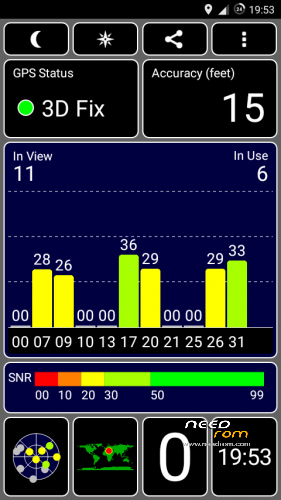
better gps lock (you don’t neet flash fix gps zip file)
Changelog: http://forum.xda-developers.com/honor-3c/development/ressurractionremix-5-7-4-honor3c-syed-t3470561
add
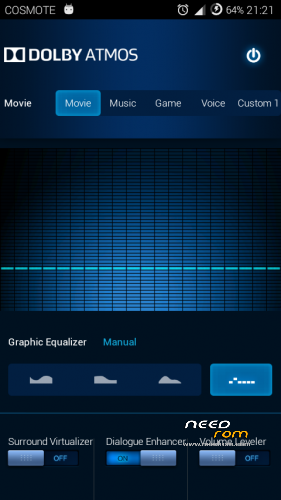
dolby ATMOS
Titanium backup
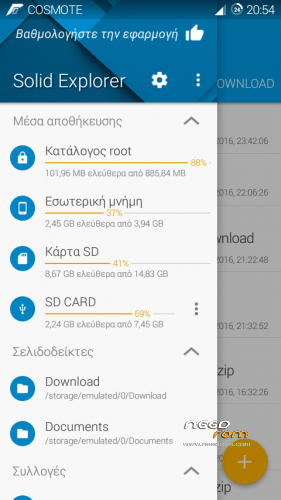
SolidExplorer
Edge screenHK
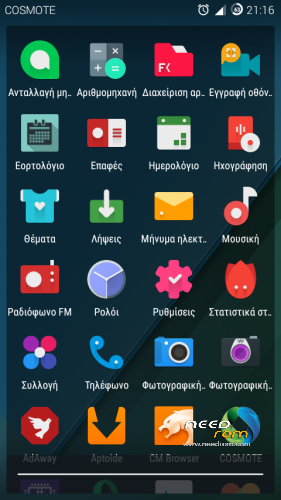
New icon pack
Update without wipe
if you want doogee logo unzip the file and flash with flashtool
if you want doogee bootanimation install with recovery the zip file
philz touch recovery with flash tool
Install :
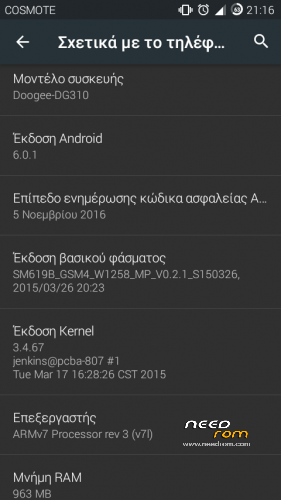
Install only if your device run kitkat rom or other custom 5.1.1/6.0.1 rom with 3.4.67 kernel
Make backup your rom before install.
Install rom and gapps with philz touch recovery
Boot into recovery mode.
Make factory reset.
Next install rom and gapps(from SD 1)
Reboot(takes a few minutes)
GPS FIX for r72-r66:
for better lock GPS signal
reboot to recovery and install the ”fix gps lock” zip file and next clean cache and dalvic/art cache
reboot and wait for the phone to finish optimasing apps
Bugs:
after first boot maybe the device won’t recognize sim cards, reeboot and it is ok
VPN
can not playing some videos by the browser
※Please make a backup of your device before installing or updating ROM
Giannnis , my phone never fix the gps, i installed and reinstalled and nothing… do you have a ideia how to fix this?
my phone makes a few minutes to lock the gps,
i want video install this rom
> giannnis12 Sorry r72, the r74 I will uploaded soon
I guess I'll wait for that update to flash it! Hope you find the time to upload it soon!
I have Lollipop installed. It is possible to install this rom over it?
Which lp rom have you? Kernel?
Thank you very much. Installed without problem, but I must re-install almost all applications (I don't made any wipe)
On my phone after second reboot optimized all apps
Saw the new update: thanks – finally gonna try it out this weekend!
I'm running TWRP, do I need to switch to Philz?
PS
First time flashing: only to flash Resurrection Remix 5.7.4 r74 (no Gapps or GPS fix)?!
With twrp I don’t have try
For first time wipe and install only the rom
The second reboot was the good ! thanks.
+1
It shows my SDcard as corrupted. When I try to format it as internal, it then shows "move 12MB now?" and Settings crashes.
Any ideas? Also, is it possible to partition the sdcard to have half as emulated internal and half as regular external?
Why you format the SD card, try to flash again the ROM if you have problems
No I don’t have try to partition the SD card
It shows "corrupt", and I've tried a number of times, both formatting it in my phone and via MiniPartition Tool on my PC, before and after flashing the ROM a couple of times.
I've tried a few times to format it as adoptable storage but it always fails. Looked on forums and it shows it's a common problem https://plus.google.com/117844.....sts/G9o7sTfa6Zk and here's a recent note on the RR forum saying it's a common problem not resolved yet in RR http://forum.xda-developers.co.....13#post69676413
I can format it as "storage", but I don't like that it makes it VFAT instead of FAT32. Plus you know our phone has such little internal storage (8GB here), so need a way to exand it.
Up to now, I've been using Link2SD, which allows me to expand app storage by creating a partitioned EXT4 and mounting a script to redirect via symbolic links data, obbs, etc. It worked partially, but not completely.
I have a SanDisk Ultra 32GB microSDHC UHS-I (class 10), and it's not a problem with the SDcard; a lot of people seem to have this problem, but I can't find a solution.
Besides needing more internal storage, I also need some external storage too: I also want to be sure I can use apps like Titanium to backup to my SDcard or just even to keep my music files.
What do you do to have more storage? How is your setup?
Have you try cnreformat 4-5 or 6? For more space