
- Title: Resurrection Remix for UMI Zero
- Listed: August, 2016
- Last modified: 08/12/2016 12:11 pm
- Version: v5.7.3 (Android 6.0.1)
You must be logged for ROM download.
27512 total views, 12 today
13 Total favorites


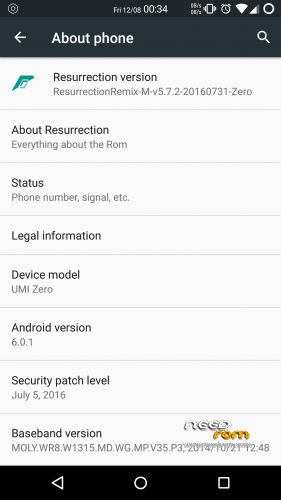
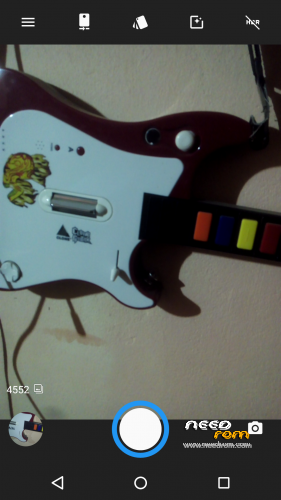
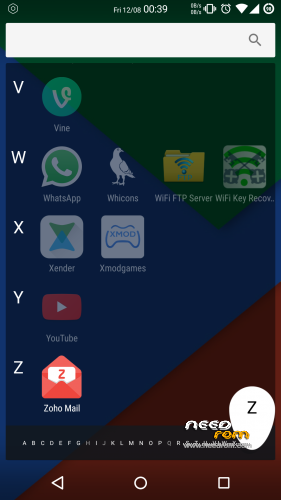
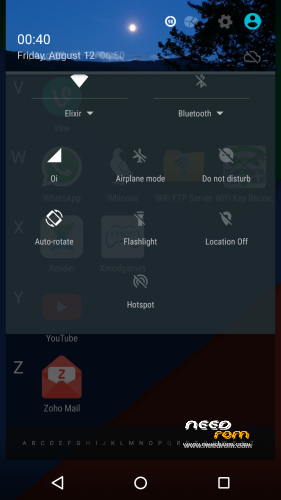
 Member Info
DESCRIPTION
Resurrection Remix v5.7.3 for UMI Zero (Stable)

Disclaimer:
We are not responsible for anything that may happen to your phone as a result of installing custom roms and/or kernels. you do so at your own risk and take the responsibility upon yourself.
About:
All other additional information about this port you can find here. Umi Zero – Resurrection Remix on Gist
How to flash and use:
1. Download the ROM
2. Put the downloaded zip files on your SDCard
3. Reboot in Recovery (Requires TWRP 2.8.2 or higher already installed)
4. Wipe System, Cache, Dalvik Cache and Data Partition
5. Reboot in Recovery again.
6. Install ROM
7. If you want, flash the "logo_update.zip" file (this is the UMI boot logo)
8. Reboot system
9. Enjoy Resurrection Remix
Credits & Thanks:
• @fire855
• @ferhung
• @hyperion70
• @thp@1997
• @degrus
• @shubham9543
• @bravonova
• @vagnerlandio
• Special thanks to, the CM team,OMNI team ,SLIMROMS and of course to all the supporters.
Top Contributors (Many Thanks  )
)
If you like my work, feel free do donate me (っ◕‿◕)っ
1 - McBrain (30.00 USD)
2 - Grakkus (10.00 USD)
3 - Roestslc (5.00 USD)
4 - Sipart (5.00 USD)
5 - Kiwi99 (1,00 USD)
※Please make a backup of your device before installing or updating ROM
A fix for the wifi bug is almost ready, is only missing a bit of testing but the next update will have more bugs fixed. Is why I am taking longer to launch update.
Just installed the rom, everything works fine, the best rom for umi zero so far, I only have one question left, is that possible to turn of the capacitive buttons to stay dark and touchproof and use them only for notification flashing leds? I have connection issues with them so I use the rom included display buttons
I could not. When I disable the physical buttons, virtual buttons also stop working.
Hi! I see very fast battery discharging. In use after ~2 hour i need to charge it again. On MIUI v7 it's good.
Next. CPU clock is too high, it is 2Ghz, and should be 1,6Ghz, and i can't change this in any app.
Dude, your battery died I just applied my new battery in my umi zero now works 2 days without charging!
No, on MIUI V7 works fine.
Okay, after testing this Rom a few Days, I have only Problems with Bluetooth Connections. My Zero connects only with one Device (Car Radio) and after the first Connect it works normally. But when I start my Car the second time, theres is no chance to reconnect my Zero again. Also the Phone will not connect to other Devices. And I miss the Rescan or Refresh Button in the Bluetooth Settings to scan for Devices.
Nevertheless, it is an amazing Rom. Keep up this good work!!! Thanks Zanrkand
@McBrain Thanks for the review, I will try to fix it. Apparently this rom works wifi and blutooth but only for some device,
@mrowkarz Wipe Dalvik Cache and Cache, this work for me me. My battery life is very poor and after made this, the battery works better
It isn't work for me
Sorry, i can't test wifi, but mobile internet still have problems. After every reboot i need to go settings -> sim cards -> settings sim 1 -> network operator -> and i need to check ,,Orange 3'' even though it is already selected. Sometimes it not work, and i need to reboot phone again.
I form poland, and i have sim in Orange.
@mrowkarz You can connect to Wifi?
I have three wireless router to test the wifi.
D-Link – Always works.
Multisaser – work after reboot.
TP-Link – Password Saved, but does not connect.
Every day I do tests, but probably will only have more time this weekend due to the daily work. But I will continue to search for to resolve this problem Wifi.
Zanrkand. do jo look also for the moblle internet? Thats also a problem like mrowkarz says
And if you can, please, set CPU clock to 1.6Ghz Actually this CPU is oveclocked an phone can be very hot. And this should reduce battery consumption.