
- Title: Resurrection Remix for UMI Zero
- Listed: August, 2016
- Last modified: 08/12/2016 12:11 pm
- Version: v5.7.3 (Android 6.0.1)
You must be logged for ROM download.
27358 total views, 3 today
13 Total favorites


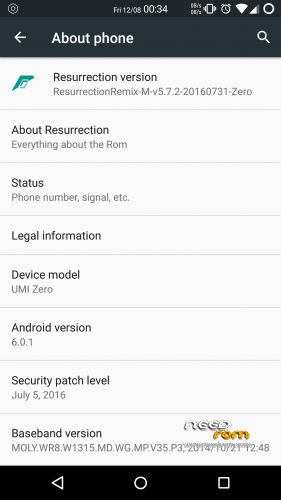
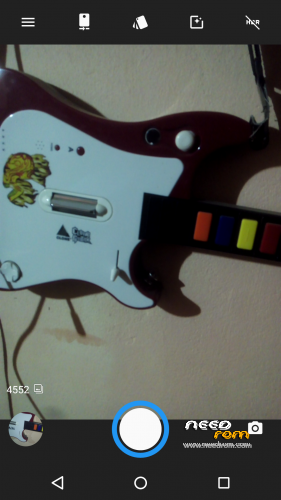
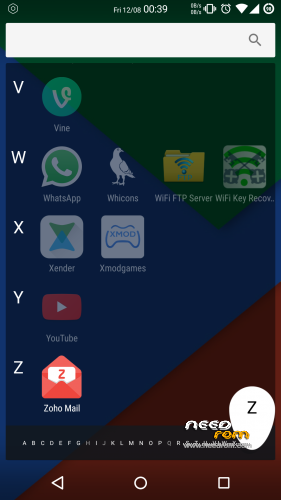
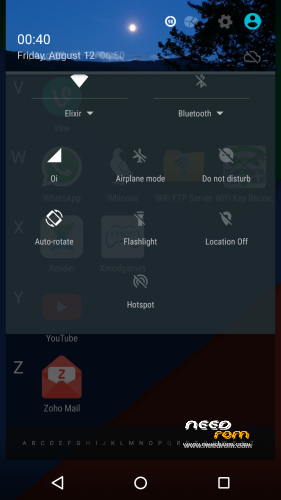
 Member Info
DESCRIPTION
Resurrection Remix v5.7.3 for UMI Zero (Stable)

Disclaimer:
We are not responsible for anything that may happen to your phone as a result of installing custom roms and/or kernels. you do so at your own risk and take the responsibility upon yourself.
About:
All other additional information about this port you can find here. Umi Zero – Resurrection Remix on Gist
How to flash and use:
1. Download the ROM
2. Put the downloaded zip files on your SDCard
3. Reboot in Recovery (Requires TWRP 2.8.2 or higher already installed)
4. Wipe System, Cache, Dalvik Cache and Data Partition
5. Reboot in Recovery again.
6. Install ROM
7. If you want, flash the "logo_update.zip" file (this is the UMI boot logo)
8. Reboot system
9. Enjoy Resurrection Remix
Credits & Thanks:
• @fire855
• @ferhung
• @hyperion70
• @thp@1997
• @degrus
• @shubham9543
• @bravonova
• @vagnerlandio
• Special thanks to, the CM team,OMNI team ,SLIMROMS and of course to all the supporters.
Top Contributors (Many Thanks  )
)
If you like my work, feel free do donate me (っ◕‿◕)っ
1 - McBrain (30.00 USD)
2 - Grakkus (10.00 USD)
3 - Roestslc (5.00 USD)
4 - Sipart (5.00 USD)
5 - Kiwi99 (1,00 USD)
※Please make a backup of your device before installing or updating ROM
excellent job!!!
is there anyway I could deactivate the virtual buttons???
You can disable this feature, go to "Setting -> Personalization -> Configuations -> Navbar" and toggle off the "Enable navigation bar".
I dont know for what reason IMEI goes null after some days of using the phone and i have to restore stock rom to fix it. It is really frustrating.
I have to restore to stock rom because this rom does not have engeneering mode for mtk.
It is true, as is rom was not compiled through the source code, there can mtk enginering work.
@vazarg, The next update will fix this problem.
@haudi16, Yes, with the update application you may find a change logs. To install this update, you need only download and install the zip file using TWRP without formatting the phone as you made with the rom instalation.
My future plans for umi zero I still do not know, but one thing is to post other rom for this device.
Offer OTA update is very complicated, especially when the users of UMI Zero now are few. I need to keep a server (even being free must be updating it) and much time trying to fix bugs.
But, It is worth. I like to have a Super UMI and even after a new smartphone, would like to continue updating the UMI Zero until I get tired.
@vazarg, I'm fixed the bug on App "OTAUpdates -> Addons". Now, you can download the addons, but, because another bug, you need flash the file manualy located on "Internal memory/OTAUpdates/".
hi…the rom its fantastic i liked so much , but i cant use my phone because when i put inside the sim card (Vodafone IT) no service , the sim cant be registered on the net . Do you have some solution please? The rom its so perfect , i have only this problem with the sim card Vodafone Italy. Thank you.
But when you try to make a call, what happens? In my case also it appears "No services" but it usually works.
Go to "Settings -> Wireless & networks -> SIM cards -> SIM x settings -> Network operators" After "Searching …" finished, tell the numbers or names that appears.
Hi there,
I would like to thank to the developeres of this great ROM.
Instaled it today and it is great!
The only thing that doesen't work properly is the bluetouth. It does not connect to any device. Do you guys have any tweak or something for this. I had Version 3.10 official ROM and BT works perfectly.
Same problem here.
The BT don't find any devices.
Zanrkand, thanks for the great job.
New ROM and a new minor changes update coming to RR v5.7.3
The new rom coming is the -> https://gist.github.com/vagner.....39bd221c3904394