
- Title: Rom V1-Bshuy2003
- Listed: August, 2014
- Last modified: 08/08/2014 1:58 pm
- Version: 4.4.2
You must be logged for ROM download.
24908 total views, 2 today
CUSTOM


 Member Info
DESCRIPTION
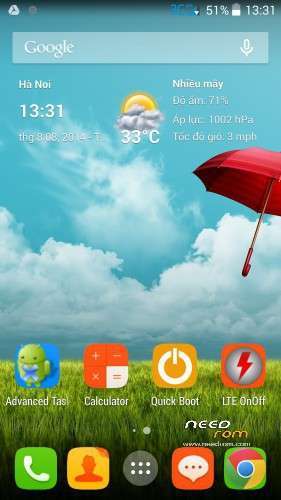
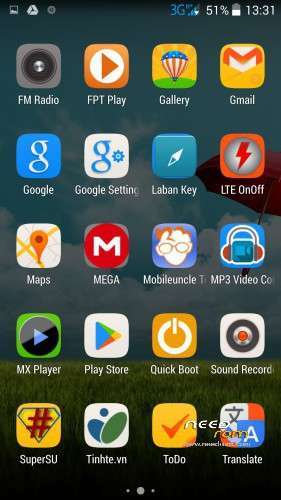
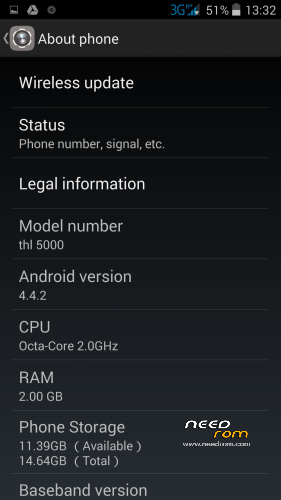
Rom Bshuy2003 is based on stock rom THL5000 16P128 on date 20140710, with some features:
- Remove all chinese apps.
- Add some necessary apps.
- Fix Google apps (now mobile can synchronization contact).
- Root and custom recovery included.
- Very smooth, battery life is very good.
- Flash by SP Flash tool.
- Rom V1-Bshuy2003.zp can be flashed by custom recovery.
※Please make a backup of your device before installing or updating ROM
this rom, can be use it on Thl 5000 Turbo (6592T) version?
yes it works on thl5000 turbo
My question is:
when i launch whatsapp appear a message which say that i have to disinstall the task killer because could be a conflict with whatsapp and it could also create problem with notification of the message stopping it
I try to disinstal the task killer as suggested by whatsapp but i cannot
is possible to have the rom without it?
And is true that task killer create this problem and thi conflict stopping whatsapp and making it unable to receive the message correctly or at the right time?
Hi.I need assistance cause i think i did a mistake and erase all my mobiles data.Trying to start but stucking at boot image.I dont know what to do tried anything,SP flash tools doesnt work.I did all the steps many times but i cant even start flashing.When i connect me mobile turns on.I cant remove battery but even when i press the buttons nothing happens.
Any help?
If you want to flash my rom, you need to flash drivers for computer. There are 2 drivers, usb driver and adb driver. I post both of these drivers for you. After flash driver for computer, you can flash new rom for your mobile.
When you say flash drivers you mean to install them?
I have already downoald and install these drivers from you.
Yes, that’s right. I mean you need to install 2 drivers for computer. Than, you turn off your phone (or press in red button under sim 3G. Open SP Flash Too n computer and prepare every thing. Than, connect your mobile to computer by cable. Wait for 1 minute (computer receives drivers). Than, process of flashing rom will go automatically.
Ok thank you a lot i ll try it now.
bshuy2003, sorry to bother you, again, but i'm new on this and need your help to get my phone to work.
I was trying to install your rom, with your instructions, but the USB and ADB drivers doesn't have a install (file.exe), as shown on video. How do i install them on Windows 7 (W7 automacally instaled the THL5000, and doesn't let me change the drivers)? The only files there are, are *.cat, *.inf and *.dll).
Also, you say if i choose format, internal card will be formated. But isn't that the idea, to clean all factory firmware? Or this is not a option and then i choose upgrade firmware?
Also on the video description, it says we have to install vroot. Is it necessary?
Another thing. As you say V1 is costum recovery flashed, i've tried it and it doesn't work, error!
About the factory reset, yes, i've made it. I've made it via definitions/backup&restore and when the phone is off, pressing volume+ and power.
Thanks in advance for all the help you can give me.
Driver read: http://msdn.microsoft.com/en-u.....v=vs.85%29.aspx
Format: normal it format only the parts like /system to overwrite the android os, with this option it will format the int. sd too
vroot?!: you can also use https://www.needrom.com/mobile.....lling-programs/ … but not tried yet, vroot the 1.7.8 version(the newest) i guess works for me
for the rest i first have to try it out
mayb it helps
yeah, got my phone last friday! fantastic phone and you make me completely happy if this rom works fine
downloading and today testing … for me it would be wonderful if you could upload this rom without all google stuff too … i dont need playstore and all google stuff ( have my own server to sync etc … )
I'll give you a feedback & thx and best regards from austria
mau
If I open WhatsApp it tells me there is a conflict between it and task killer that could make not arrive the message or could stop WhatsApp to work properly, someone has had problems of this type? There is really a conflict? Eventually in which way is possible to disinstall the task killer?
try to put whatsapp at the ignore list of the tast killer …
How yo install drivers? You can see here. http://m.youtube.com/watch?v=z.....tm6QE_qiZc
If you don’t like google apps? You can use root explorer to delete them.
Open task killer, unchecke whatsapp.