
- Title: Rom V1-Bshuy2003
- Listed: August, 2014
- Last modified: 08/08/2014 1:58 pm
- Version: 4.4.2
You must be logged for ROM download.
24908 total views, 2 today
CUSTOM


 Member Info
DESCRIPTION
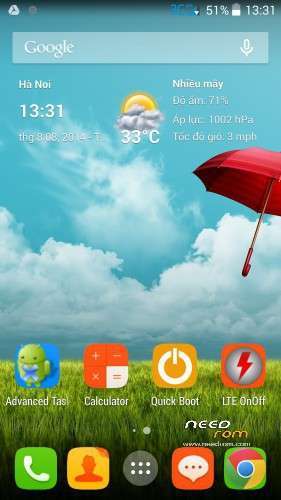
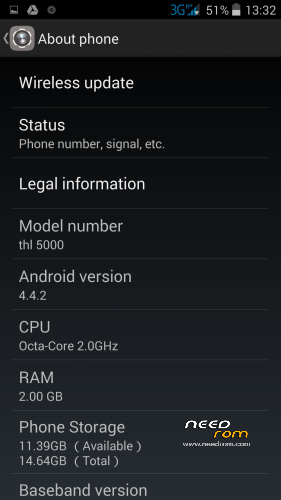
Rom Bshuy2003 is based on stock rom THL5000 16P128 on date 20140710, with some features:
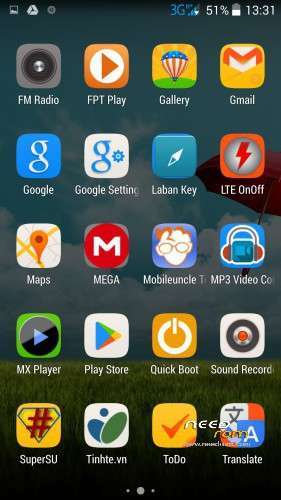
- Remove all chinese apps.
- Add some necessary apps.
- Fix Google apps (now mobile can synchronization contact).
- Root and custom recovery included.
- Very smooth, battery life is very good.
- Flash by SP Flash tool.
- Rom V1-Bshuy2003.zp can be flashed by custom recovery.
※Please make a backup of your device before installing or updating ROM
thx Bshuy2003!
works great!
thx Bshuy2003!
so far no problems at all
works great!
How to install driver for computer? You can see here. http://droidchina.com/forum/Th.....ally-on-Windows
How to flash rom with SP Flash Tool? You can see here. http://www.chinaphonearena.com.....MTK6589-MTK6582
is there a option to change the "3g" logo in the navbar?
No, there is only data connecting! If you want, you can download lte on/off from google play.
do i need to install rom recovery TWRP
first?
No,you don’t if you flash rom by sp flash tool. But if you want to flash rom by recovery, you need to install recovery.
Restore imei (for some one, who lost imei).
Down this file https://drive.google.com/file/.....aring
and unzip. You will find file imei.bak in folder screenshot. Copy file imei.bak in external card of mobile. Install app mobileuncle tool from play store. Open app mobileuncle tool, choose backup and restore imei, choose restore imei. Reboot your mobile!
Ι wanna thank personaly bshuy2003 for the help and suport.Thank you m8 your help was great.I have my mobile back to work.
Congregation! I think, you will have more experiences to flash rom.