
- Title: Rom V10.1 Bshuy2003
- Listed: September, 2014
- Last modified: 10/11/2014 2:22 pm
- Version: 4.4.2
You must be logged for ROM download.
52448 total views, 6 today
283 Total favorites

 Member Info
DESCRIPTION
ROM V10
This rom was changed too much.
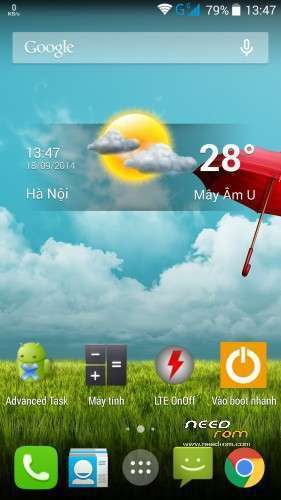
- Launcher CM11
- Wigets are AOPS’s rom
- Root and recovery
- Multilanguage.
- Fast, smooth. light
- No bug
ROM V10.1
- Fix GPS
- Save battery
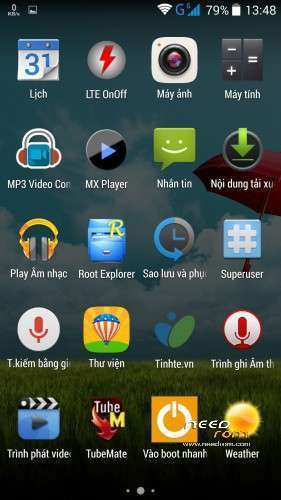
- Add some CM11 apps such as CM11 home, CM11 launcher, CM11 wall paper, CM11 filae manager, Apolo
- Antutu Benchmart is more than 30.000 points.
- Ram free after rebooting is more than 1,5Gb.
ROM V10.2
- Rom V10.2 is based on the newest stock rom (V1.10).
- Add some apps from CM11: launcher, browser, home, file manager, wall paper…
- Root, recovery, multilanguages.
- Fix wifi, 3g, GPS and save battery.
- Ram free is more than 1,5GB (after rebooting).
- Antutu Benchmart is more than 30.000
How flash
- Enter into recovery TWRP
- Wipe (don’t need to wipe if you are using Bshuy2003′s rom
- Flash rom
- Reboot system
※Please make a backup of your device before installing or updating ROM
Anh kiểm tra lại rồi, rom V10.2 cài dễ dàng và hoạt động hoàn hảo. Em cần xem lại cái recovery.
Still haven' t managed to "bypass" this problem:
Installing update…
Verifying current system…
"/system/framework/core.odex" has unexpected contents.
Update.zip is not correct
Installation aborted."
Is it possible to correct the core.odex file?
I have same problem using cwm recovery, and can't get twrp to work
With Rootexplorer, browse to root/system/framework and overwrite the existing file with this one (here I attach).
After download, please unrar the file!
Download file
It can happen that it will stop next at another file…
I have spent a day, to overwrite the needed system files in my gadget… You can not use OTA update, if you change/remove the system files.
It has sense, that you download the original system files (1.0.7. version) of the gadget!
Kind Regards
See my answer…
Nice work @bacsyhuy,thank you..!
rbarat I have done all in the instructions, but when I touch the screen it doesn’t work, even the side buttons don’t work, all I can do is reset the phone and let it start up in the ROM,
You download stock Rom V1.07 and flash it by mtk flashtool. You choose option upgrade firmware.
you can install a custom rom using the mouse and otg.
rbarat just tried again followed instructions perfectly and still frozen twrp, any other suggestions guys????
getting fed up now
Now I was wondering, are you sure that your phone is not fake?
What version of ROM is in your phone? Send a screenshot – Settings/About
Hello, in the changelog you say "Fix 3G", what exactly did you fix?
If you open build.pro, you can see expanding in the end! I fix 3g, wifi, GPS in it!
Kernel is new, because i made Rom V10.2 on stock Rom V1.10
BTW, the image of boot.img in the .zip file is from 25/09/2014, the kernel of 1.1.0 is from 29/09, ROM v10.2 uses older kernel?
Help guys please, how can I get twrp to work properly???? It just freezes on my phones, I open recovery and doesn't work, I tap the screen and no response, all I can do is reset by red button
Try mi instructions to install TWRP. It is written in slovak language only, but use Google translator (from Slovak language to English).
http://androidforum.cz/topic57.....1b10d8369eaf121
It works perfectly - according to the instructions already installed a lot of members of our forum.
Bshuy2003,
why you integrate a stupid Advanced Task Killer to this good ROM???
Task Killers were effective at the old Android 2.3.
Using Task Killer new versions of Android is counterproductive and unnecessary
Advanced task killer is old, but is light, simple and works very well! If you don’t like it, you can delete it easily!
Rbarat I've already told you I've tried this to the letter and all I get a freezing recovery, twrp doesn't work for me, it installs, but when I enter recovery I can't do anything with it, it just crashes/freezes, doesn't work, I have to press reset button to exit it and restart rom
I applied that procedute for new phone a 50 minutes ago. Successfully. Many members of our androidforum.cz successfully installed TWRP according to installation instructions. I really do not know where you're doing wrong. Repeat the process 3 times. After making the whole procedure, press the red reset button on the phone.
Try an another PC to install it. Maybe is something wrong in your PC, I don't know…