
- Title: Rom V10.1 Bshuy2003
- Listed: September, 2014
- Last modified: 10/11/2014 2:22 pm
- Version: 4.4.2
You must be logged for ROM download.
52448 total views, 6 today
283 Total favorites


 Member Info
DESCRIPTION
ROM V10
This rom was changed too much.
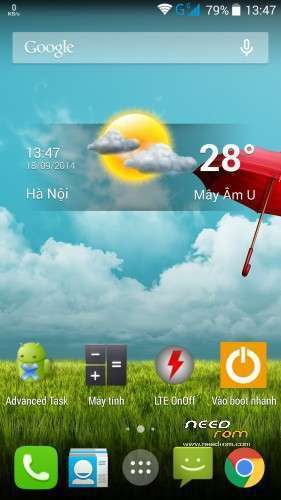
- Launcher CM11
- Wigets are AOPS’s rom
- Root and recovery
- Multilanguage.
- Fast, smooth. light
- No bug
ROM V10.1
- Fix GPS
- Save battery
- Add some CM11 apps such as CM11 home, CM11 launcher, CM11 wall paper, CM11 filae manager, Apolo
- Antutu Benchmart is more than 30.000 points.
- Ram free after rebooting is more than 1,5Gb.
ROM V10.2
- Rom V10.2 is based on the newest stock rom (V1.10).
- Add some apps from CM11: launcher, browser, home, file manager, wall paper…
- Root, recovery, multilanguages.
- Fix wifi, 3g, GPS and save battery.
- Ram free is more than 1,5GB (after rebooting).
- Antutu Benchmart is more than 30.000
How flash
- Enter into recovery TWRP
- Wipe (don’t need to wipe if you are using Bshuy2003′s rom
- Flash rom
- Reboot system
※Please make a backup of your device before installing or updating ROM
With this ROM installed which time battery life in extreme use? I can uninstall the unnecessary apps from the system to make it pure?
C41, i don't think baterry will improve much. You can uninstall whatever apps you want.
I lol at this baxman guy, go to a sevice center dude…
"My GPS-Settings were totally wrong. I recognized it under Mobileuncle Tools > Engineer Mode > > Engineer Mode (MTK) > Location > Location Based Service > AGPS > Delay = 0 (before it was 3) since it is 0 I have no more "bitte wenden" at navigation with tom tom Europe like before standing for more than 8 seconds in front of a traffic-light. Set Horizontal Accuracy etc to 0 too. Good luck."
Hmmm, is it good to put accuracy that low? Delay is already at 0 here, on't know if the original ROM had 0 too.I have the same problem whit wifi. after 10 min more or less leaves of funcion the wifi. someone find one solution to this problem?
Try installing other radio modem. Try this file: http://uloz.to/xNPR9qhn/modem-.....900-zip
For which version of the phone is this rom?
16P256, 16P128 FL or 16P128 SD ?
I think our versions are all P128, i think P256 was released on in china. Guys any comment on this?
I have a similar problem with power on button as bankerman and baxman. In my case the phone does not turn off even when I turn it off with the MTP option, Recovery option or Quickboot option. Generally it seems that the power button is always pressed as the phone starts by itself when turned off via software. I have ordered a power button replacement from http://www.antelife.com/origin.....smartphone.html (which is the same as thl5000) and I plan to replace it by myself. However, if the EFS partition is corrupted (thing that can happen again, and how on earth did that happen, or can it be fixed) that would mean that the phone itself is unreliable and I don't want to believe that, since there are not many similar cases.
There's high chance that humidity caused the button malfunction (I had similar problems before, but they were solved after a ROM upgrade, maybe the "fix" coincided with the rom upgrade).
I noticed the power button problem right after an attempt to charge it with an almost empty power bank, thing that could have caused the problem.
I have older backups via TWRP, Recovery, Titanium Backup and would appreciate any help to resolve this.
Why don't send it to warranty?
Edit: I have sent it for a replacement. It WAS a HARDWARE problem, not a button, but a mainboard problem!!!
It is based on CyanogenMod system?
Nop.
she put on any firmware update as the top? I have is the official 1.1.1, can I put on top of 10.2 your? thank you