
- Title: Rom V6-Bshuy2003
- Listed: August, 2014
- Last modified: 08/30/2014 2:37 pm
- Version: 4.4.2 MIUI (fake)
You must be logged for ROM download.
17416 total views, 2 today
CUSTOM




 Member Info
DESCRIPTION
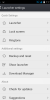
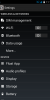
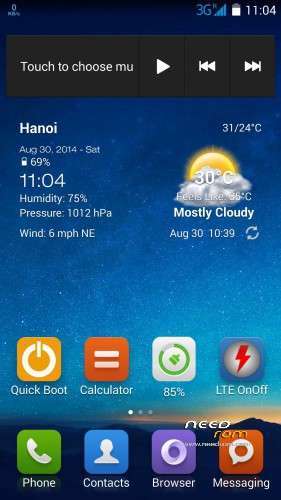
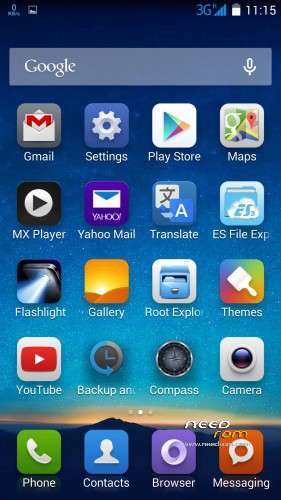
Rom V6 look like MIUI very much.
- Multilanguage
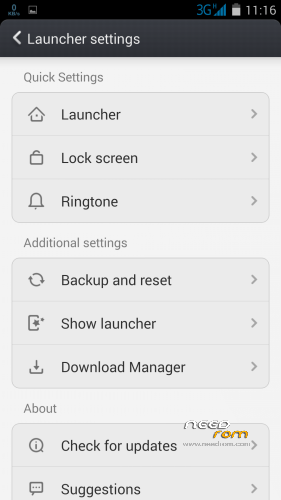
- Miui launcher
- Root, Recovery
- Smooth, Stable, fast and light
- No chinese apps, added somes importants apps.
How flash
- Enter into recovery
- Wipe
- Flash rom V6
- Install root
- Reboot
Rom will be stable after 5 minutes.
※Please make a backup of your device before installing or updating ROM
You will know after flashing this rom!
In the how flash steps what’s mean flash root? In which way?
Do you want to root your mobile? See here http://forum.xda-developers.co.....covery-t2835857
Dear ALl,
This is my 1st time root this phone. i cant download the recovery as per the guidline stated herein.
THus i need UR help, some one plssssssss.
I downloaded the recovery and i transfer to my phone SD card, try to flash it but fail….
Dear ALL,
I need help from all of you. I rooted my phone but i cant install CWM and i have spend 2 two consecutively just for this but fial and this is very frusfrating. Pls help me. Thx
KKMaK root your phone first with vroot and install Mobileuncle tools off play store. Then install TWRP recovery through Mobileuncle tools. Then flash one of bacsy's roms through TWRP.
Please remember to backup your original rom with TWRP and imei with mobileuncle tools before flashing a new rom.
Dear Carlrg,
Thank for your help, i almost folded my phone and dump it. After one day cooling down i saw your message and i decided work it out till it done.
Let me share with your what i have went through. I have ultilise the link on how to root the phone provided by bacsyhuy. i Have downloaded the said app into my PC (xp) and i manage to root my phone and i have also get SuperSu installed in my device. However whenever i restart my phone there is one annoying message will appear with written word : "Unfortunately, vRoot has stopped" and i am here asking assistant from all of you.
The second part is the more crucial one which is installing TWRP!! 1st and foremost i downloaded the TWPR provided by bacsyhuy and extracted it and place the whole folder into my sd card. after that i downloaded Mobil Uncle from playstore.
I open Mobil Uncle and selected Recovery Update and it deteced the TWPR file (i suppose so) with that i selected the said file. immediately i was asked "are sure flash recovery!. Use Recovery file" recovery.img(9692b)? and i press OK. then it follow by :into recovery mode reboot into recovery mode. and i press OK. then my divice went into recovery mode.
i go to "apply update from sdcard" then i saw "v6-Bshuy2003.zip" (which i have downloaded early and transfer into sd card earlier" . and i try to install that however it fail, message shown "–Install /sdcard .. Installation aborted.
that what i went through las 2 days.
Pls guide me, what am i suppose to do: Thank you
I cannot see the text-to-speech option under language/settings in your v5. Can you help with this?
@carlrg i also would love to install this rom but i cant back up my imei with mobileuncal. as it keeps saying cant find sd card so im stuck with stock rom for now
PM me with your email address and i'll email you imei and radio backup APK.
@Carlrg itstalled your app fine,it says root acess granted, i click back up it then says succes,,but when i look in the backup folder (imeiradio) the folder is empty so i assume its not backed up what am i doing wrong? any idea
byeone it's not my app. Try Kit Kat sd fixer from play store.
Already tried that kitkat sd fixer still no joy. i think its something to do with my root,it says its rooted & i have access to the root file system but im thinking im not fully rooted