
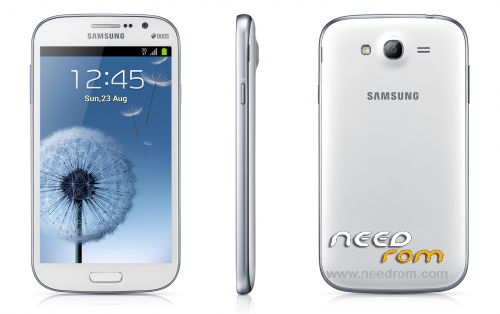
- Title: Samsung Galaxy Grand Duos GT-i9082
- Listed: February, 2016
- Last modified: 02/17/2016 7:04 pm
- Version: Jelly Bean
You must be logged for ROM download.
27245 total views, 1 today
25 Total favorites
 Member Info
DESCRIPTION
This is the Official Firmware for Samsung Galaxy Grand Duos ( GT-I9082 ) with usb drivers and Odin_v3.07 (flashing tool)
How to Flash
- Once the download is complete extract to your Drive.
1. Install Galaxy Grand Duos usb driver / Make sure the driver is installed & running Odin ( flashing Tool ).
2. Then create Samsung GT-I9082 in the position in a way Downloading Mode, Turn off your smartphone, press the volume DOWN + Home + Power buttons simultaneously, Continue by pressing Volume UP to get to the download mode.
3. After that connect the Usb cable samsung GT-I9082 you to CPU / Laptop if your device is recognized it will exit this display in Odin, with a sign in blue.
4. If you are connected, click the "PDA" and locate the firmware file that you already estrakt. and make sure the "auto-reboot" and "f. reset time" is checked.
5. If you are sure everything is correct, proceed by clicking the Start button, and wait until the flashing process is completed.
- when the process is complete, it will say "PASS" in the green box and the phone will automatically restart.
6. Finish. 
Thank's for visiting & Good Luck 
※Please make a backup of your device before installing or updating ROM
THANK YOU VERY MUCH !!!
What is the password of the driver of the RAR file?Thanks.!
says it can stop apptouchwizz problem?
Please I can't find the download link please help.
http://www.needrom.com/wp-cont.....OLBAMF1_XSE.zip
sirve para el i8092l?
si
for i8092l?
me sirve para gt-i9060c?
si jbjb
its work.!
thank you sir