
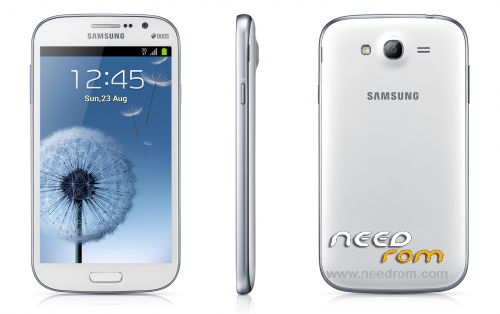
- Title: Samsung Galaxy Grand Duos GT-i9082
- Listed: February, 2016
- Last modified: 02/17/2016 7:04 pm
- Version: Jelly Bean
You must be logged for ROM download.
27246 total views, 2 today
25 Total favorites
 Member Info
DESCRIPTION
This is the Official Firmware for Samsung Galaxy Grand Duos ( GT-I9082 ) with usb drivers and Odin_v3.07 (flashing tool)
How to Flash
- Once the download is complete extract to your Drive.
1. Install Galaxy Grand Duos usb driver / Make sure the driver is installed & running Odin ( flashing Tool ).
2. Then create Samsung GT-I9082 in the position in a way Downloading Mode, Turn off your smartphone, press the volume DOWN + Home + Power buttons simultaneously, Continue by pressing Volume UP to get to the download mode.
3. After that connect the Usb cable samsung GT-I9082 you to CPU / Laptop if your device is recognized it will exit this display in Odin, with a sign in blue.
4. If you are connected, click the "PDA" and locate the firmware file that you already estrakt. and make sure the "auto-reboot" and "f. reset time" is checked.
5. If you are sure everything is correct, proceed by clicking the Start button, and wait until the flashing process is completed.
- when the process is complete, it will say "PASS" in the green box and the phone will automatically restart.
6. Finish. 
Thank's for visiting & Good Luck 
※Please make a backup of your device before installing or updating ROM
THNAKS GUYS;WITH YOU I LEARN FASTER
ok
i get message : handset does not support dram. what can i do. plz help. TX
es para claro???
Probando
thank you!
Multilang?
i need JDQ39.I9082XXUAMDL
la rom esta tiene idioma español?
Thanks alot