
- Title: Samsung Galaxy Note 4 Exynos(SM-N910C)
- Listed: December, 2014
- Last modified: 12/29/2014 2:51 pm
- Version: TWRP Recovery v 2.8.3.0
You must be logged for ROM download.
21411 total views, 2 today
8 Total favorites
CUSTOM
 Member Info
DESCRIPTION
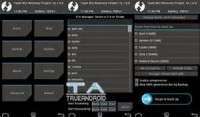
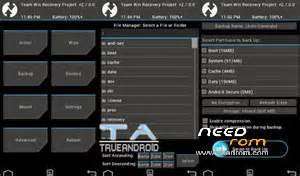
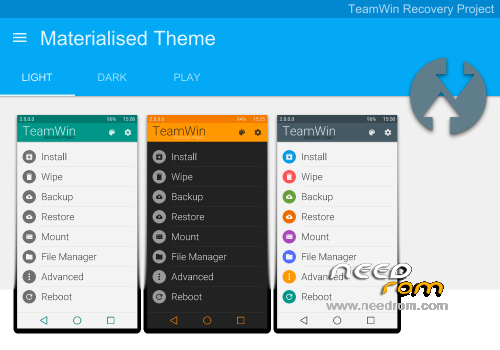
TWRP_v2.8.3.0 for Samsung Galaxy Note 4 Exynos (SM-N910C) materialised theme included
To unlock bootloader with CF-auto root using odin : https://www.needrom.com/download/samsung-galaxy-note-3-lte-sm-n9005/
TWRP installation procedures :
- Download the extract file for your variant.
- Next open Odin3.exe. Put your phone in the download mode by turning it OFF completely.
- Again turn it ON by pressing and holding the Volume Down button, Home button and Power button. (combo keys)
- Now you will see a warning message, press volume up button to continue.
- After that connect your phone to the comptuer. Once the Odin section detects your phone, the ID:COM will turn into blue color. Make sure F.reset time & auto reboot checked and the other left unchecked.
- Then click the PDA tab in Odin and select the downloaded recovery.tar file and allow it to load.
- Tap the start button after few seconds the process will be complete and it will reboot automatically.
- Next press and hold the Volume Up button, Home button and Power button to access the TWRP touch recovery that you just installed.
- That"s it! Now, you have successfully installed the TWRP recovery on your phone. Here after using this recovery you can backup your current ROM available on your phone as well as other datas.
- Also don’t forget to make an EFS backup and save it in your computer. Find the option in TWRP recovery.
- To add materialised theme (light,dark,play),rename the zip file into ui.zip. Move to TWRP/theme folder, if folder does not exist just create it .
- Known issues for materialised theme – adb not working .
※Please make a backup of your device before installing or updating ROM
n9100xxu1anif firmware i need this one
hola
do you have a stock formware for 910c please