
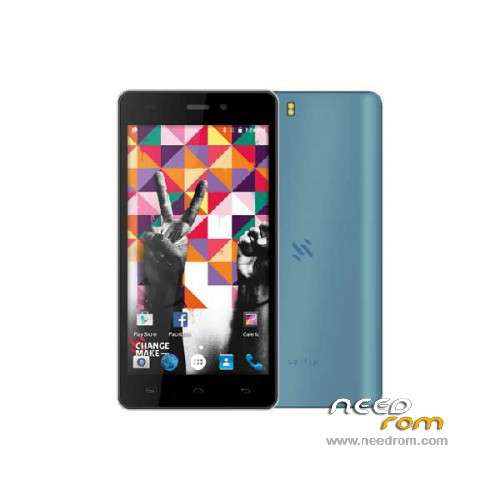
- Title: SELFIX Q5 URBAN
- Listed: December, 2015
- Last modified: 07/22/2016 1:58 pm
- Version: ROM Android 5.1
You must be logged for ROM download.
14912 total views, 1 today
1 Total favorites
 Member Info
DESCRIPTION
ROM Mobile SELFIX Q5 URBAN - ROM Android 5.1
ONLY MT6580
Update Official ROM SELFIX Q5 URBAN version: SELFIX_Q5_URBAN_Android5.1_2016.07.19 – full_hct6580_weg_a_l-user 5.1 LMY47I – g931bm-dg-a37-wg-hd-64g8g-selfix
——————————————————————————————————————————————————————————–
Update Official ROM SELFIX Q5 URBAN version: SELFIX_Q5_URBAN_Android5.1_2016.01.04 – full_hct6580_weg_a_l-user 5.1 LMY47I – g931bm-dg-a37-wg-hd-64g8g-selfix
——————————————————————————————————————————————————————————–
Official ROM SELFIX Q5 URBAN version: SELFIX_Q5_URBAN_Android5.1_2015.10.31 – full_hct6580_weg_a_l-user 5.1 LMY47I – g931bm-dg-a37-wg-hd-64g8g-selfix
Gapps include – No Rooted
Language support: Multilang
Install ROM:
Install with SP MDT:
1). Turn off the smartphone. Cable is not connected to the computer.
2). Remove the battery and insert it again (if the battery is removable)
3). Connect your phone to a computer cable. The operating system detects a new device
4). Disconnect the cable from the computer.
5). Run SPMultiPortFlashDownloadProject.exe
6). Choose File> Open File Agent download and specify the file MTK_AllInOneDA.bin (it is in the folder SP_MDT).
7). Click Scatter File and select the MT6580_Android_scatter.txt file (it's in the folder with the rom).
8). Click "Start all".
9). Connect your phone to a computer cable. The program should see and blink. If the phone is not detected, then unplug it from the computer,
remove and insert the battery (if the battery is removable) and reconnect it to the computer.
10). After (OK) click Stop and disable any phone.
11). Completed.
※Please make a backup of your device before installing or updating ROM
Help. It appears and error it says "FAIL"
"can not find checksum.ini file! please use checksumGenerate tool to generate the checksum.ini"
I use de ChecksumGenerateTool and then the tool say this:
"
+++++++++++++++++++++++++
Tool version: v7.1536.00
+++++++++++++++++++++++++
Scatterfile: .MT6580_Android_scatter.txt
Checksum DoChecksum fail: S_FILEPATH_NOT_SPECIFIED_YET(1017)!
Presione una tecla para continuar . . ."
HELP
hola amigo ayudame con mi selfix Q5 urban no se me repara
no funciona me dice algo de un error de checksum.ni
xq no lo suben para flash tools?
buenas tardes me podrian ayudar, ago todo el procedimiento de acuerdo al manual, y me tira el error FR ERROR el cel, es Selfix Q5 Urban
el proceso es simple tienen que abrir el generador de cheksum que lo tienen en la carpeta tienen que poner el archivo que descomprimen donde se ubica el scarter para que genere dicho cheksum y el del error de los puertos tienen que leer el manual que trae dentro del generador del cheksum y editar el archivo que esta dentro del programa para flashear ya que sin ello el programa no detecta el puerto tienen que modificarlo de acuerdo al manual , bueno eso fue lo que yo hice
no me deja descargar algun link externo