
- Title: SPAOSP (Spanish AOSP)
- Listed: September, 2014
- Last modified: 09/24/2014 12:28 am
- Version: 4.4.3
You must be logged for ROM download.
53465 total views, 9 today
101 Total favorites
 Member Info
DESCRIPTION
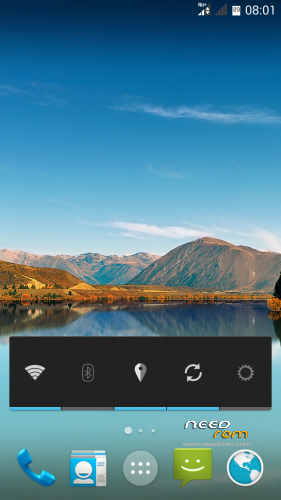
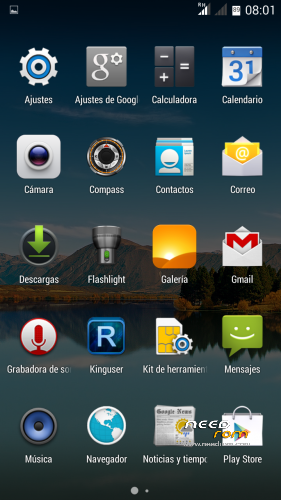
We introduce you to the new custom ROM SPAOSP for the Jiayu G4S and G5S devices.
A 100% Android ROM, without any script-like add-ons or tweaks. Every modification and adaptation has been made by code input. Therefore, given the fact it has no add-ons as previously mentioned and present in other ROMs, it gives the system great performance and stability, taking up less memory resources.
From Spain, for the rest of the world:
SPAOSP, the latest creation by TF Android Developers for our Jiayu G4S and G5S.
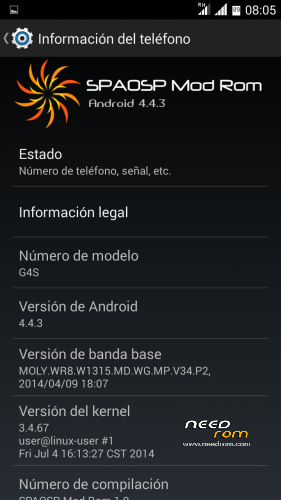
Name: SPAOSP (Spanish AOSP)
Version: 4.4.3
Date posted: 22-09-2014
Size: 391 MB
APKS included:
-Mobileuncle Tools
CHANGELOG:
- Removed “Second SIM missing” message
- Added Recovery option in power menu.
- Root with KingUser.
- Improved memory management.
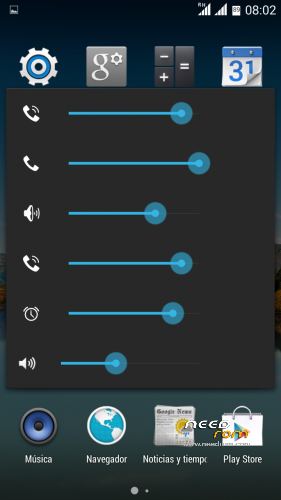
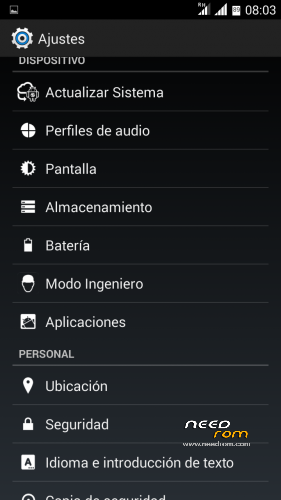
- Added Advanced Sound menu.
- Removed volume security warning.
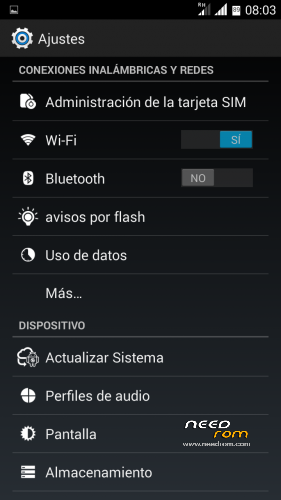
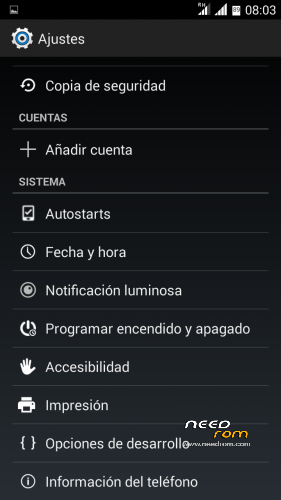
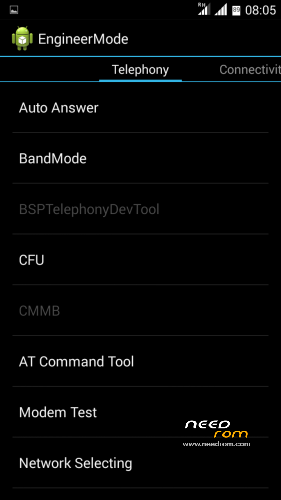
- Added Engineer Mode in Settings.
- Optimised auto-brightness.
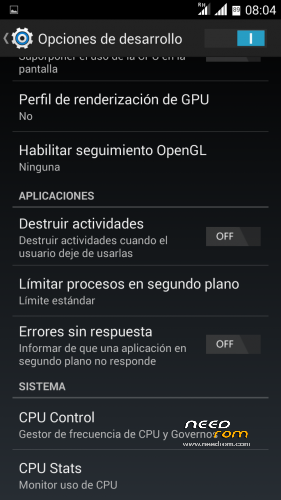
- Development Options activated by default.
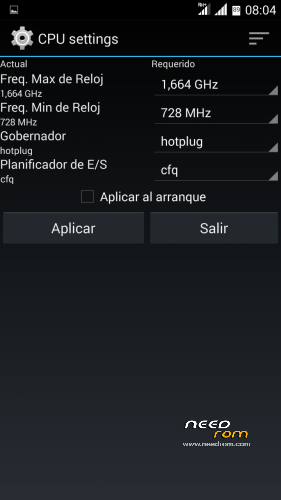
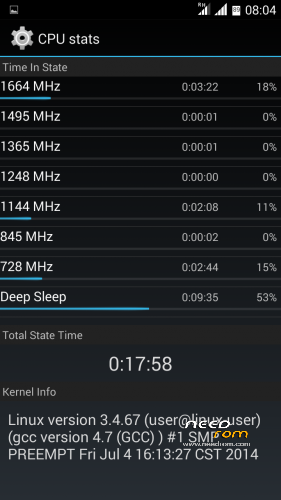
- Added CPU Control and CPU Stats in Development Options.
- Activation button replaced (checkbox for on/off switch).
- Added Wake Up Screen by volume buttons.
- Added Autostarts option in Settings.
- Added percentage to battery icon.
HOW TO INSTALL?
- SD format (Highly Recommended)
- Download Rom and copy it to the SD
- Enter in CWM Recovery
- Wipe data wipe Utility
- Wipe Dalvik cache cache
- Format system
- Install Rom from SD
- Select model G4S/G4S V3/G5S
- Automatic restart
- Configure wifi
- Set Up Account google
- Wait 5 min to stabilize the Rom
- Upgrade apk Google
- Reboot the phone
CAUTION:
- If V3 was installed before this installation, you must choose V3 from the installer..
※Please make a backup of your device before installing or updating ROM
sound setting is a little bit confusing…what symbol is for which sound? two different phones, two different icons for notification sound etc.
Based or ported with which rom? antutu, quadrant, vellamo points? how is positlbe the compatibility of this rom iwth the g4s hardware, which drivers did you use?
Bueno revisando la rom veo que se basa en una rom de "Mlais/Note Pro/Note" pero usando otra rom, que tan comtatible es esa rom incrustada en un G4S? no genera incompatibilidades de ningun tipo?
No existe compatibilidades, haciendo un buen port sabiendo que archivos tocar, cambiar, y modificar no debería de haber ningun problemas, estamos trabajando para solucionar los pequeños bugs de esta rom. Un saludo.
Whats you mean v3 installed? v3 stock rom or your v3 custom kernel?
If you have 4.2.2 rom than you choose normal version in Aroma instalator.
For those users who have installed before ROMs KK with new touchscreen drivers they should check installation with V3.
for GPS to work: install the app MT GPS EPO Fix … from Playstore; start app, grant superuser rights, close and restart app, hit download new EPO files in the app…, close app, enable GPS in android settings …. -> GPS works fine this way
GPS fixing doesn't work for me. Anyone expirence problem with detecting SIM card? Or it's just me? I can't also set IMEI for phone using either MTK uncle nor MTK droid tools….I'll try fix premissions in recovery – maby it changes anything. Anyone any ideas? thanks in advance
Antutu doesn’t work.
We are working on an update to fix small problems when ready will update ota.
Nice ROM and XPOSED with XPIVACY is working, but die App PlayMemories from Sony (could be find in the Play Store) to connect the Sony camera RX100 or the QX 100 with the spmartphone isn't working. It doesn't start. It was working under your ROM Android L Style 4.4.2.
Is there a possiblity to fix it?
Thank for your great work.
So, I now tried to downgrade to Android L Style 4.4.2. I wiped and formated everything I found in CWM but the other ROM isn't working again. It boots and the screen freezes trying to update apk Google. Then it goes in a boot loop.
Is maybe therefore a solution?
I tried to reinstall this rom and now previous bugs are solved (customize home screen and gps). Thank you and stay tuned for your update!!
Is it possible get volume setting "normal" (like original)? Can it fix in buildprop? Some file? I mean like if you use volume keys and click advanced settings (there is many part to set vol). I like its better to just set ring, alarm and software volumes. Thanks.