
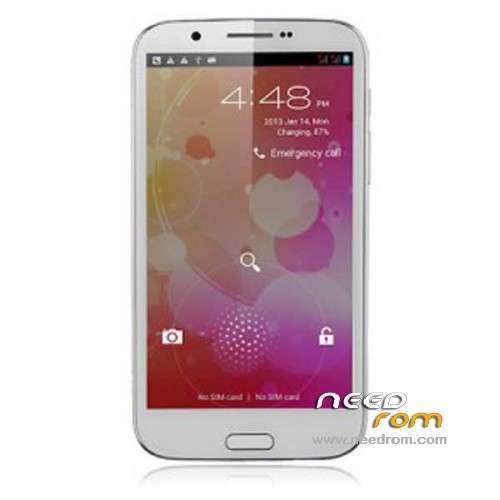
- Title: STAR N9589 v21
- Listed: January, 2014
- Last modified: 01/06/2014 7:45 pm
- Version: ROM Android 4.2.1
You must be logged for ROM download.
16902 total views, 2 today
 Member Info
DESCRIPTION
ROM Mobile STAR N9589 – ROM Android 4.2.1
Official ROM N9589 v21 : 20130731_e2001v21_v89_gq2008s
ONLY For e2001v21_v89 NOT e2001_v89
Gapps include – No Rooted
Language support : Multilang.
ROM Install :
- Unpack FlashTools, and Click on Flash_tool.exe
- Select a the MT6589_Android_scatter_emmc.txt in ROM
- Wait file to be added into Flash Tool
- choose Option->USB Model,click USB Model
–> Choose Option->DA DownLoad All->Speed->High Speed, click High Speed
- Turn off your phone, remove the battery.
- "Press F9 (hit Download button)" OR " if upgrade ROM Firmware->Upgrade "
- and connect your phone into the computer via USB data cable.
- The process will start and a red progress bar will appear after color purple, yellow.
- And green circles display
- Finish !
- You can now safely disconnect your phone and turn it on.
OR used SPMDT
※Please make a backup of your device before installing or updating ROM
Hi, I have flashed my phone with this firmware using Flash tool and it is successful. But blank screen after reboot.
My phone spec:
START N9589
Camera Main: ov8825_mipi_raw
Hi,
I got it working by just copying ik.bin from previous version. Thanks for posting this firmware.
Santosh
happy for you
hi i tried to flash this to my phone and after reboot i got blank screen
i think its failed, when i try to flash another rom sp tool says ERROR it cant even try to flash again – any rom
what can i do?
Hi santos, i have the low brightness problem. Which IK.bin file you used?
Thanks
My version is: ov8825_mipi_raw ov3660_yuv LM057APKP02A FT5406
Can someone help me? please.
Thanks
ooooook working whit file take from 20130423_e2001_v89_gq2008s
Tried to flash my N9589 V21 (in the moment ROM 20130511 + CWM Recovery) with SPMDT: 3.14 and SP-Flashtool 3.13 and 5.13
When I connect phone: "Media Tek PreLoader USB VCOM Port" appears in device manager and remains visible
Always red bar appears but after about 45sec getting error:
BROM ERROR: S_FT_ENABLE_DRAM_FAIL (4032)
[EMI] Enable DRAM Failed!
[HINT]: Please check your load matches to your target which is to be downloaded.
Anyone a hint what I can try ?
Already reset the phone to factory defaults, restartet windows and …
Add: exact build : e2001v21_v89_gq2008s_20130511 – phone is still running well.
FYI:
I managed to flash the ROM successfully with older version of flashtool (3.13.16) after several tries with above error.
My phone did not start at all but it was still recognized at USB connection.
So next step I downloaded older ROM (one of the stock ROMs here) and after several tries I also was able to flash it.
Phone was alive again, but with old ROM where GPS was nearly not functioning.
So I rooted the phone again (Kingo Root is very easy) copied the recovery.img of CWM package to the SD card.
Installed Mobile Uncle MTK tools and installed the CWM recovery image with it.
With CWM I was able to install my previous custom ROM again.
CWM and ROM from here: https://www.needrom.com/downlo.....d/star-n9589-9/
Now all is working and I am there where I was before. If I have some time I will try again the update.