
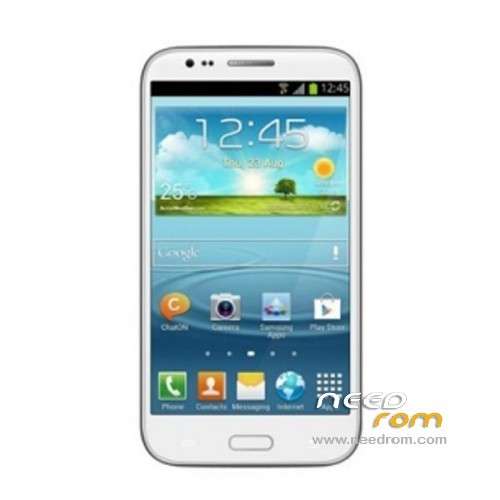
- Title: STAR S7189
- Listed: April, 2013
- Last modified: 07/27/2013 5:40 pm
- Version: ROM Android 4.2.1
You must be logged for ROM download.
52320 total views, 2 today
3 Total favorites
 Member Info
DESCRIPTION
ROM STAR S7189 – ROM Android 4.2.1
Update Official Version: 20130628_e2001v21_v89_jbl1a668_fwvga ( THX to sas007 For this ROM )
Changelog: ( After 20130320 )
Solve probabilistic press the volume down key feature is the volume up key issues
Update to the latest platform
Version to V2.1
With the latest screen driver
Internal memory to 2G
No machine test
Modify 89M does not boot, IMEM problem could not be written successfully
Optimization 0329 normal mode transient reddening problems
Calibration parameters to restore the factory settings to solve the problem of missing
Audio parameter modification: normal mic-180, SPH-122; headphones -190
Let Ann Bunny test screen display resolution of QHD: 540 * 960
Model and version number removed fwvga field
Modify the direction of the gravity sensor problem
Compatible with the new gravity sensor
. Solve the problems from the past distance sensor
Now the distance sensor calibration requires two steps, the first step no obstacles, obstructions placed second step
EMMC factory pattern to solve the problems can not be seen
————————————————————————————————————————————————————
Features ROM:
ROM Official Star version: 20130320_e2001_v89_jbl1a668_fwvga_02
Recovery in English , not rooted
1 Caller ID is truncated solve interface
2 Solve the problem of conflict of wifi address
3 Optimization AC power
Language support: Multilang
Install ROM :
To unpack TOOL run Flash_tool.exe
Select a the in _scatter_emmc.txt in Recovery with Flashtools
Click Flash_tool.exe interface Firmware-> Upgrade
Phone after taking the battery in put something
Connect the data cable
Brush finished with green circles appears
or
Install with SP MDT:
Unpack the archive N9589-SPM.zip and archive with the ROM
1). Turn off the smartphone. Cable is not connected to the computer.
2). Remove the battery and insert it again
3). Connect your phone to a computer cable. The operating system detects a new device
4). Disconnect the cable from the computer.
5). Run SPMultiPortFlashDownloadProject.exe
6). Choose Database Factory menu> Configuration File data source and specify the file MTK_DATABASE.mdb (it is in the folder SP_MDT).
7). Choose File> Open File Agent download and specify the file MTK_AllInOneDA.bin (it is in the folder SP_MDT).
8). Click File and select the MT6589_Android_scatter_emmc.txt file (it's in the folder with the rom).
9). The other parameters are fixed, as in the screenshot below.
10). Click "Start all".
11). Connect your phone to a computer cable. The program should see and blink. If the phone is not detected, then unplug it from the computer, remove and insert the battery and reconnect it to the computer.
12). After (OK) click Stop and disable any phone.
13). Completed.
Recovery CWM of dummer (Thx)
" I have made a working CWM recovery.Fully Tested working fine with stock firmware 20130320
if you flash only cwm you may lose sim(no service)as i did but then i flashed stock firmware with cwm replacing stock recovery and all good using sp flashtool
I then installed S7189 custom rom from SD card via CWM recovery and all good. "
※Please make a backup of your device before installing or updating ROM
Thanks SoCr@Te
Mise à jour pour le processeur MTK6589 avec 900mhz
désolé, je ne comprends pas ce que vous essayez de dire.
sorry i dont understand what you are trying to say.
He guys, i have this one smartphone: HTC S9500 link: http://hdcmobile.com/hdc-s4-s9.....500.html, and i flash "STAR" (im a idiot) rom, but the screen inst the same… i got a white screen of death!
Can anybody up a rom for this phone?
Screen 854×480 FWVGA!
https://www.needrom.com/mobile...../star-n9500-3/
Hi Roverii, do you find this rom, my phone HDC S4 S9500 brick, i am not find rom, please help me
you are de fucked master!!!!!you are a crack
Hi, I have a problem when start the Smart Phone Flash Tool. Just launched the tool, I receive this error: c:\20130320_e2001_v89_jbl1a668_fwvga_02\preloader_e2001_v89_jbla668_fwga.bin fail! and not start the firmware upgrade.
Someone knows thi issue?
thank you
I tested today with the procedure is a method that with the other but the rom 20130628_e2001v21_v89_jbl1a668_fwvga does not work either, the power button is dead the phone is dead. I had to forcibly return to the original ROM.
how did you return to original ROM?
yo tambien estoy brick como se hace eso x favor
I'm also brick. How do you do that please?
Brick my phone.
Screen black and detect only MTK PORT USB PORT (com25)
Install 20130422_e2001_v89_jbl1a668_fwvga with CWM recovery and phone run.
I am CwM v5.5.0.4 posible installar for update rom?
Hi, I installed chainfire 3D driver on my ROOTED star7189 and now it wont boot. its stuck on splash screen . I can get into recovery but I cant install ROM. I tried using SPFlash but nothing happened. SP multitool says com3 has error. Can anyone please help me how to install CWM recovery so I can flash the ROM.
Thank you
I bricked my phone with this rom