
- Title: STAR S7589 Galaxy3
- Listed: October, 2013
- Last modified: 10/19/2013 5:31 pm
- Version: ROM Android 4.2.2
You must be logged for ROM download.
25291 total views, 2 today
1 Total favorites

 Member Info
DESCRIPTION
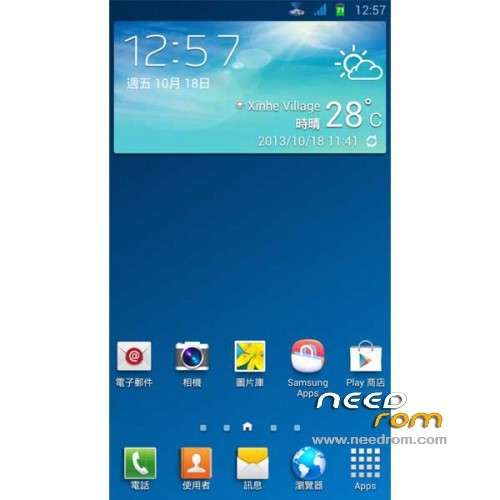
ROM Phone STAR S7589 Galaxy3 – ROM Android 4.2.2
Features ROM:
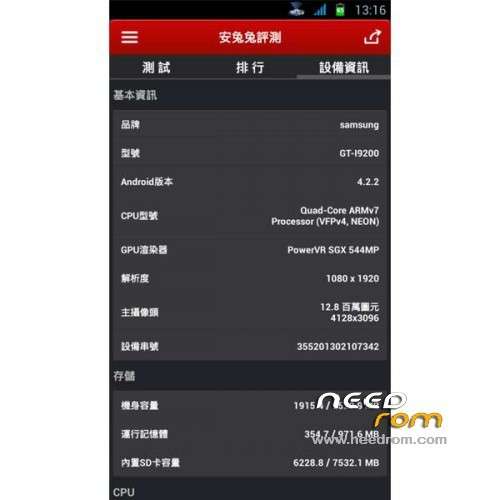
Ported I9200 on S7589
Gapps&Sapps include - Rooted – Odex
Language support: Multilang
Thx to taiwan
Install ROM :
CWM
Step 1: Download the custom ROM copied to an external SD card root directory
Step 2: the shutdown state. While holding down:
– Power button + volume button up, to enter the recovery mode.
– Wipe Data / Factory Reset -> delete all user data
– Wipe Cache Partition -> Wipe cache
– Advanced -> Wipe Dalvik Cache
Step 3: Return to recovery main interface Install zip from sdcard -> choose zip from sdcard -> Select your ROM
Step 4: Brush complete, restart the phone Patience required – first boot takes a while
※Please make a backup of your device before installing or updating ROM
Hi friend….
I installed ROM yesterday and I ceck it…
It's very very beautiful but there are any little bugs:
1) Volume notification and music sound are low
2) Accellorometer don't work good…after call it has problem
3) Proximity sensor work good but it works good about 3-4 centimeters…too near.
Is it possible to solve these problems?About me is only a problem of system files.
If you modify them and we change system file by root explorer I think we can solve….
I'm waiting for your reply kindly reply
Thanks to this ROM
Peppe
Hi, I am looking for the right audio driver too.
Can sombody explain me what for a CPU driver should I install when the amm Viper4Androdi FX asks. Is there an app which can scann my mobile to get this info?
I have a Star s7599 (MTK6589)
@developer of this Rom
Can you please tell us if you will try to fix the problems. It is no problem if not. But than I have to change the Rom again. At this time I am waiting for you to fix it,
Hi, how can i uninstall the left bar in my screen? i dont find the apk to keep them.
Sidebar is built into the rom does not remove it , hold the back button 2/3 s and disappear .
Hi, i have problem with the radio sign from the sims, have a solution? Thanks
No va 3g
AUDIO PROBLEM FIXED!!!
ViPER4Android Audio Effects (FX v2.3.1.5)
http://forum.xda-developers.co.....d.php?t=2191223
Having tried MIUI, Xperia and Galaxy 3 Rom for S7589, I think this is by far the best ROM after some modifications.
What makes this ROM better than MIUI and Xperia are:
1) Its already rooted
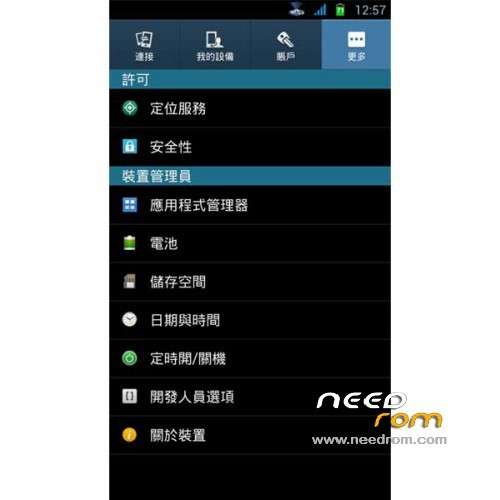
2) Settings have developer options availlable
3) The keypad lights work
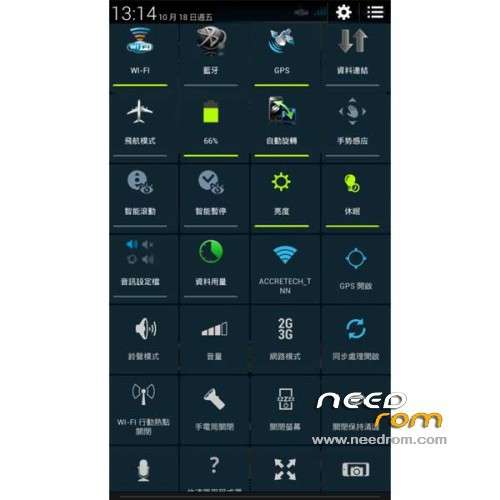
4) The layout of the top slide down menu has the most options
5) Everything works after flashing. Even H+ for mobile internet. For those having problem, you obviously live in a country that use different frequency for 3g/4g. In that case, use a different modem settings.
The modifications done to make this ROM even better are:
1) Disabled over 50+ bloatware in system app using Root App Delete. There is an apk called with the word "side" in it. Disabling it will remove the annoying floating sidebar. Alternatively, you can go to the ROM's zip and delete unnecessary apk from system folder.
2) Used Viper4Android to boost volume permanently
3) Adaway to modify host file and permanently disable ads, even those ads on "free" apps
4) Used ES Task manager to disable some startup items
5) Lastly, with all bloat gone, I used CPU Tuner to underclock and disable 2/3 cores when certain conditions are met.
Well, thanks a lot for the information… I agree with you too…
"this is by far the best ROM after some modifications."
die Rom läuft ganz gut nur der ton und die lautsträke sind mist oder ein fach schlecht wäre sonst 5 sterne so nur 3 sterne