
- Title: STAR X920 8GB
- Listed: August, 2013
- Last modified: 08/24/2013 11:18 pm
- Version: Android 4.2.1
You must be logged for ROM download.
38735 total views, 1 today
2 Total favorites
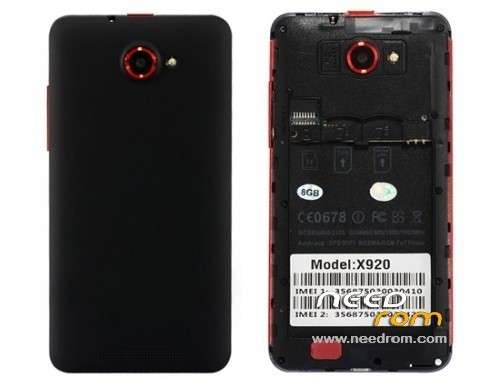
 Member Info
DESCRIPTION
For MTK6589 STAR X920 (8GB) Version
Model number: 01v21_v89_zlh_hd
Android Version: 4.2.1
Baseband Version: MOLY.WR8.W1248.MD.WG.MP.V6.P9,2013/06/19 14:45
Flashing Guide for STAR X920 (8GB)
Have the following tools downloaded and installed.
- MTK65xx Driver
- USB VCom Driver
- SPD_MDT FlashTool
- STAR X920 20130704_e2001v21_v89_zlh_hd ROM
Unpack the archive SP_MDT_exe_v3.1312.00_A2013.04.09_customer.zip and ROM to desktop
1). Turn off the smartphone. Cable is not connected to the computer.
2). Remove the battery and insert it again
3). Connect your phone to a computer cable. The operating system detects a new device
4). Disconnect the cable from the computer.
5). Run SPMultiPortFlashDownloadProject.exe
6). Choose Database Factory menu> Configuration File data source and specify the file MTK_DATABASE.mdb (it is in the folder SP_MDT).
7). Choose File> Open File Agent download and specify the file MTK_AllInOneDA.bin (it is in the folder SP_MDT).
8). Click File and select the MT6589_Android_scatter_emmc.txt file (it's in the folder with the rom).
9) Main Sensor: ov8825_mipi_raw , Sub-Sensor: hi253_yuv, LCD: LT050ANKP022A
10) If phone is BRICKED, Select BootRomàDA option; otherwise, use Preloader-DA
11). Click "Start all".
12). Connect your phone to a computer cable. The program should see and blink. If the phone is not detected, then unplug it from the computer, remove and insert the battery and reconnect it to the computer.
13). After (OK) click Stop.
14). Completed.
※Please make a backup of your device before installing or updating ROM
AT startup I get 2.0 is not a valid floating point
when I select all the files and press "Start all" I get:
3.1312 is not a valid floating point
solution?
I get the same error. Some solution??
I found the solution. The problem is the win regional settings. Go to control Panel – Regional settings and set english configuration. Get luck
Same error, my mobile phone is bricked, any solution??
Thanks
Excellent , picture of process.Thanks
Excelente ,les dejo una imagen.Muchas gracias
I get the same picture, but now my X920 not start!! Some idea??
A mi me sale error en el puerto com 3, se marca asi como error nadmas
first install all drivers , remove battery and put battery , and starfall.(windows 7)
https://www.needrom.com/mobile.....ar-tengda-x920/ (this rom ,excelent )
Instalar todos los drivers , quitar y poner la bateria , y starfall.
el error nadmas no tengo idea , prueba cambiar de cable usb o con otra bateria.( sino utiliza la otra rom es excelente y se realiza por cwm)
My phone is bricked, it just started having sudden deaths like the galaxy s3, but now it won't turn on. and I'm trying to find a rom to unbrick it. I get dram failed, I tried to update with s5 firmware as some1 else has posted a solution, but I wont get past the red bar.
tHANKS
Hello I have one star x920
model 01_v89_zlh_hd
display:01_v89_zlh_hd_20130705
version kernel:3.4.5 (eng.root.1372997424
hardware mtk6589
android version 4.2.1 armv 7l
I need a clean rom if it was possible in Spanish but not which room is cost for my mobile they estaria very gratefully
Not sigh who could help in this post is cost for my mobile this one included the language in Spanish in this room thank you
Help, error after Run SPMultiPortFlashDownloadProject.exe :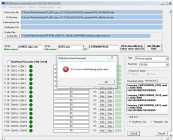 click ok, after a click "Start all" error :
 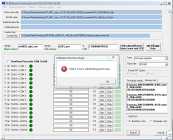 . Phone is BRICKED.
Thank you!
thx! it's help me repair my brick ))
Hello.
I could say what the improvements of this new rom and fixes bugs.
Is this rom valid for all X920 8gb?
Thank you very much.
DA Error
S_FT_ENABLE_DRAM_FAILED(4032)
I ALWAYS get this thing with all the tools and all roms… help me..